EasyUIBuilder: Creating Minecraft Bedrock UI Without Writing JSON
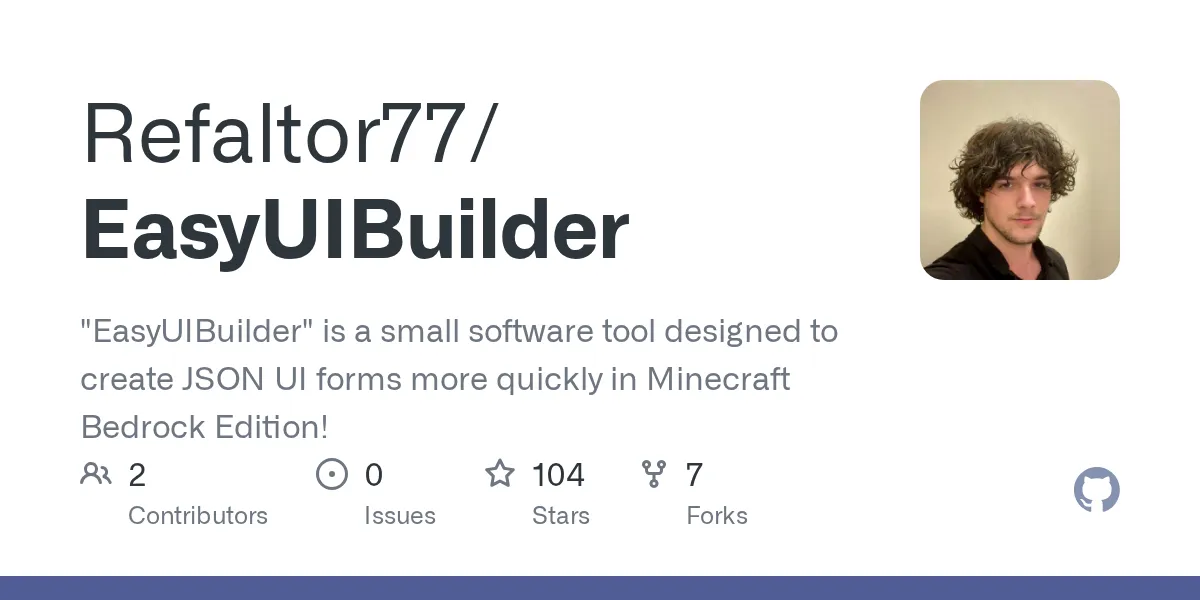
""EasyUIBuilder" is a small software tool designed to create JSON UI forms more quickly in Minecraft Bedrock Edition!"
Refaltor77/EasyUIBuilder · github.com
If you've ever tried building a custom interface for a Minecraft Bedrock addon or resource pack, you know the pain. JSON UI files are powerful, but they're also verbose, easy to break, and tedious to write by hand. EasyUIBuilder solves this problem by letting you generate Minecraft Bedrock JSON UIs using a fluent PHP API instead of hand-coding JSON from scratch.
What EasyUIBuilder Does
EasyUIBuilder is a PHP library (MIT licensed, 104 stars on GitHub) that takes the friction out of creating Minecraft Bedrock Edition JSON UI files. Instead of manually writing or editing JSON, you write readable, chainable PHP code that generates valid UI definitions automatically.
Let's be clear about what this means in practice. You're not replacing Minecraft's UI system. You're writing a code layer on top of it that spits out the JSON files your addon needs. Think of it like using a CSS framework instead of writing all your styles by hand. The output is standard Bedrock-compatible JSON, but you never have to touch it directly.
This matters because Bedrock UI JSON is complex. A simple button needs binding declarations, control definitions, animations, offset calculations, and color specifications. Chain five buttons together and you've got hundreds of lines of JSON. EasyUIBuilder cuts that down to a handful of readable, reusable code lines.
Why You'd Use This (Use Cases)
Addon developers building anything with custom UIs benefit most. That includes inventory management screens, shop systems, configuration panels, and game menus. If your addon needs players to see or interact with anything beyond basic chat commands, you're building a UI.
But it's not just addons. Server administrators creating server tools, launcher plugins, or management dashboards can use EasyUIBuilder to generate the UI components they need without wrestling with raw JSON. If you're distributing your addon across servers using tools like our Free Minecraft DNS or managing player access with a Whitelist Creator, custom UIs often come next.
The biggest win is for teams. When UI definitions live as code instead of JSON, they integrate with version control, code reviews, and automated testing. Your team can refactor, document, and collaborate on UI without manually merging nested JSON objects.
Getting Started: Installation and Setup
You'll need PHP 8.0 or higher. If you're managing PHP dependencies with Composer (you should be), installation is one line:
composer require refaltor/easy-ui-builderNo system dependencies, no external tools. After that, you import the library in your code and start building UIs. The quickest hello-world looks like this:
use refaltor\ui\builders\Root;
use refaltor\ui\elements\Label;
use refaltor\ui\colors\BasicColor;

$root = Root::create("my_namespace");
$root->addElement(
 Label::create("hello", "Hello Minecraft!")
 ->setFontSize(Label::FONT_EXTRA_LARGE)
 ->setShadow()
 ->setColor(BasicColor::yellow())
);
$root->generateAndSaveJson("ui/my_screen.json");
That code creates a labeled text element, colors it yellow with a shadow, and writes the JSON file to your resource pack. No manual JSON editing required.
Key Features That Matter
Fluent API
Every element supports method chaining. You create an element and call methods on it like `->setColor()`, `->setSize()`, `->setVisible()` and so on. It reads like a sentence, and you don't have to worry about JSON syntax. The library handles quotes, braces, nesting, and validation.
Animations and Bindings
Bedrock UIs can animate (fading, sliding, color shifts) and bind to variables (show this element when player health is low). EasyUIBuilder includes 30+ animation easing functions and a complete binding system for platform-specific layouts and conditional visibility. You declare these in code instead of raw JSON structures.
Automatic Validation
The library validates generated JSON against Bedrock's UI schema automatically. And this catches mistakes early instead of letting them fail silently at runtime. If you try to set an invalid color value or missing required property, the library tells you before writing the file.
Color Utilities
Predefined colors, RGB conversion, random colors, complementary colors, and pastel generation are all built in. No more hunting for hex codes or doing color math in your head.
Utility Components
Common elements like close buttons and player renders come pre-built. Look, you don't reinvent the wheel for patterns every addon needs.
Common Gotchas and Tips
One thing that surprises new users: the output is JSON, not PHP objects. You call `->generateAndSaveJson()` and it writes to disk. You're not manipulating the UI at runtime in your addon code. The library is a build-time tool that generates the files your addon consumes.
Binding system syntax takes a minute to understand. There are global bindings, view bindings, collection bindings, and visibility bindings. Each type serves a different purpose. The README covers this, and it's worth reading those sections carefully before your first complex panel.
Animation easings have specific names (exponential_in, cubic_out, elastic_loop, etc.). If you hardcode animation names, they'll fail silently if you mistype. Using the constant class methods is safer.
File paths are relative to where your PHP script runs. If you're automating UI builds in a CI/CD pipeline, get the working directory right or your files end up in unexpected places.
What Alternatives Look Like
You could write the JSON by hand. That works, but it's slower and error-prone. You're managing indentation, quotes, and syntax rules manually. For complex UIs with multiple screens, you'll find yourself copy-pasting large blocks and then carefully editing each one. It's the workflow EasyUIBuilder was built to replace.
Some developers use text editors with JSON schema validation. That helps catch some mistakes, but you're still writing a lot of boilerplate. UI definition frameworks for other games (Unity, Unreal) offer similar code-generation approaches, and EasyUIBuilder brings that convenience to Minecraft Bedrock.
For simple one-off UIs, hand-coding isn't a disaster. If you're building a serious addon or maintaining multiple screens across a project, code generation pays off quickly.
Before You Dive In
This tool assumes you already understand Minecraft Bedrock UI concepts: screens, panels, buttons, bindings, and the general structure of what you're trying to build. It's not a visual designer. You still need to know what elements exist and how they work. What it saves you from is writing the JSON syntax and managing the repetitive parts.
If you're building a server with multiple addons or distributing tools that need custom interfaces, adding a build step that generates UIs from code is worth the setup time. You get version control, team collaboration, and fewer syntax errors.
Refaltor77/EasyUIBuilder - MIT, ★104
Lead writer at minecraft.how. Long-time Minecraft player running a small SMP server, testing every build, mod, and seed before writing about it.
Frequently Asked Questions
Do I need to know Bedrock UI concepts to use EasyUIBuilder?
Is EasyUIBuilder free to use?
Can I integrate EasyUIBuilder into my addon build pipeline?
What Minecraft versions does EasyUIBuilder support?
Does EasyUIBuilder work with resource packs or only addons?
Have a Question or Tip about this Guide?Community Q&A
Ask a question or help other players below. Join the discussion and share your Minecraft tips!