GeckoLib: Building Better Minecraft Mod Animations
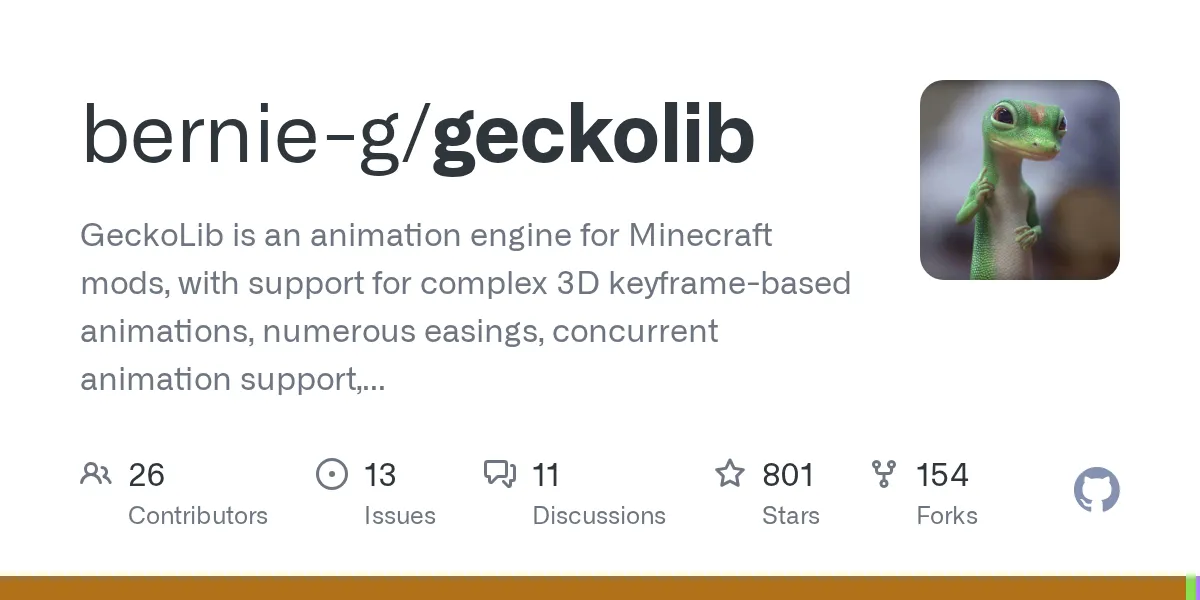
bernie-g/geckolib
GeckoLib is an animation engine for Minecraft mods, with support for complex 3D keyframe-based animations, numerous easings, concurrent animation support, sound and particle keyframes, event keyframes, math-based animations, and more. Available for all major modloaders.
View on GitHub ↗Making a Minecraft mod with polished animations is harder than it looks. While vanilla Minecraft handles basic block rotations and entity movements, creating something truly fluid and complex requires serious engineering. GeckoLib solves that problem by giving mod makers a dedicated animation engine with keyframe support, multiple easing functions, and sync options that actually work.
What's GeckoLib?
GeckoLib is an open-source animation and rendering engine built specifically for Minecraft mods. It handles the heavy lifting of 3D keyframe animations. That means mod creators can define exactly how models should move at specific moments in time, and the engine smooths everything in between. Instead of hard-coding rotation values or relying on Minecraft's limited animation system, you get a proper toolset.
The project has 801 stars on GitHub and is written in Java. It works across the major Minecraft modloaders: Forge, Fabric, and NeoForge. So whether you're working in the Fabric ecosystem or committed to NeoForge, you're covered.
Think of it as the difference between manually drawing each frame of an animation versus using a proper animation program. GeckoLib is the animation program for mods.
Why Mod Makers Use It
Good animations transform how a mod feels to play. A boss with smooth, deliberate attack animations is terrifying. A weapon that swings with proper weight and momentum feels satisfying. Custom creatures with natural movement feel alive instead of janky. GeckoLib makes all of that possible.
But it's not just about aesthetics. Complex mods benefit from GeckoLib's event system, which lets animations trigger sounds, spawn particles, or fire custom events at specific keyframes. Your giant robot boss can crash its fist down, trigger damage, create dust particles, and play a sound effect all at the exact same moment. That synchronization is what separates "cool" from "really cool."
The library also handles concurrent animations. Real creatures don't move in isolation. A dragon might be flying while also breathing fire while also taking damage. GeckoLib lets multiple animations blend together smoothly, which opens up way more sophisticated behavior than older systems allowed.
Installing and Setting Up GeckoLib
If you're creating a mod, you'll add GeckoLib as a dependency in your build file. For Fabric, you'd add it to your `build.gradle` like this:
repositories {
 maven { url 'https://dl.cloudsmith.io/public/geckolib3/geckolib/maven/' }
}

dependencies {
 modImplementation 'software.bernie.geckolib:geckolib-fabric-1.20.1:4.4.4'
}
The exact version and format varies depending on your Minecraft version and modloader, but the concept is the same. A GeckoLib wiki (which is actually thorough, unlike some projects) has installation instructions for all the major loaders. I'd read that before copying anything from examples online, since setup details shift with new Minecraft versions.
Once installed, you're importing the library's classes into your mod code and extending them for your custom models and entities. The learning curve is real if you've never worked with keyframe animation before, but the documentation is solid.
The Features That Matter
GeckoLib packs several standout features that justify its popularity in the mod community.
Keyframe-based animation: You define what your model should look like at frame 0, frame 10, frame 30, and so on. The engine interpolates smoothly between them. This is the industry standard for animation tools, and having it in Minecraft is a big deal.
30+ easing functions: Animations need rhythm. A creature jumping should accelerate upward and decelerate coming down, not move at constant speed. GeckoLib includes a library of easing curves (linear, ease-in-out, bounce, elastic, etc.) so your animations feel natural instead of robotic. Pick the wrong easing and your dragon looks broken. Pick the right one and it feels alive.
Sound and particle keyframes: This is genuinely useful. You can say "at frame 15 of this attack animation, spawn a dust particle and play a swoosh sound." Your custom event system can trigger damage, knockback, or custom logic at specific frames too. Everything stays in sync automatically.
Concurrent animations: Multiple animations can play on the same model at once, blending together. A creature can walk while also looking around, or swing a weapon while flinching from damage. Older animation systems force you to choose one or the other.
Math-based animations: For procedural movement like breathing or swaying, you can use mathematical expressions instead of manually keyframing every frame. Saves time and looks smooth.
Common Pitfalls and What to Watch For
Most problems come from misalignment between your model structure and how you've set up the animation rig. If your 3D model's bones don't match the animation skeleton, nothing works right. There's a learning curve to matching bone names and hierarchies.
Also, different Minecraft versions sometimes have breaking changes in the modloader APIs that GeckoLib depends on. If you're using an outdated version of GeckoLib with a newer Minecraft snapshot, you'll hit compatibility issues. Always check the version compatibility matrix.
One thing that trips people up: GeckoLib doesn't create models for you. You still need to build your 3D models in Blender or Blockbench, rig them properly, export them in the right format, and integrate them. GeckoLib handles the animation part, not the modeling part. Knowing the difference saves a lot of frustration.
Alternatives Worth Knowing
GeckoLib isn't the only animation solution for Mods, but it's the most feature-complete for complex animations. Some modders stick with Blockbench animations for simpler cases, since they're lighter and don't require external dependencies. But if you want sophisticated boss battles, custom creatures, or weapons with real personality, GeckoLib is the standard.
There are other rendering libraries out there, but most are either outdated or lack GeckoLib's feature set. The mod community has pretty much standardized on GeckoLib for new projects.
Where GeckoLib Fits in the Bigger Picture
If you're just playing Minecraft and looking for cool mods with great animations, you're probably benefiting from GeckoLib without realizing it. Mods with impressive boss fights, custom creatures, and polished combat usually have GeckoLib under the hood.
Interested in checking out mods that really push Minecraft's visuals? Check out the Minecraft Server List to find communities running mods with professional-level animations. Many of the custom mods on advanced servers use GeckoLib for exactly these reasons.
If you're the type who creates Minecraft content (whether that's skins, servers, or mods), understanding what GeckoLib does helps you appreciate why some mods feel so much smoother than others. The animation engine is doing work behind the scenes.
Getting Started: Real Expectations
Learning GeckoLib isn't something you do in an hour. You need to understand 3D modeling basics, how bone rigging works, and how to write Java code that integrates with your mod. But if you're already comfortable modding Minecraft and want to level up your animations, it's absolutely worth the time investment.
The project has an active Discord community where you can ask questions. One wiki is surprisingly detailed. And once you get the first animation working, the pattern becomes clear and subsequent animations get faster.
Honestly, if you're building a mod and animations matter to your vision, skipping GeckoLib means either settling for worse visuals or wasting hours reinventing what this library already does well.
Also, if you're curious about animation as a craft, GeckoLib is a great way to learn. Creating believable movement is a real skill, and having a proper tool to experiment with makes it way easier than hacking Minecraft's native systems.
Want to see what's possible with proper animation tools? Look at any popular boss mod or creature mod released in the last few years. Odds are good it's using GeckoLib or was inspired by GeckoLib's capabilities. The smoothness you see when a custom boss flows through attack phases without stuttering or clipping? That's often GeckoLib at work.
For mod creators focused on visual quality and gameplay feel, it's genuinely a big deal (and yes, that phrase is overused, but in this case it's actually deserved).

Lead writer at minecraft.how. Long-time Minecraft player running a small SMP server, testing every build, mod, and seed before writing about it.
Frequently Asked Questions
Is GeckoLib free to use?
What Minecraft versions does GeckoLib support?
Can I use GeckoLib for animations in single-player mods?
Do I need 3D modeling experience to use GeckoLib?
How does GeckoLib compare to vanilla Minecraft animations?
Have a Question or Tip about this Guide?Community Q&A
Ask a question or help other players below. Join the discussion and share your Minecraft tips!