Running Multiple Minecraft Servers on One IP with mc-router
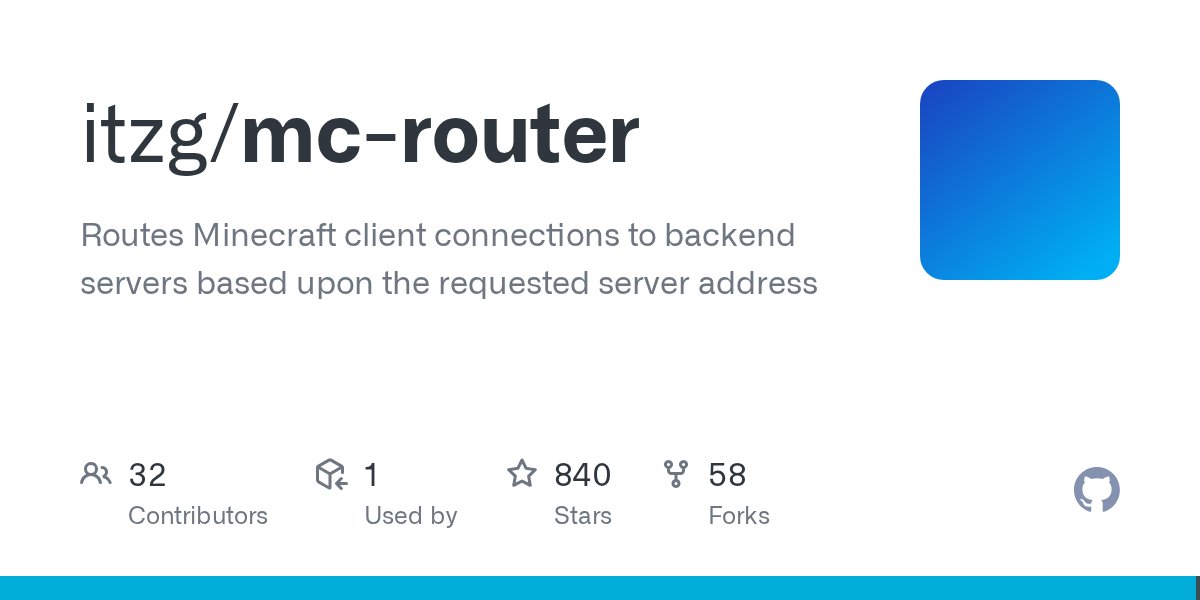
"Routes Minecraft client connections to backend servers based upon the requested server address"
itzg/mc-router · github.com
Want to run multiple Minecraft servers on one public IP and port? mc-router lets you host several servers behind a single address, automatically directing players to the right backend based on the hostname they use to connect. No expensive hosting plans or additional IPs required.
The Port 25565 Problem
Here's the reality of home server setups: port 25565 is the standard Minecraft port, and most internet providers give you one public IP address. Want to run a survival world, a creative realm, and a competitive PvP server simultaneously? You're usually stuck buying multiple public IPs (expensive and often unavailable) or paying hosting companies for separate server subscriptions (which adds up fast).
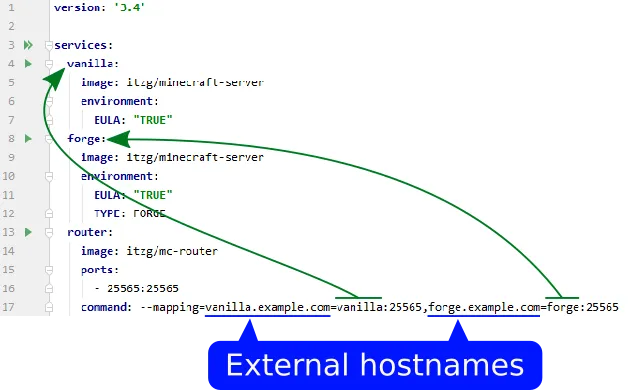
mc-router solves this by sitting in front of all your backends and acting as an intelligent traffic router. A player connects to `survival.example.com` and gets routed to Server A. Another connects to `creative.example.com` and hits Server B. Same IP, same port, completely different backends.
Why This Matters More Than It Sounds
Home server enthusiasts finally get multiple worlds without enterprise pricing. Community servers can consolidate infrastructure. And because it's written in Go, mc-router runs on minimal resources - less CPU and memory than a single idle Minecraft server. It'll happily run on older hardware or a Raspberry Pi.
Honest take though: you don't need this unless you're already comfortable with Docker or Linux networking. Running one casual server for friends? Skip it. Building something more complex? This saves enormous amounts of money and headache.
Security is another underrated benefit.
mc-router blocks Minecraft port scanners that don't specify a valid hostname. Random internet traffic can't easily discover and crash into your setup. It's a free security layer that comes built in.
Getting It Running
Most people use Docker. Pull the image:
docker pull itzg/mc-router:latestThen run it with routes defined:
docker run -d \ --name mc-router \
 -p 25565:25565 \
 -e ROUTES=survival=backend-survival:25565,creative=backend-creative:25565 \
 itzg/mc-router:latest
Breaking this down: `-p 25565:25565` exposes the Minecraft port to the outside world. The `ROUTES` variable tells mc-router to send connections asking for "survival" to a Docker container named `backend-survival`, and "creative" connections to `backend-creative`. That's the entire concept.
In a real setup, you'd use Docker Compose so your backends and router start together. Everything stays readable and shuts down cleanly.
Running Kubernetes? mc-router auto-discovers backend servers from service labels. You don't manually list routes. For larger operations, this is genuinely the killer feature.
Features That Help
Auto-scaling is the one that sounds made-up until you use it. Backend servers can automatically shut down when idle and wake up when someone connects. Idle servers drain resources and cost money. Players just see a loading message while their server boots. (This only works with Kubernetes StatefulSets or Docker containers, not VMs on cloud hosts.)
Metrics and monitoring mean you get Prometheus/InfluxDB integration out of the box. Track player connections, which servers get traffic, latency between router and backends. If you're already monitoring infrastructure, you get instant visibility.
IP filtering and rate limiting block basic DDoS attacks and let you allowlist/denylist IP ranges. Not a substitute for real DDoS protection, but it keeps casual attackers away. Webhook integration notifies other systems when players connect and disconnect.
Graceful fallback is small but valuable. When a backend goes down, show a custom MOTD instead of timing out. Auto-scaled servers booting up can show "Server starting..." instead of making players wait confused.
Gotchas and How to Avoid Them
DNS is non-negotiable. mc-router routes based on hostname, so players must connect to `survival.example.com`, not just the raw IP. If you don't have DNS sorted, our Free Minecraft DNS tool can help you get started. Once you've got that working, you might also bookmark our Nether Portal Calculator for other infrastructure work.
Backend servers see all connections coming from mc-router itself, not original players. Your server logs lose real player IPs unless you configure proxy protocol support. It's possible, but easy to miss on first setup.
mc-router adds almost no latency, but it becomes a single point of failure. If the router crashes, nobody reaches any backend. Proper monitoring and restart procedures matter.
Configuration formatting is picky.
Spaces around equals signs in environment variables silently break routing. Typos in container names fail quietly. Always validate configuration before wondering why traffic isn't flowing.
Similar Tools Worth Knowing About
Bungeecord and Velocity are Java-based Minecraft proxies designed specifically for routing players across servers. They handle cross-server data synchronization, but consume more resources and require managing a separate Java application. Use these if shared player data across worlds matters to you.
Waterfall is a Bungeecord fork with slightly different management philosophy.
Commercial hosting like AWS and DigitalOcean handles multiple servers without juggling ports. You're paying for convenience instead of building infrastructure yourself.
mc-router wins when you want lightweight, hands-on control with minimal overhead. It's doing one thing really well rather than trying to be everything.
Current State
The project stays actively maintained with regular releases improving the Routes API and logging controls. With 840 GitHub stars and an active Discord community, this isn't experimental. It's a real tool people depend on.

Lead writer at minecraft.how. Long-time Minecraft player running a small SMP server, testing every build, mod, and seed before writing about it.
Frequently Asked Questions
Is mc-router free and open source?
What Minecraft versions does mc-router support?
Can I use mc-router without Docker?
Does mc-router add lag or latency?
How is mc-router different from Bungeecord?
Have a Question or Tip about this Guide?Community Q&A
Ask a question or help other players below. Join the discussion and share your Minecraft tips!