How to Build an Aquarium in Minecraft (Step by Step)
Building an aquarium in Minecraft comes down to four things: a glass box, source water that won't drain out, good lighting, and fish that stay put. Frame it, glass it, fill it with the kelp trick, then drop in coral, sea pickles, and bucketed tropical fish. Here's how to do it properly.
What You'll Need
Gather everything before you start, because nothing ruins the flow like sprinting back to a chest while water pours across your floor. The core shopping list is short and cheap.
- Glass blocks or glass panes for the walls (panes give a thinner, frameless look)
- A water bucket, or several if you're impatient
- Kelp for the filling trick
- Sea lanterns or glowstone for light
- Coral blocks, sea pickles, kelp, and seagrass for decoration
- A bucket and some fish: tropical fish, cod, salmon, or pufferfish
You'll also want a solid material for the back wall and floor. Sand, smooth stone, and prismarine all work. I lean toward prismarine because it reads as "ocean" without shouting about it, and dark prismarine trim around the glass looks properly aquatic.
Build the Box First
Water is the last thing you add, never the first. Put up a sealed container: back wall, floor, two sides, and a viewing front made of glass. Leave the top open so you can pour water in later.
Pick your size before laying a single block. A tank built into a wall wants depth (front to back) so fish have room to swim toward and away from the glass, not just left and right. Three blocks deep is plenty for a wall display. For a centrepiece you can see from every side, give it more room to breathe.
Glass panes are my pick for the front. They hold water perfectly, and the slim profile makes the build look like an actual tank instead of a stack of cubes. Full glass blocks are fine too if you want that chunky, set-into-the-wall fish tank feel from older builds.
Here's the mistake everyone makes once: water escapes through any gap. One missing block at the base and you've got a waterfall redecorating your living room. Check every seam before you fill.
Filling It Without Flooding Everything
This is where most first aquariums fall apart. Water flows out from source blocks, and flowing water looks messy and shoves your fish around. What you want is every block inside the tank sitting still as a source block. Two reliable ways to get there.
The kelp trick
Plant kelp along the floor of the empty tank and let it grow to the top (or place each piece by hand). Kelp converts every water block in its column into a source block. Once a column is full, break the kelp and the still water stays behind. Work across the whole floor and the tank fills with motionless water. This is the method I use for anything tall, and it behaves the same on Java and Bedrock.
The checkerboard method
For a tank only one or two blocks deep, pour water sources in a checkerboard pattern along the top edge. Each empty gap sits beside two sources, so it fills itself with a source block. Quicker than kelp for shallow tanks, no use at all for deep ones.
Small correction on that: the checkerboard rule is dead reliable on Java. Bedrock handles water sources differently and can be fussy, so on Bedrock I just use kelp and skip the mental maths.
Lighting, Coral, and Fish
A box of clear water is just a window. The details are what make people stop and stare.
Getting light through water
Water eats light. Stick a torch beside a deep tank and the bottom still looks like an unlit cave. The answer is to build the light into the structure itself. Sea lanterns are the cleanest choice: bed them into the floor or back wall so they glow up through the water. Glowstone behind the glass makes a soft backlight. Sea pickles, placed on coral blocks underwater, give a warm glow that grows brighter as you cluster them (up to four per block). One thing to skip: tinted glass on the viewing pane, since it blocks light entirely.
Keeping coral alive
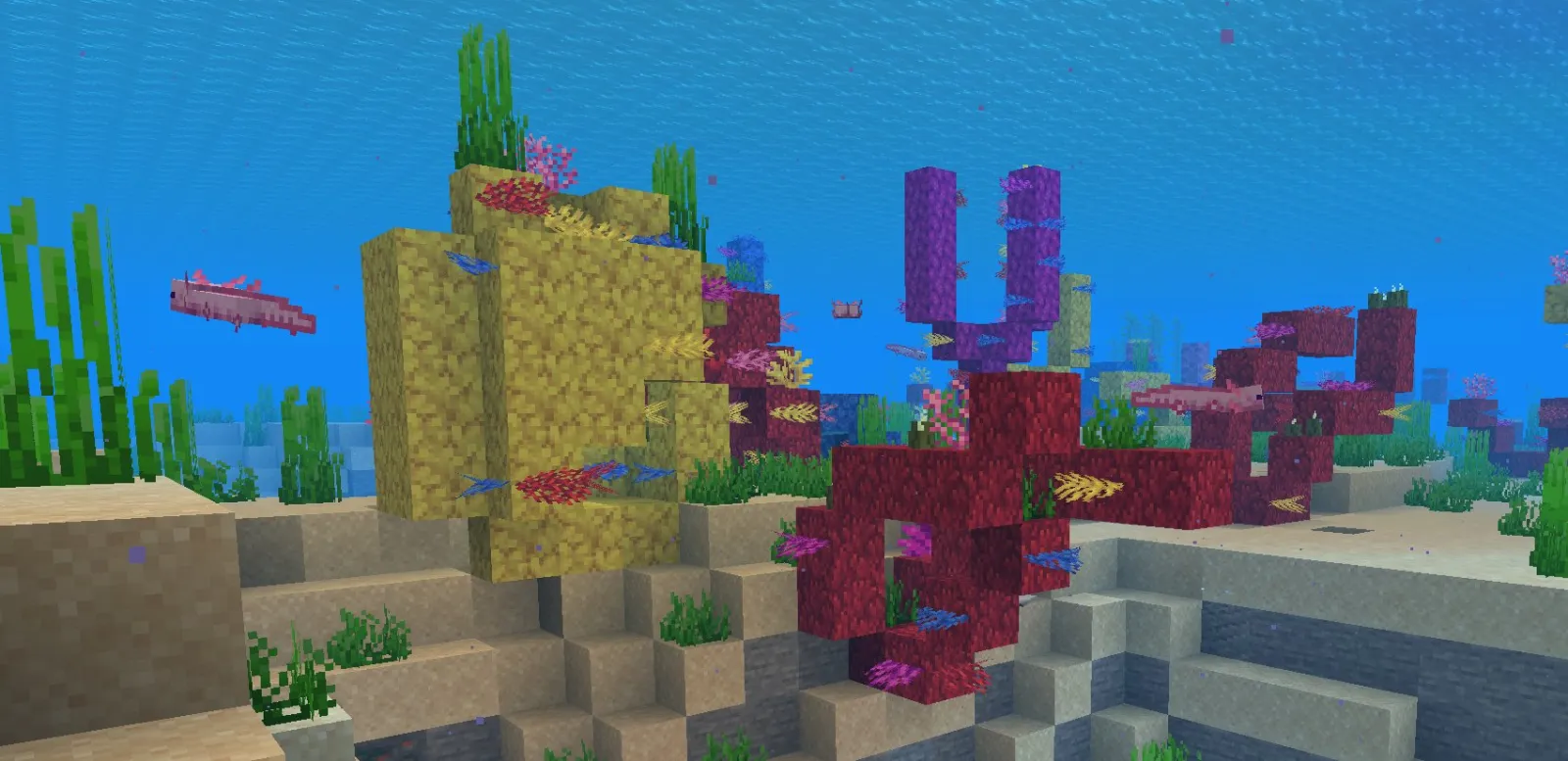
Coral comes in five colours: tube, brain, bubble, fire, and horn. It has one rule you can't break, which is that it must stay wet. Place a coral block in open air and it dies within a couple of seconds, fading to grey. Here's the thing, keep it submerged and it stays vivid. Dead grey coral isn't a bug, by the way. Some builders use the bleached look on purpose.
For greenery, scatter kelp and seagrass around the base. Bone meal used on the floor underwater spawns seagrass for free, which saves you planting every blade by hand.
Getting fish to stay
Scoop a fish into a bucket, then place it inside your tank. Fish released from a bucket don't despawn, which is exactly the behaviour you want for a permanent display. Wild fish that wander in on their own can vanish over time. The Minecraft Wiki lists 22 tropical fish variants, so you can mix patterns and colours endlessly.
Good news: fish in Minecraft don't need feeding. Once they're in clean water they look after themselves, so an aquarium is genuinely zero-maintenance once it's built.
Tempted by axolotls? Don't mix them in with the fish. Axolotls hunt tropical fish, cod, salmon, and squid, so your reef turns into their lunch buffet. If you love them (fair, they're adorable), give them a separate tank.
Two extra touches for atmosphere. Soul sand under a water column makes bubbles rise through the glass, which looks brilliant in a corner (it does push fish upward, so don't centre it). A glow squid adds drifting blue particles and a gentle light, and it won't bother anything else in the tank.
Going Big: Conduits and Walk-In Tanks
Want to stand inside the thing? Build a glass room beside or beneath a body of water and seal it tight. For any large underwater build, a conduit changes everything. Frame a Heart of the Sea (centred in the structure) with prismarine, prismarine bricks, dark prismarine, or sea lanterns. Sixteen frame blocks gives full power: underwater night vision, faster mining, and unlimited breathing. It also zaps nearby hostile mobs, so guardians keep their distance.
One heads-up if you're building with friends. Mojang just pulled the experimental peer-to-peer multiplayer feature in the Java 26.2 pre-release (PCGamesN reported the studio felt the experience 'wasn't what we wanted it to be'), so co-op builds are back on proper servers for now. On a public server, lock your build behind a Minecraft whitelist creator so nobody floods the tank or drops a creeper on your reef.
Worth Building?
Easily. An aquarium costs almost nothing in rare materials but completely changes how a base feels. The only tricky part was ever the water, and now that you've got the kelp trick, there isn't really a hard part left.
Start small. A two-block-deep tank set into a bedroom wall teaches you everything before you commit to a glass tunnel under the open ocean.
And if you're going to spend this long staring at fish, you may as well look the part. Grab a diver or aquatic outfit from our Minecraft skins collection before you take the plunge.

Lead writer at minecraft.how. Long-time Minecraft player running a small SMP server, testing every build, mod, and seed before writing about it.
Frequently Asked Questions
How do you keep water from flowing in a Minecraft aquarium?
Why does my coral keep turning grey in Minecraft?
Do fish despawn in a Minecraft fish tank?
Can you put axolotls in an aquarium with fish?
What is the best light source for an underwater build?
Have a Question or Tip about this Guide?Community Q&A
Ask a question or help other players below. Join the discussion and share your Minecraft tips!
Comments
No comments yet. Be the first to share your thoughts!