Minecraft Keep Inventory: Complete Command Guide
The /gamerule keepInventory true command prevents you from losing items when you die in Minecraft. It's essential for survival mode players who'd rather keep their hard-earned stuff instead of scrambling against mobs to recover dropped items. Whether you're playing solo, on a server, or just tired of the constant death scramble, this command is genuinely useful.
What Does Keep Inventory Do?
When keepInventory is enabled, your items stay in your inventory when you die instead of scattering across the ground as drops. Your experience levels still get reset (unless you turn off dropExp too), but the items themselves? They stick around. No more rushing back to your death location and hoping mobs haven't despawned your diamond pickaxe.
Dying still has consequences, which is important.
Without keepInventory, you lose everything. That's the vanilla experience. With it enabled, you keep your stuff but still face the setback of respawning and potentially losing your location progress. It's a middle ground that works surprisingly well for long-term survival builds.
How to Use the Keep Inventory Command
Java Edition
The command is straightforward: /gamerule keepInventory true

Type that into chat and you're done. You can turn it off anytime with /gamerule keepInventory false. Anyone can also check the current setting with /gamerule keepInventory (no value, just returns the current state).
If you want it enabled from the start, you've options at world creation. When you're setting up a new world, go to "More World Options" and look for the gamerules section. Set keepInventory to true before loading in. Or just enable it after, honestly. The command works mid-world with no issues.
Bedrock Edition
Bedrock's syntax is nearly identical: /gamerule keepinventory true (note: lowercase "i" in "inventory"). The toggle and checking methods work the same way. Some servers have this forced to true, others leave it false. Check with your server admin if you're unsure what's enabled.
Creative mode always keeps your inventory regardless of this setting.
Using Command Blocks for Automation
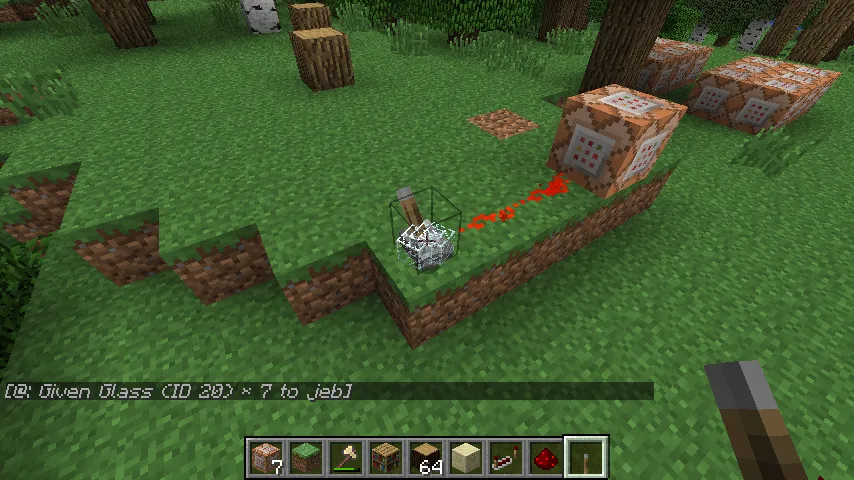
If you're building a server or want to get fancy with automation, you can put these gamerules inside command blocks. Players who love tinkering with command structures (like commandblock, commandblock370, and CommandNinja) often create systems that toggle rules based on conditions. You could set it up so keepInventory only activates during specific events or for certain players.

Most servers don't bother with this complexity though.
For multiplayer servers, you can use command blocks in spawn areas to run the gamerule command on load, ensuring consistency. Chain a few commands together: set keepInventory true, set pvp true (or false depending on your server rules), set doDaylightCycle false for your arena area, etc. It's not hard, just takes planning.
When Keep Inventory Makes Sense
Survival mode without keepInventory is brutal. You're grinding iron for 20 minutes, finally have a decent setup, die to a creeper, and boom, all gone. Keep Inventory changes that math. Suddenly death is annoying instead of devastating.

Many multiplayer servers enable this because it keeps players engaged instead of frustrated. No one wants to start from scratch on a server after a unlucky mob encounter in the dark. Your time investment feels safer. Most survival servers, especially community ones, have this on by default.
Hardcore mode is the opposite story. Hardcore explicitly disables keepInventory and has permadeath. You die once and that's your world. Those players want consequences. They're the ones not using this command at all.
Creative builds don't care because you get infinite items anyway. Speedrunners sometimes debate whether to use it, but most disable it to keep the challenge authentic. Build challenges and mini-games often toggle this based on the rules they set.
What About Experience and Other Effects?
Keep Inventory only affects items in your inventory. Your experience levels still drop when you die. This is actually good design because death still has a cost, just not a catastrophic one. You lose progress but keep your gear.
You can adjust this further with /gamerule dropExp false if you want to keep both items and experience. Fair warning: that changes death from "setback" to "basically nothing," which can make the game feel less challenging. Most players don't go that far.
Beds still respawn you at your bed location (or the world spawn if you haven't set a bed). Keepinventory doesn't change spawn mechanics at all. You still respawn where you set your spawn point, come back to find your item drops at the death location (if dropExp is true), and go on with your day.
Keep Inventory on Multiplayer Servers
Server administrators have full control over this setting and can change it anytime via console commands or config files. Some servers toggle it on/off for events. Hunger Games events often disable it to keep things intense. Casual survival servers enable it because it's friendlier.
PvP servers split on this one. Hardcore PvP turns it off so dying actually costs you. Casual PvP servers often enable it so losing a fight doesn't mean losing your diamond armor permanently. Your server's keepInventory setting usually reflects its playstyle.
Plugin-based servers (using Paper, Spigot, etc.) can do even more complex stuff, triggering keepInventory rules based on world type or custom conditions. A Skyblock server might keep inventory on their islands but disable it in the nether. The command is just the foundation.
Everyone should respect their server's rules, obviously.
Turning It Off and Back On
If you enabled keepInventory and decide you want vanilla difficulty back, just type /gamerule keepInventory false. Resets immediately. No restart needed. Your next death will drop items normally again.
Some players use this tactically, enabling keepInventory for risky mining trips and disabling it for casual wandering. You can absolutely toggle it as often as you want. There's no penalty, no cooldown.
Command creators like CommandZomb sometimes build systems where players can toggle this themselves using command blocks and clocks, though that requires more technical setup. For most players, running the command in chat once and forgetting about it is fine.
If you're troubleshooting why your items are disappearing anyway, double-check the setting with /gamerule keepInventory (no value). Some servers have this locked and won't let players change it. Talk to your admin if you need it toggled.
The Social Factor
Servers with keepInventory tend to feel friendlier. Players collaborate more because dying doesn't feel catastrophic. You're more willing to help someone cross the nether because you know if you fall, your inventory is safe. It changes group dynamics in subtle ways.
Servers without it feel harder, more competitive. Every venture is high-stakes. People play more cautiously. Both playstyles exist for good reason. Just know that toggling this one setting changes the entire feel of your server.
Creative communities often reference this in builds. Skins themed around command creation, like BeekeeperZagnut's designs, sometimes represent the command-oriented playstyle where gamerules like keepInventory are core to custom experiences.
Use it if your goal is long-term survival and chill gameplay. Skip it if you want classic Minecraft stakes. Both are valid.

Lead writer at minecraft.how. Long-time Minecraft player running a small SMP server, testing every build, mod, and seed before writing about it.
Frequently Asked Questions
What's the difference between keepInventory and dropExp?
Does keep inventory work in Hardcore mode?
Can I enable keep inventory for specific players only?
Will keep inventory work with datapacks or mods?
Is keep inventory considered cheating?
Have a Question or Tip about this Guide?Community Q&A
Ask a question or help other players below. Join the discussion and share your Minecraft tips!