Minecraft Vortex Launcher: Fast, Lightweight Alternative in 2026
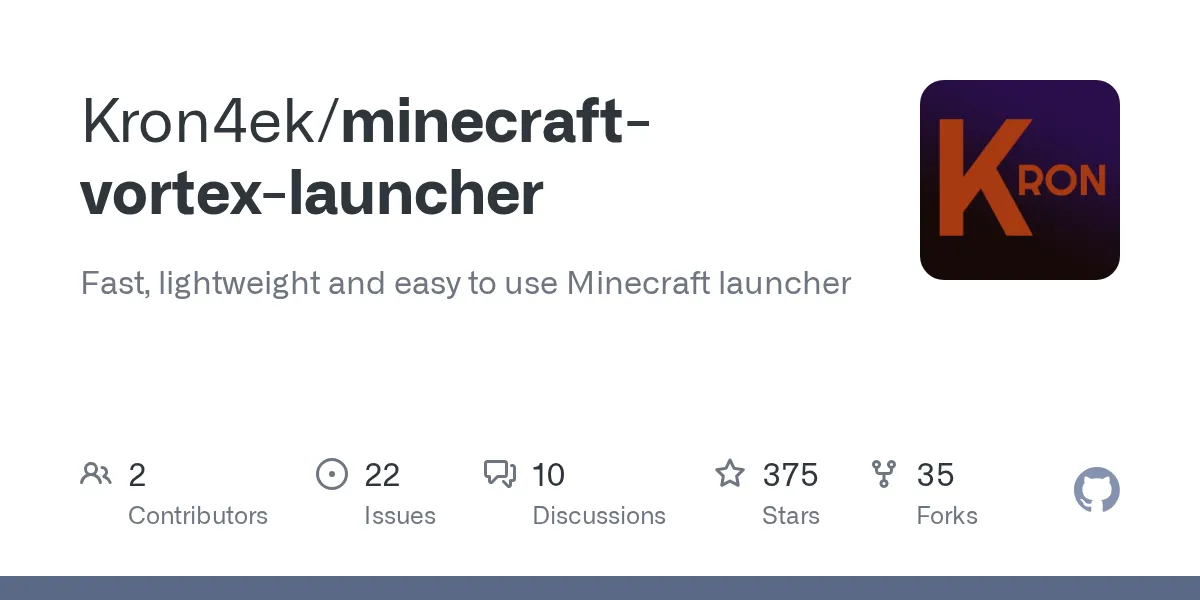
minecraft-vortex-launcher (Kron4ek/minecraft-vortex-launcher)
Fast, lightweight and easy to use Minecraft launcher
If you're tired of the official Minecraft launcher feeling sluggish, especially on older hardware or Linux, Vortex might be exactly what you need. This open-source launcher trades the bloat for speed, works fully offline, and supports every Minecraft version plus mod loaders like Forge and Fabric without needing a Minecraft account. It's been quietly sitting at 375 stars on GitHub, but it deserves more attention if you're looking for something that just... works.
What This Launcher Does
Vortex is a standalone Minecraft launcher for Windows and Linux that handles all the heavy lifting of version management, library downloading, and mod loader installation. Instead of relying on Microsoft's official launcher, you get a lightweight alternative that boots faster and uses fewer system resources. The killer feature? You don't need a Minecraft account at all - play offline in single-player mode whenever you want.
The launcher automatically downloads missing Java versions and libraries. It supports every Minecraft release ever, from ancient 1.0 builds to the latest 26.1.2 release. If you want to use Forge, Fabric, or NeoForge for mods, Vortex handles that too. No manual jar swapping. No hunting through three different websites for compatible versions.
Why You'd Switch
The official launcher isn't terrible, but it carries a lot of baggage. You're essentially running a Microsoft product that wants to talk to their servers, prompt you about Game Pass, and generally feel like bloatware on systems with limited RAM. Vortex strips all of that away.
Speed is the first thing you notice. Launch the game, pick a version, hit play. No splash screens, no credential checks, no lag while it authenticates with Microsoft's servers (unless you're using an account, which you can). On a 2015 laptop, the difference between the official launcher and Vortex is genuinely noticeable - we're talking 10+ seconds faster on average startup.
Offline play is the second win. You can download a version once, then play it anywhere without internet. That matters if you're taking Minecraft on a flight, a road trip, or just playing at a cabin with spotty WiFi. Actually, some people use it specifically for this reason.
And if you're on Linux, the official launcher has always felt like an afterthought. Vortex is a native Linux application built in PureBasic that works just as well on a Debian box as it does on Windows. No Proton hacks required.
Installation and Setup
Getting Vortex running is straightforward. Head to the releases page on GitHub and grab the latest version (currently 1.1.20). For Windows, there's an.exe installer. Here's the thing, for Linux, you'll get an x64 binary.
Windows installation:
# Download the installer
# Run VLauncher_1.1.20_Windows.exe
# Follow the normal installer steps
# Open the launcher and pick a Minecraft version
Linux installation:
# Download the binary
wget https://github.com/Kron4ek/minecraft-vortex-launcher/releases/download/1.1.20/VLauncher_1.1.20_x64_Linux

# Make it executable
chmod +x VLauncher_1.1.20_x64_Linux

# Run it./VLauncher_1.1.20_x64_Linux
First launch, the launcher will download a Minecraft version (roughly 300-400MB depending on what you pick). After that, you're ready to play. If you want to use mods, the launcher will handle Forge and Fabric installation when you select those options from the version menu.
Key Features That Matter
Lightweight footprint. Built in PureBasic, this isn't a web wrapper masquerading as a native app. Memory usage stays low even on systems with 4GB RAM or less. If you've got old hardware gathering dust, Vortex might be the reason you can finally play the latest versions without your computer melting.
Multi-threaded downloads by default. The latest versions enable parallel downloads automatically, so you're not stuck waiting for a single connection to finish. Library downloads that might take 5 minutes on a single thread finish in under 2.
Offline-first design. Download once, play forever. The launcher can operate completely disconnected from the internet once you've grabbed the version you want. No phone-home features, no DRM calls, nothing.
No Java requirement. The launcher bundles everything needed. You don't have to install Java separately or debug version mismatches. Pick a Minecraft version, and Vortex figures out what Java it needs and gets it for you.
Mod loader support. Need to run 200 mods with Forge? Want a cozy modpack with Fabric? The launcher detects your installed mod loaders and lets you switch between them for different profiles. If you're serious about mods, you'll appreciate not having to manually juggle launcher profiles.
Important Gotchas and Things That'll Trip You Up
Java version compatibility is real. Minecraft 1.17 and newer require Java 16 or newer. Minecraft 1.18+ needs Java 17. Older versions sometimes don't play well with new Java versions. Vortex handles this automatically - it'll download the right Java version for your chosen Minecraft release. But if you already have Java installed and something feels broken, that's the first thing to check.
Antivirus software sometimes flags the launcher as malware. It's a false positive. The launcher is open-source, so you can inspect the code yourself if you're paranoid (which is fair). Some browsers and security tools are overly aggressive with detecting executables. Just whitelist it in your antivirus and move on.
One thing worth knowing: multithreaded downloading is enabled by default in recent versions, and the launcher auto-downloads missing libraries on game start. Both are smart defaults, but if you're on unstable internet, you can disable them in settings if needed.
When You'd Want Something Else
Vortex is fantastic for most use cases, but it's not the only launcher out there. The official Microsoft launcher works fine if you don't mind the bloat. MultiMC (now Prism Launcher) is a powerful alternative that gives you more granular control over instances and mod management - if you're running a complex modpack with 300 mods, Prism's organizational features might be worth the extra resource usage.
For pure vanilla survival or small modpacks, though? Vortex wins on speed and simplicity. It does one job and does it well.
One Last Thing
If you're setting up a survival server, you'll probably want to tweak server settings. Our Server Properties Generator makes that painless - generate your server.properties file without manually editing text. And if you're building anything with custom text formatting in chat or signs, the Minecraft Text Generator handles color codes and formatting so you don't have to remember the syntax.
Vortex is a solid launcher for anyone tired of the official bloat. Download it, try it for an afternoon, and see if the speed difference matters to you. For Linux users especially, this is a breath of fresh air.

Lead writer at minecraft.how. Long-time Minecraft player running a small SMP server, testing every build, mod, and seed before writing about it.
Frequently Asked Questions
Do I need a Minecraft account to use Vortex Launcher?
What's the difference between Vortex and the official Microsoft launcher?
Does Vortex work with Forge and Fabric mods?
Why do antivirus programs flag Vortex as malware?
What Java versions does Vortex support?
Have a Question or Tip about this Guide?Community Q&A
Ask a question or help other players below. Join the discussion and share your Minecraft tips!
Comments
No comments yet. Be the first to share your thoughts!