Phantom: Play on Custom Minecraft Servers From Your Console
jhead/phantom
Use your own Minecraft server with your Xbox or PS4/5 and play with friends!
View on GitHub ↗Ever wanted to play on a custom Minecraft Bedrock server from your Xbox or PS4 without paying for Realms? Phantom is the open-source proxy that makes it possible, tricking your console into treating a remote server like a local LAN server.
What This Project Does
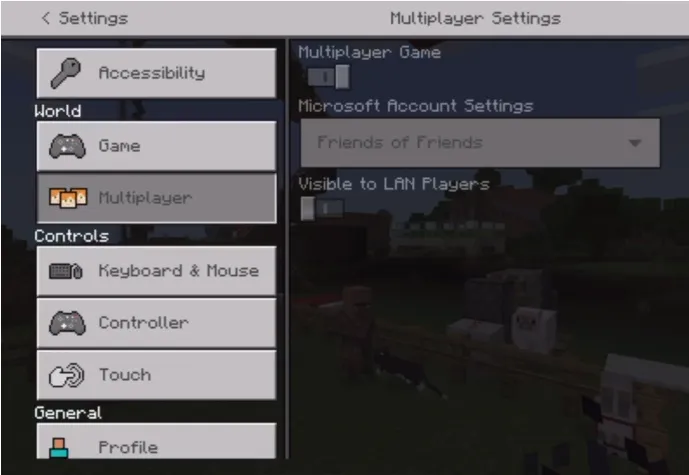
Phantom sits between your console and a remote Bedrock server, pretending to be a local LAN server. Your Xbox, PS4, or PS5 sees it on your local network and lets you join directly, no Realms subscription needed.
It's brilliantly simple. The tool runs on your computer (or any machine on your network) and handles all the network magic needed to make this work. Phantom listens on port 19132, the standard Bedrock port, and responds to PING packets that consoles broadcast when looking for LAN servers. From your console's perspective, it might as well be sitting in your living room.
Behind the scenes, all the actual gameplay traffic gets forwarded to your real remote server. Your friends on console can finally join servers you've been hosting elsewhere, whether that's a friend's setup across the country or a community survival world. They don't need IP addresses or direct connect screens. It just shows up.
The Console Server Problem Nobody Talks About
Console Minecraft players have always had exactly two choices: play locally or pay for a Realms subscription. That's it. You can't give a friend an IP address like Java players do. Microsoft locked down the entire console networking layer years ago.
If you're running a custom Bedrock server and want console players to join, Realms is technically the only official path. It costs money every month, offers limited customization, and you don't control the hardware. For server admins who've already invested in hosting elsewhere, this feels like paying twice.
Phantom breaks that lock. It's not dodging terms of service or doing anything shady, either. It's just a clever proxy that exploits how Bedrock consoles discover servers on your local network. Mojang can't prevent this without breaking legitimate LAN play.
Installing Phantom
Head to the GitHub releases page and grab the binary for your OS. Windows, macOS, Linux, and even ARM boards like Raspberry Pi are all supported. The file is tiny and doesn't need installation.
chmod u+x./phantom-linuxOn macOS or Linux, make it executable with that command. (Replace linux with macos, windows, or whatever your system uses.) That's the entire setup process.
Running Your First Server
To connect your console to a remote server:
./phantom-linux -server your-server-ip:19132Within a few seconds, the server shows up in your console's LAN server list. Your friends see it too.
If you want to bind to a specific IP on your network instead of all interfaces, use the -bind flag:
./phantom-linux -bind 192.168.1.100 -server your-server-ip:19132Want to run multiple servers at once? Start Phantom again in a different terminal with a different server IP. Each instance registers itself separately on your LAN, so you can have three servers showing up side-by-side on your console's server browser. This is where Phantom gets genuinely useful.
If you're hosting the server, you'll probably want unique touches to draw people in. Check out Browse Minecraft Skins to add personality to your world, and use the Minecraft Block Search tool to help you find exact building materials when setting up structures for your players.
Features That Matter
LAN Server Spoofing. Your console thinks it's seeing a real LAN server because, from a network perspective, it's. The illusion is complete and it works every time.

Multiple Instances. Run as many Phantom proxies as you want on the same network, each handling a different server. Your console displays them all in the server list.
Custom Port Binding. Phantom always binds to 19132 for the LAN discovery magic (that's mandatory), but you can use the -bind_port flag to specify which local port handles return traffic. Both ports need to be open, but this gives you flexibility if you're running other services.
IPv6 Support. Flag -6 enables IPv6 on port 19133 if you're running a dual-stack network. Still experimental, but it's there if you need it.
Configurable Timeout. Use -timeout to set how long Phantom waits before cleaning up disconnected clients. Default is 60 seconds.
Common Gotchas
Both Phantom and your actual server need reachable IPs from your console. Your console needs to reach the machine running Phantom (for the LAN spoofing) AND reach your actual remote server (for gameplay). If either is firewalled or unreachable, you're blocked.
Firewall rules matter. Open UDP traffic to whatever machine is running Phantom. Most setup failures are just Windows Firewall or a router blocking the ports.
The server IP must be correct. Use the actual IP and port, not a domain name. Phantom accepts IPs directly, and domains might not work as expected.
One more thing: Phantom needs to receive PING packets on all interfaces (or at least your broadcast address) to function. It binds to 19132 automatically for this reason. You can't change that behavior, but you can specify which IP you want it to listen on.
Is This Right for You?
Phantom is for people who've already got Bedrock hosting set up and want console friends to join without subscriptions. You need at least basic networking knowledge to troubleshoot. If you're comfortable opening ports and editing firewall rules, you're good.
If that sounds like gibberish, stick with Realms.
Server admins love this. Friends playing together across platforms without monthly fees? This is how you do it.
The project has 684 stars on GitHub and is written in Go, which means it's small, fast, and reliable. MIT license means you can do whatever you want with it.
Alternatives
Realms is the official option and handles all networking for you. And it costs money but requires zero setup.
Local LAN play works great if everyone's on the same network, but doesn't help with remote friends.
Geyser translates Java Edition servers for Bedrock clients. Different tool entirely, but worth knowing about if you're doing cross-platform work.

Lead writer at minecraft.how. Long-time Minecraft player running a small SMP server, testing every build, mod, and seed before writing about it.
Frequently Asked Questions
Is Phantom safe to use with Minecraft?
What versions of Minecraft does Phantom support?
Can I run Phantom on a Raspberry Pi?
Do I need Realms if I use Phantom?
Why does Phantom need port 19132?
Have a Question or Tip about this Guide?Community Q&A
Ask a question or help other players below. Join the discussion and share your Minecraft tips!