Pojav-Glow-Worm: Playing Minecraft Java on Your Android Phone
Vera-Firefly/Pojav-Glow-Worm
PojavLauncher with more practical functions,A modified Launcher from the PojavLauncher team
View on GitHub ↗Want to play Minecraft Java Edition on your Android phone but stuck with Bedrock? Pojav-Glow-Worm brings the full Java experience to mobile. And this launcher runs virtually every version of Java Minecraft ever released on Android devices, complete with mods, custom renderers, and the control Java players expect.
What's Pojav-Glow-Worm, Exactly?
If you've ever wanted real Minecraft Java on mobile and found yourself trapped by Bedrock's limitations, Pojav-Glow-Worm was built to break that wall. It's a launcher that runs the actual Minecraft Java Edition on Android, not a watered-down port or emulator. The project has 343 GitHub stars and active development, written primarily in Java.
Here's the core idea: Pojav-Glow-Worm is a community fork of PojavLauncher, itself descended from an older project called Boardwalk. What makes this version different is it adds experimental features, extra graphics renderers, and what the developer calls "more practical functions" compared to the official PojavLauncher. Want the official version without experimental additions? That's available separately. But this fork? It's the feature-rich variant.
This matters because it's not the default.
Why You'd Want This
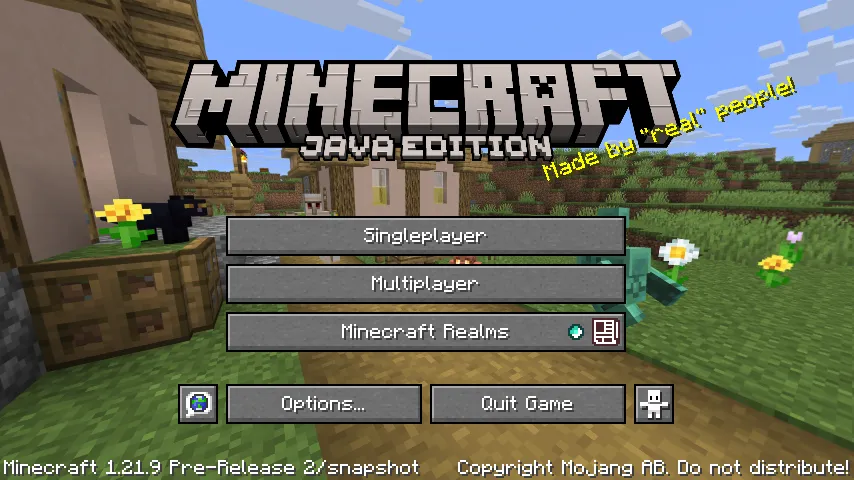
The practical answer is version control and modding. Bedrock Edition on Android locks you to whatever the latest version is. You can't play old versions (good luck surviving 1.8 with modern controls), you can't easily add mods like OptiFine without jumping through hoops, and you're stuck with Bedrock's feature set. Java Edition lets you run anything from ancient survival versions to current snapshots like 26.3-snapshot-1.
Mods change everything. Want to use Forge modloaders? You can. Fabric? Same. There's a reason PC Java players stick with Java instead of switching to Bedrock - the modding ecosystem is where all the interesting gameplay happens. Bring that to your phone, and suddenly you've got a genuinely different experience available in your pocket.
Building projects also matter more than people think.
If you're trying to recreate a specific building style or work with particular blocks, having exact version control matters. Different versions have different block properties, textures, and availability. Our Minecraft Block Search tool can help you find exactly which blocks appeared in which versions, so you can run the right version for your creative projects. Need a custom player skin for your adventures? The Minecraft Skin Creator lets you design something unique to bring into your Java worlds.
About That Fork - Why It Matters
This needs explaining because it confuses people. Pojav-Glow-Worm isn't the official PojavLauncher. The official version comes from PojavLauncherTeam at a different repository. This one, maintained by Vera-Firefly, adds experimental features and additional rendering options that haven't gone through official review.
What counts as "experimental" here? Looking at recent updates, that includes a mod checker tool that scans for conflicts before launch, custom mouse support with proper aspect ratio handling, and Mesa graphics library updates to version 25.1.4. These are genuinely practical features, not random experiments. But they're also changes to the official codebase that operate under different testing standards.
Some people want that extra functionality. Look, others prefer stability over features and stick with the official version. Both approaches are legitimate.
Getting It Installed
Pojav-Glow-Worm comes as an APK file - Android's equivalent of an.exe. Download it, open it, install it. Straightforward process.
Here's the exact walk-through:
- Visit the official releases page: https://github.com/Vera-Firefly/Pojav-Glow-Worm/releases
- Find the latest release and look for APK files. Several versions exist:
- pojav-glow-worm-all.apk (works on any architecture)
- pojav-glow-worm-arm64-v8a.apk (for most modern phones)
- pojav-glow-worm-armeabi-v7a.apk (for older 32-bit devices)
- pojav-glow-worm-x86.apk or x86_64.apk (for tablets)
- If you don't know your device's architecture, download the "all" version. It's larger but works everywhere.
- Download the APK to your device.
- Open your file manager, find the downloaded file, tap it. Android asks for permission. Grant it.
- Wait for installation to complete. The app bundles its own Java Runtime (version 25), so no separate JRE installation needed.
- Launch the app and log in with your Minecraft account.
On first launch, the app downloads game files for whichever version you select. This takes time depending on connection speed - don't panic if initial startup takes 5-10 minutes.
One critical thing: download only from the official GitHub releases page, not random third-party sites. Official releases are signed and trustworthy. Random downloads from sketchy sites are... well, sketchy.
Features Worth Knowing About
Recent updates added several practical things. There's a mod checker that validates your mods before launch - useful for catching conflicts before you crash. Custom mouse support with aspect ratio handling makes playing with an external mouse significantly less janky. Graphics renderers got updated, including the latest Mesa drivers for better performance on compatible hardware.
You also get fine-grained control over launcher behavior. Want to disable the built-in downloader and manage game files manually? Option exists. Want to skip mod validation if you're confident in your setup? You can do that too. These aren't headline features, but they're the kind of practical controls that separate "I can technically use this" from "this is actually pleasant to use."
The experimental nature of this fork means these features got added faster than they would in the official launcher, but they're also less thoroughly battle-tested across all device types.
Playing Online - The Reality
Here's where I need to be direct: many servers will ban you for using Pojav-Glow-Worm.
Multiplayer servers often run anti-cheat systems specifically designed to detect third-party or modified clients. Some servers don't care. Some explicitly forbid it. Some have rules saying "vanilla only" or "no modified launchers." The problem is Pojav presents itself as a modified client, and anti-cheat infrastructure doesn't like that.
This doesn't mean you can't play anywhere. Single-player always works perfectly. Some vanilla servers don't care. Some modded servers specifically expect you using a launcher with mod support. But competitive servers, large public networks, and anything with serious anti-cheat systems will likely block you.
Before joining any server, read its rules. If they say they support third-party launchers or don't mention it, ask an admin before playing. Getting banned from a server where you spent weeks building isn't a fun experience.
Uninstalling and Going Back
If Pojav isn't for you, uninstalling is completely clean. Go to Settings > Apps, find Pojav-Glow-Worm, and uninstall. That's it. No residual files, no broken registry entries, no mess. Android app removal is straightforward.
One caveat worth noting: any Minecraft Java worlds you created in Pojav are stored in the app's data folder. If you clear app data during uninstall, those worlds disappear. Want to keep them? Back up the game folder before removing Pojav. Otherwise, removing it leaves your Android device exactly as it was before.
Other Launchers Out There
The obvious alternative is the official PojavLauncher from PojavLauncherTeam - the non-experimental version. It's slightly more stable and gets priority in official development, though with fewer features.
There's also Boardwalk, the original project this whole chain descended from, though it's pretty outdated at this point. The original MultiMC (now Prism) exists for desktop, but that's a different platform entirely.
For most people, the choice is between official PojavLauncher (stable, fewer features) and Pojav-Glow-Worm (more features, experimental). Unless you've specific reasons to prefer stability over functionality, the Glow-Worm variant offers more without being unreliable.

Lead writer at minecraft.how. Long-time Minecraft player running a small SMP server, testing every build, mod, and seed before writing about it.
Frequently Asked Questions
Is Pojav-Glow-Worm safe to download and use?
Will Pojav-Glow-Worm work on my Android phone?
Can I play multiplayer servers with Pojav-Glow-Worm?
What Minecraft versions does Pojav-Glow-Worm support?
How is Pojav-Glow-Worm different from official PojavLauncher?
Have a Question or Tip about this Guide?Community Q&A
Ask a question or help other players below. Join the discussion and share your Minecraft tips!