XXXXSXXXX
✓ Approved
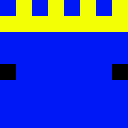
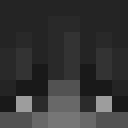
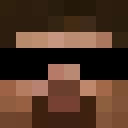
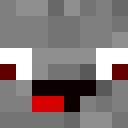
The XXXXSXXXX Mystery Skin embraces an enigmatic aesthetic perfect for players seeking an unconventional identity. The cryptic naming pattern suggests a design centered around anonymity and intrigue, likely featuring obscured facial features, censored elements, or redacted visual components. This skin appeals to players who enjoy mysterious, glitch-inspired, or abstract character designs. The X-pattern motif typically translates to crossed-out eyes, blocked sections, or censored bars across the character model, creating a distinctive and memorable appearance. Ideal for roleplay scenarios involving mysterious figures, anonymous characters, or players who prefer maintaining an air of secrecy. The design philosophy emphasizes visual uniqueness through unconventional censorship aesthetics, making it stand out in any server environment. Works exceptionally well in modern, sci-fi, or experimental themed servers where non-traditional character designs are celebrated. The mysterious nature allows for versatile interpretation while maintaining a strong, recognizable visual identity that sparks curiosity.
3
Downloads
1.6K
Views
0
Likes
Categories
ModernMemes
Skin Information
Minecraft Version:java
File Size:2.9 KB
Gender:Unknown
Uploaded by:Admin User
Upload Date:4/14/2025
skins.download_format
Share this skin
Scan with your phone to share this skin
Tags
MinecraftSkinsXXXXSXXXXjavaneutralModernMemes
Frequently Asked Questions
To download the XXXXSXXXX Minecraft skin:
- Click the "Download" button to get this free XXXXSXXXX skin
- The skin file
.pngwill be saved to your device - Works with both Java Edition and Bedrock Edition
- See below for complete installation instructions
To apply the XXXXSXXXX skin:
- Log in to your Mojang or Microsoft account on the official Minecraft website.
- Navigate to the "Skins" section in your profile.
- Upload the downloaded
.pngfile. - Launch Minecraft, and your character will now use the XXXXSXXXX skin.
Note: The process may vary slightly between Minecraft Java Edition and Minecraft Bedrock Edition.
Yes, the XXXXSXXXX skin is compatible with both Minecraft Java Edition and Minecraft Bedrock Edition. However, the method of applying the skin may differ slightly between the two versions. Follow the instructions provided on this page for your specific edition.
Absolutely! You can edit the XXXXSXXXX skin using a Minecraft skin editor. Simply open the downloaded
.png file in the editor, make your changes, and save the file. Then, upload the edited skin to your Minecraft profile.If the XXXXSXXXX skin isn't working, try the following:
- Ensure you downloaded the correct file format
.png. - Make sure you're using the correct version of Minecraft Java Edition or Bedrock Edition.
- Check that the skin file is not corrupted. Re-download the skin if necessary.
- Log out and back into your Mojang or Microsoft account to refresh your profile.
Create your own skin
Draw a pixel-perfect Minecraft skin in the browser with our free 3D skin editor.
→ Skin Creator