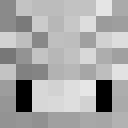
JOHNWICK5513
✓ Approved
Minecraft skin for player JOHNWICK5513
0
Downloads
447
Views
0
Likes
Users with Same Texture (38 total)
38
Total Users
12.7K
Combined Views
0
Combined Downloads
 neymarwouldnever
508 views0 downloads
 PekkaE342
468 views0 downloads
 peter_parker_v
459 views0 downloads
 Banana_cat777
445 views0 downloads
 sssua25
438 views0 downloads
 Colegrey
434 views0 downloads
 pkmn2021
431 views0 downloads
 MTG__
MTG__428 views0 downloads
 BlackCatClaws
423 views0 downloads
 GeorgeNotFoundGG
413 views0 downloads
 Jujutsu_KaisenOT
411 views0 downloads
 catblack08
385 views0 downloads
 Deutchwar
385 views0 downloads
 Super_Saiyan_13
377 views0 downloads
 brunettebarbie1
363 views0 downloads
 ItzRealMe0
347 views0 downloads
 Among_us07
346 views0 downloads
 Legacyed
336 views0 downloads
 Atrotimer99
319 views0 downloads
 HitlarIncarnate
312 views0 downloads
 Koberamen8
304 views0 downloads
 Iron_Man_67
298 views0 downloads
 Hoddie28
268 views0 downloads
 cookie_monster45
265 views0 downloads
 a39211s
263 views0 downloads
 Lord_Duck_187
262 views0 downloads
 Scientist_kitcat
261 views0 downloads
 BoByx09
260 views0 downloads
 eYeSnowie
260 views0 downloads
 CameraMAN9115
258 views0 downloads
 DonaldTrump67
257 views0 downloads
 chad_norfork
243 views0 downloads
 SmurfCatChud
222 views0 downloads
 gtasa5
211 views0 downloads
 Viejas_Locas
211 views0 downloads
 castlebuilder11
204 views0 downloads
 bluecrown3786
181 views0 downloads
skins.download_format
Share this skin
Scan with your phone to share this skin
Tags
MinecraftSkinsJOHNWICK5513
Frequently Asked Questions
To download the JOHNWICK5513 Minecraft skin:
- Click the "Download" button to get this free JOHNWICK5513 skin
- The skin file
.pngwill be saved to your device - Works with both Java Edition and Bedrock Edition
- See below for complete installation instructions
To apply the JOHNWICK5513 skin:
- Log in to your Mojang or Microsoft account on the official Minecraft website.
- Navigate to the "Skins" section in your profile.
- Upload the downloaded
.pngfile. - Launch Minecraft, and your character will now use the JOHNWICK5513 skin.
Note: The process may vary slightly between Minecraft Java Edition and Minecraft Bedrock Edition.
Yes, the JOHNWICK5513 skin is compatible with both Minecraft Java Edition and Minecraft Bedrock Edition. However, the method of applying the skin may differ slightly between the two versions. Follow the instructions provided on this page for your specific edition.
Absolutely! You can edit the JOHNWICK5513 skin using a Minecraft skin editor. Simply open the downloaded
.png file in the editor, make your changes, and save the file. Then, upload the edited skin to your Minecraft profile.If the JOHNWICK5513 skin isn't working, try the following:
- Ensure you downloaded the correct file format
.png. - Make sure you're using the correct version of Minecraft Java Edition or Bedrock Edition.
- Check that the skin file is not corrupted. Re-download the skin if necessary.
- Log out and back into your Mojang or Microsoft account to refresh your profile.
Create your own skin
Draw a pixel-perfect Minecraft skin in the browser with our free 3D skin editor.
→ Skin Creator