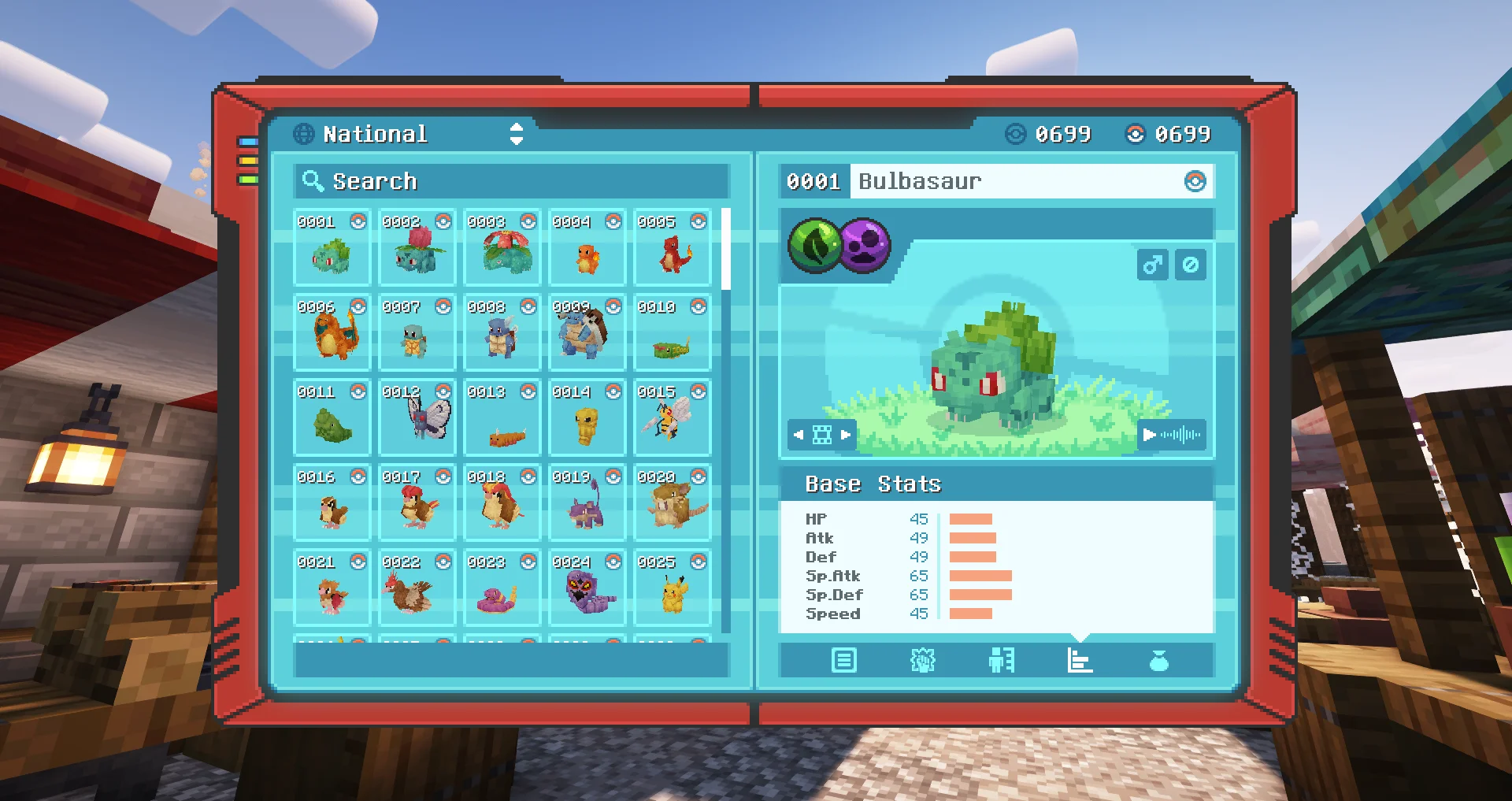

Cobblemon is an open-source Pokémon-inspired mod for Minecraft Java Edition. It adds a creature-collecting adventure to Minecraft: players can discover and catch Pokémon, build a team, battle wild Pokémon, gain experience and explore a world that still feels like Minecraft. This guide explains how to choose a compatible release, install it safely and join a multiplayer world.
What is Cobblemon?
Cobblemon is designed to fit into Minecraft and modpacks rather than replace the whole game. Its official project supports specific Minecraft versions and loaders; compatibility can differ between releases. Features and balance can change as the mod develops, so treat the official project page and release notes as the source of truth instead of relying on an old video or download mirror.
Check compatibility before installing
Before installing Cobblemon, check the Minecraft version, mod loader, dependencies and any modpack requirements together. Choose the exact game version supported by the release you want. Use the required Fabric or NeoForge setup and install the libraries listed in the official instructions. If a server specifies a pack, use that pack instead of assembling a different collection of mods. Back up worlds and keep a separate game profile before changing mods.
How to install Cobblemon
- Open the official Cobblemon project page and confirm the supported Minecraft version and loader.
- Use a reputable launcher such as the Modrinth App or another launcher that supports the required modpack.
- Create a separate profile for the correct Minecraft version and loader.
- Install the official Cobblemon release or official modpack, including its listed dependencies.
- Launch the game and check that the main menu loads without errors.
- Create a test world before opening an important save. If Minecraft crashes, review the loader version, dependencies and crash log instead of downloading random replacement files.
Join the PixelCobble server
Multiplayer requires the client and server to agree on the Minecraft version, loader and required mods. PixelCobble is a community-run Cobblemon Minecraft server, not a guide website and not an official Cobblemon server. Its current website lists the connection requirements: PixelCobble Cobblemon Minecraft server. At the time of research, the site specifies Minecraft Java 1.21.1, Fabric and the Cobblemon Official Modpack, with the server address play.pixelcobble.com. Always check the live website before joining in case its configuration changes.
Install the modpack requested by PixelCobble rather than assuming the newest standalone Cobblemon release will work. If you are playing with friends, make sure everyone uses the same required profile and modpack. Follow the server rules and community guidance, and do not share your Minecraft account password with a server or third-party website.
Common problems and fixes
- The game will not launch: verify the Minecraft version, loader build and dependencies.
- A missing-mod warning appears: install the server’s required modpack and compare the listed mod versions.
- Features look different: check the installed release and server configuration; features can differ between versions and packs.
- A world behaves unexpectedly: test in a new world first and back up saves before updating mods.
- A download looks suspicious: avoid unknown reuploads, executable installers from untrusted sites and pages asking for account passwords.
Where to download Cobblemon
Start with the official Cobblemon website and follow its download links. You can also check the project on Modrinth to review supported versions, loaders and release notes. The official project currently documents Java Edition support for specific versions, so do not assume every release supports every Minecraft version or loader.
Cobblemon is a community mod, not an official Pokémon or Minecraft product. The project states that it is not affiliated with Pokémon or Minecraft. Public servers are independently operated, so check each server’s rules, privacy information and purchase terms. A safe setup uses trusted downloads and exactly matches the versions documented by the modpack or server.
Before you play
For a smooth Cobblemon experience, verify compatibility first, install from official or trusted project pages, use a separate profile and back up your worlds. For multiplayer, follow the chosen server’s specific modpack instructions. If you want a shared survival world, check PixelCobble’s current requirements and install its configured pack before connecting. These checks prevent many launch errors and help you spend more time exploring, catching Pokémon and building in Minecraft.