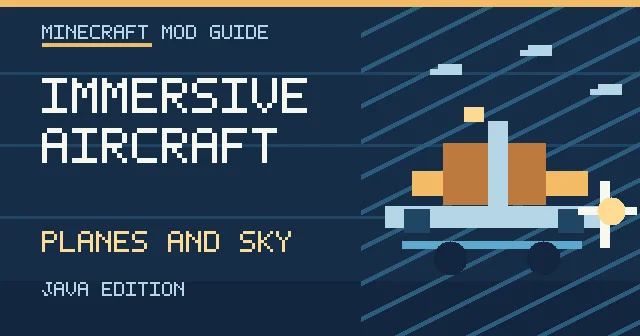

Most Minecraft travel choices have a familiar compromise: walking is slow, boats need water, minecarts follow rails, and elytra offer freedom but require their own progression. Immersive Aircraft offers a different fantasy: craft a machine that looks at home in Minecraft, climb aboard, and make the journey itself part of the adventure. The mod's rustic aircraft range from compact personal flyers to larger transport craft, with configurable upgrades and inventories. Its long-running popularity makes it a practical starting point for players who want aviation without turning Minecraft into a full engineering simulator.
What makes Immersive Aircraft different?
The original Modrinth project page describes the mod as vanilla-faithful: aircraft feel handmade from basic materials rather than imported from a modern flight simulator. The documented fleet includes the biplane, gyrodyne and airship, with different strengths for travel, exploration and transport. It supports multiplayer, so these are not limited to singleplayer showcases.
Its key attraction is a sense of progression. An early craft can turn a neighboring mountain range into an accessible destination, while larger vehicles give groups a reason to build landing areas and transport networks. Aircraft can include inventory and upgrades, making them more than decorative mobs with seats. The exact recipe and upgrade choices depend on the installed release and should be checked with the in-game recipe viewer.
Choose your first aircraft based on the journey
A biplane makes sense when you want to cross open land and learn basic flying controls. A gyrodyne offers a different flight character and can suit shorter exploration trips, while an airship fits a slower, scenic journey or a base-to-base transport theme. The right option depends on where you plan to land. A fast aircraft is not useful if the destination is a tiny clearing packed with trees.
Before crafting, survey two safe landing zones. A starting field beside your base and a destination on level terrain create a simple training route. Remove tall obstacles, establish a visible approach, and put spare supplies in the destination chest. Practice takeoff and landing on that route before attempting a long-distance journey over lava, ocean or deep wilderness.
Fuel, upgrades and cargo: practical planning
Immersive Aircraft is more interesting when the aircraft becomes a tool for moving people or items rather than only a sightseeing toy. The official project documents upgrades and inventory functionality, but particular engines and cargo features can change across releases. Use the installed mod's tooltips and recipe viewer to confirm what each component actually does. Do not follow a diagram from a very old video without checking that the aircraft model and required items still exist.
Consider cargo weight and storage as planning constraints even if you are not playing a physics simulator. Carry tools for a return trip, enough supplies to establish a remote outpost, and a backup way to travel in case the aircraft is lost. When exploring with friends, agree on where the machine will be parked and who is responsible for shared inventory.
How to install the correct release
Official release information lists Minecraft Java Edition 26.2, 26.1.2, 1.21.11, 1.21.1 and several earlier versions, with Fabric, Forge or NeoForge builds depending on the game version. Start at the author's Modrinth downloads and filter by your exact Minecraft version and loader. Install a matching mod loader, add any required dependencies shown for the file, and place the JAR in the profile's mods folder.
Test the mod in a temporary world before adding it to a long-running save. Since the project supports both client and server environments, multiplayer setup should use compatible builds and dependencies on the relevant sides. Never update a public server's modpack without a backup and a restart window. A flight mod can touch vehicles, inventories and world travel; these are exactly the systems where rollback matters.
A beginner's first flight checklist
Start on a clear day with a wide field. Place your selected aircraft, board it using the documented interaction, and check the game's Controls menu for any mod-specific bindings. Learn to accelerate, turn and descend gently in a safe area before attempting sharp maneuvers. Test the aircraft's response in both first- and third-person camera views if the model supports them.
The most common avoidable mistake is treating a landing as a sudden stop. Reduce speed with plenty of room and approach a flat strip. If the mod provides landing equipment or protective upgrades in your installed release, learn their purpose before relying on them. A controlled ten-minute test is cheaper than losing a well-equipped vehicle and its contents halfway across your survival map.
Ideas for multiplayer servers and roleplay worlds
Aircraft turn distances into opportunities for world design. Establish an island airstrip, mountain rescue pad, wilderness cargo route or shared airship dock. On a roleplay server, connect neighborhoods with a fictional aviation company and publish a timetable. On an SMP, make aircraft a late-game reward by tying production to community achievements rather than leaving every machine at spawn.
Server owners should test permissions, chunk loading, vehicle damage, inventory retention and anti-cheat behavior before opening public flights. A standard anti-cheat setup may not understand non-vanilla movement, and travel across unloaded terrain can expose performance bottlenecks. Write clear rules about where players can park vehicles and whether airborne combat is allowed. To find communities with similar interests, browse Minecraft.How's Java and Bedrock server directory; remember that a Java mod does not run natively on Bedrock clients.
Immersive Aircraft versus Create Aeronautics
These projects attract similar search queries but target different experiences. Immersive Aircraft focuses on craftable, ready-to-fly rustic vehicles that fit the survival progression. Create Aeronautics is associated with a different design goal: building moving contraptions around the Create ecosystem. Treat them as separate mods rather than interchangeable dependencies or replacements. We already have a Create Aeronautics overview if you are deciding which style of flight fits your world.
For most players who primarily want to travel, explore and decorate airfields, Immersive Aircraft is the simpler first experiment. For players who enjoy assembling elaborate machines and studying contraptions, a Create-based project may offer a more involved building loop. Check the official development status of any alternative before committing a multiplayer server to it.
Fixing crashes or broken controls
If Minecraft crashes before the menu, inspect the startup log for loader incompatibility, missing dependencies or duplicate versions of the same mod. If an aircraft spawns but controls do nothing, check keybinds and confirm the relevant item or power requirement for your chosen vehicle. If a public server behaves differently from a test world, reproduce the problem with identical client and server mods before adding extra plugins.
Recommendation: build one modest airstrip, learn one aircraft and fly a short delivery route before expanding. Immersive Aircraft earns its popularity by making the space between destinations entertaining. Its current files, dependencies and supported versions are best verified directly with the creator rather than from unofficial mirrored packages.