
A parent might join Minecraft expecting to build a house and leave the complicated stuff to the kids. Twenty minutes later, the family is arguing about where to put the front door, someone has adopted three wolves, and the original house is now a lighthouse. That is usually a better story than a perfectly completed checklist.
Playing together works best when everyone has a role and nobody needs to know every crafting recipe. A younger player can choose colors or collect flowers while an older player handles navigation, monsters, or redstone. You do not need a public server, expensive add-ons, or an elaborate modpack. You need a world you can return to and a project that gives people a reason to work together.
Choose where your family will play
Before planning the first build, check the devices and editions involved. Minecraft Java Edition and Bedrock Edition are separate multiplayer ecosystems. A Java player cannot normally join a Bedrock Realm, and the fact that both games say Minecraft does not make their servers interchangeable. Some independently operated servers add cross-play bridges, but that is an extra configuration, not a universal feature.
For a shared household: a local multiplayer world may be sufficient if everyone is on compatible devices and the game offers the relevant connection option. Bedrock supports invitations to compatible friends' worlds, while Java can use local-network multiplayer with other Java clients. Platform capabilities vary, so check the actual menus rather than relying on instructions written for another console or edition.
For relatives in different homes: a private Realm or a properly managed private server can provide a persistent place to meet. A Realm is a paid hosted option with separate Java and Bedrock offerings; a private server brings more control but also maintenance. If you would rather join a community, begin with our Java and Bedrock connection guide and review the community rules before entering a public world.
Set boundaries before you build
For a child account, configure multiplayer, communication, friends, and purchases through the appropriate Microsoft/Xbox family settings. Permission to play online is not the same as permission to chat with strangers. The official Minecraft parental controls guide explains how adults can review these settings. Avoid sharing real names, addresses, school details, passwords, or account recovery codes in chat.
For the first few sessions, use a private, invitation-only world where the adult knows every participant. Choose Creative mode if losing tools or fighting mobs would interrupt the fun; choose Survival if gathering materials is part of the challenge. Keep difficulty appropriate for the group and establish three simple rules: ask before changing somebody else's build, put valuable items in agreed storage, and stop when someone needs a break.
Seven Minecraft projects to try together
1. Turn an ordinary starter house into a shared home
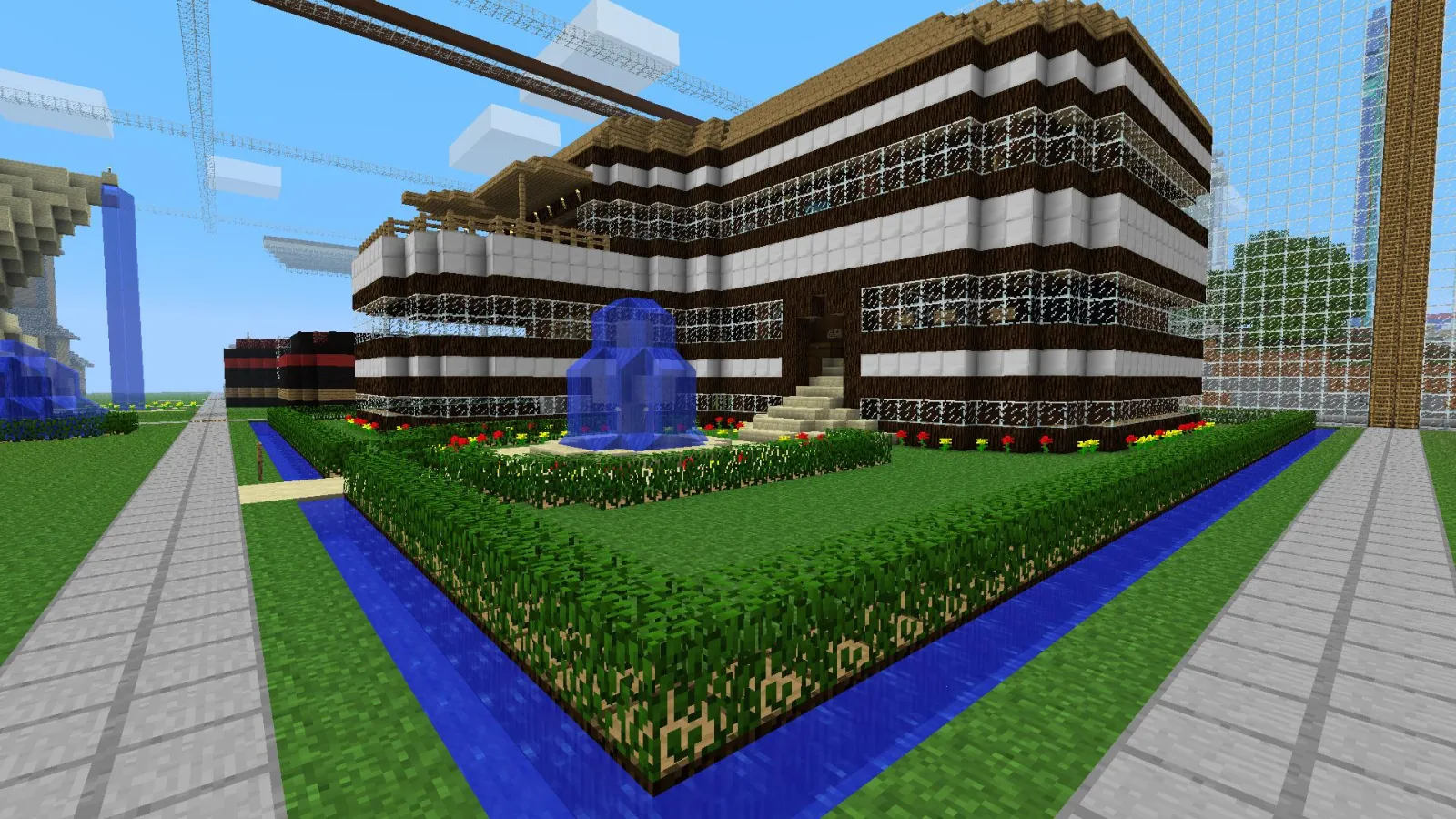
Best for: a first session of 30–60 minutes. Start with a modest rectangle, then assign rooms: one person designs the kitchen, another plans storage, and someone else builds a garden. Agree on a small set of materials before anyone starts collecting. In Creative, experiment with shapes and lighting. In Survival, build the roof and secure the doorway before nightfall. Finish by putting signs on the rooms with each builder's name.
2. Rescue and redesign a village
Best for: families who like exploration and problem-solving. Find a naturally generated village in a world you are comfortable exploring. Instead of immediately replacing everything, repair paths, improve lighting, protect exposed areas, and create a communal meeting place. One player can make a map; another can count beds and workstations. If you are playing Survival, avoid locking villagers into unsafe spaces or removing their useful workstations without a plan. The goal is to make a place feel inhabited, not to race through trading mechanics.
3. Create a museum of your adventures
Best for: families returning to the same world over several weeks. Build a small gallery with labeled exhibits: the first diamond, a map of the nearest village, a banner from a successful expedition, or a funny item everyone remembers. Item frames, signs, armor stands, and display cases can turn ordinary finds into a timeline. Give each family member a wall to curate. A museum makes progress visible even when players have very different skill levels.
4. Build a cooperative treasure hunt
Best for: a weekend challenge. Have one person secretly place three or four clues around a familiar area while the others prepare to solve them. A clue might point to a red roof, the tallest tree by a river, or a pattern hidden on a map. Keep the hunt within a known boundary, and provide a spare compass or clear landmarks so nobody spends the whole session lost. In Creative, prizes can be decorative trophies; in Survival, try a modest chest of supplies rather than an overpowered reward.
5. Open a tiny market with a family economy
Best for: children who enjoy organizing and roleplay. Create three shops: food, construction materials, and decorations. Players can trade using agreed items such as paper tickets or emeralds, but write your own rules on signs so nobody has to guess the value of a trade. Have someone handle restocking and another design the storefronts. If the family enjoys the market, expand it into a town square with a noticeboard and public farm. The point is negotiation and shared responsibility, not maximizing profit.
6. Design a minigame everyone can finish
Best for: short sessions with mixed experience levels. Make a parkour course with broad platforms, a boat race on a simple canal, or an archery range with clear scoring signs. Start with a course every player can complete, then add an optional harder lane. Establish a reset area so missed jumps do not erase inventory or progress. Let each participant contribute one obstacle. Designing the rules together is half the activity.
7. Build a map wall and plan the next expedition
Best for: players who prefer exploring to building. Establish a safe base, then travel in one direction as a group while one person records landmarks. Back home, place maps together to show the area you explored, mark places worth revisiting, and choose the next destination. In Survival, carry food, beds where appropriate, and a way to record base coordinates. Avoid turning a young child's first adventure into a long rescue mission after they get separated.
Keep the game collaborative instead of competitive
Minecraft offers a rare kind of shared activity: people can contribute in completely different ways to one persistent result. One player enjoys planning a roof; another wants to find the right biome; a third would rather care for animals. Treat those as different strengths rather than trying to make everyone follow a single playstyle.
That flexibility also helps explain why Minecraft keeps appearing in gaming coverage years after its original release. The German-language publication DailyGame explored the game's enduring appeal in its feature on why Minecraft still captivates millions. For a family world, the same idea shows up at a smaller scale: there is always another shared goal to invent, without needing to start a completely new game.
Adults do not need to perform as expert players. Ask a child to teach a building trick, vote on the next project, and resist the urge to correct every uneven wall. If one person loves combat and another dislikes it, divide tasks or change the settings; there is no rule saying every family member must defeat a boss to count as participating.
Avoid the problems that spoil a family world
Do not make the first objective too large. A full-scale castle may sound exciting until everyone spends the whole afternoon gathering stone. Build a small gatehouse or tower first, then expand it during future sessions.
Protect the save. Back up a world before major changes, experimental builds, or risky server migrations. If the game is hosted by someone else, confirm who owns the save and how it can be exported or restored. A world that survives a device upgrade is worth far more than one impressive screenshot.
Know who can enter. In a private world, review invitations and permissions when new friends join. For a public server, check the community's rules, moderation, and chat behavior. A server listing may show a player count or an online status, but that is not proof that a server is appropriate for a child. Minecraft's official parents' guide offers additional safety advice.
Plan around different attention spans. A 40-minute session with one finished bridge can be more satisfying than three hours spent chasing materials. End with a quick look at what everyone built and leave a sign near the spawn point describing the next session's plan.
What to do on your next Minecraft family night
Choose one of the seven projects, set a realistic finish line, and let each person claim a role. Check edition compatibility and account permissions before inviting anyone. Keep the world private until the group is ready for a wider community, save a backup after meaningful progress, and take a screenshot of the result. Next time, return to the same place and let the world grow.
If your group eventually wants events beyond its own world, use the Minecraft.How server directory to explore community options, then independently verify each server's rules, edition, and moderation. For most families, though, the best first multiplayer adventure is already sitting in a quiet private world, waiting for someone to suggest a new project.