
Minecraft's 2026 graphics overhaul changes how minigame servers handle rendering load, network traffic, and plugin compatibility. The Vibrant Visuals pipeline and Chaos Cubed 26.2 drop introduced dynamic lighting, new mobs with complex physics, and revised anti-spam settings that stress server infrastructure in ways most administrators have not planned for.
I have been running minigame servers through three major update cycles. The 2026 transition is different. Previous updates added content. This one changes the underlying performance envelope. If you manage a BedWars, SkyWars, or mixed minigame network, this guide covers what breaks, how to test it, and what actually matters for keeping your TPS stable.
What Changed in 2026
Minecraft switched to year-based versioning in February. The first drop landed as 26.0, and Chaos Cubed arrived as Java 26.2 on June 16. Bedrock players got 26.30. The big visual shift is Vibrant Visuals, a graphics pipeline rewrite that adds dynamic lighting, screen-space reflections, and volumetric fog. It is optional on the client side, but minigame servers with custom maps and heavy particle effects feel the GPU pressure even if players toggle it off.
The new versioning cadence means smaller, themed updates throughout the year instead of one massive annual release. For server administrators, that translates to more frequent compatibility checks and performance baselines. You cannot test once in January and assume June behaves the same.
Here is the specific version timeline for 2026:
- February 10: Bedrock 26.0 launches, year-based versioning begins
- March 15: Java 26.0 releases with Vibrant Visuals pipeline
- June 16: Java 26.2 and Bedrock 26.30, Chaos Cubed drops
- Expected Q4: Third game drop, version number TBD
Each drop adds new rendering features, mobs, or block interactions that shift the performance baseline. Build testing into your monthly routine, not your quarterly panic.
Chaos Cubed's Hidden Performance Costs
The Sulfur Cube mob from Chaos Cubed absorbs blocks and copies their physical properties. Any protection plugin, anti-cheat, or farm detection system that tracks block state changes now has to account for a mob that rewrites block behavior at runtime. On a minigame server running BedWars or SkyWars with thousands of block interactions per minute, that is a CPU spike waiting to happen.
Here is what happens when a Sulfur Cube absorbs a Stone block in a BedWars match. The block state listener fires. GriefPrevention checks if the player has build permissions. WorldGuard evaluates region flags. The anti-cheat logs the interaction. Four plugin systems process one block change. Multiply by 50 players per match, 8 matches running simultaneously, and you get 1600 extra block state evaluations per tick.
The Sulfur Cube also introduces a new pathfinding problem. When it absorbs a Water block, it gains fluid physics. When it absorbs Lava, it becomes a fire hazard. Each property change triggers entity metadata updates, which means more packets sent to all tracking players. On a 500 player server, that is 500 extra entity metadata packets per Sulfur Cube per property change.
Chaos Cubed also introduced new anti-spam settings in server.properties. The chat-spam-threshold-seconds and command-spam-threshold-seconds both default to 10 seconds. Minigame lobbies with heavy command usage, including kit selectors, queue systems, and party commands, need those tuned before you see false positives during peak hours.
Testing Methodology That Actually Works
Do not just load-test with bots standing still. Build a test harness that simulates actual minigame patterns. Here is the exact test sequence I use:
- Spawn 50 bots across 4 BedWars matches using
/bw auto - Run rapid block place and break cycles with
/bw start - Fire projectile spam using bows and ender pearls
- Trigger particle-heavy abilities (Fireball, Splash Potion of Harming)
- Move all players across chunk boundaries simultaneously with
/tp @a ~ ~ ~100 - Monitor tick time with
/spark tpsand/spark profiler --timeout 60
Run this against Paper 1.21.4, Purpur 1.21.4, and your production plugin stack. Compare tick times with Vibrant Visuals enabled versus disabled on the client side. The difference is usually 2-3ms per tick on mid-range hardware, which compounds to 40-60ms per second under load.
Most performance testing guides skip the graphics layer entirely. They measure TPS with vanilla mechanics. But a minigame server running custom maps with dynamic lighting, reflective surfaces, and particle trails is a GPU-bound bottleneck masquerading as a server tick issue. Players report lag. You see 20 TPS. The disconnect is real.
Key Metrics to Track
- Mean tick time and 99th percentile, not just average. A server averaging 45ms but spiking to 200ms feels worse than a steady 50ms
- Chunk generation latency during map rotation. Pre-generate all minigame maps with
/chunky startbefore going live - Entity tracking overhead with Sulfur Cubes active. Use
/paper entitylistto count tracked entities per world - Packet size spikes from custom particle packets. Monitor with
/paper debug --packets - Client-side frame time correlation. Requires opt-in telemetry, but tells you if the bottleneck is server or client
Plugin Compatibility Checklist
Before you hit update on June 16 or whenever you schedule it, verify these categories:
- Anti-cheat: Does it flag Sulfur Cube block absorption as suspicious? Test with
/ac verboseenabled - WorldGuard or GriefPrevention: Block state listeners handling copied properties? Check for duplicate event firing
- Minigame cores (BedWars, SkyWars): Particle packet limits respected? Monitor with
/paper debug --particles - Chat and formatting plugins: New anti-spam thresholds configured? Set
chat-spam-threshold-seconds: 5for busy lobbies - Custom map loaders: Vibrant Visuals light data parsed correctly? Verify with
/minecraft:lightdebug command
Paper and Purpur builds for 26.2 lagged behind release by days. That is normal. Schedule your update window for a week after stable builds land. Test in a staging environment that mirrors production hardware, not a localhost VM with 4GB RAM.
Client-Side vs Server-Side: Where The Bottleneck Lives
Vibrant Visuals is client-side rendering. Your server does not calculate dynamic lighting. But it does send the extra data packets: light probe volumes, reflection probe positions, volumetric fog density maps. On a minigame server rotating maps every 5 to 10 minutes, that is a lot of chunk payload. Multiply by 500 concurrent players and your upstream bandwidth becomes the constraint.
Here is the math. A standard chunk packet is 8KB. Add Vibrant Visuals light data and it jumps to 12-15KB. 500 players loading 16 chunks each on map rotation equals 8000 chunk packets. At 12KB each, that is 96MB of data in 10 seconds. You need 77Mbps upstream just for chunk data, before any entity or packet overhead.
One trick: pre-generate and cache light data for your minigame maps. Serve it as static resources instead of computing on-demand. Some map makers already bake this. If yours do not, add a build step with /paper light --export before deployment.
Configuration Changes for 26.2
Here are the specific server.properties and paper-global.yml changes I made for 26.2:
chat-spam-threshold-seconds: 5(down from 10, reduces false positives in busy lobbies)command-spam-threshold-seconds: 8(slightly higher than chat, commands are more critical)chunk-loading.async-chunks: true(already default in Paper, but verify it is enabled)entity-tracking-range.players: 48(down from 64, reduces packet overhead)tick-rate.mob-spawner: 2(up from 1, reduces mob spawning lag)
Test each change individually. Do not apply all at once and hope for the best. Change one setting, run your test harness for 30 minutes, record the metrics, then move to the next.
What to Do When TPS Drops
When your TPS drops below 18 during a 26.2 update, here is the exact troubleshooting sequence:
- Run
/spark tpsto confirm the drop - Run
/spark profiler --timeout 30to identify the hotspot - Check
/paper entitylistfor entity count spikes - Review
latest.logfor plugin errors or warnings - Disable non-essential plugins one by one and re-test
- If the issue persists, roll back to your previous jar and wait for plugin updates
Keep a rollback jar ready. Do not delete your working 26.1 build until 26.2 is stable for at least 48 hours with your full plugin stack.
Monitoring Tools Worth Using
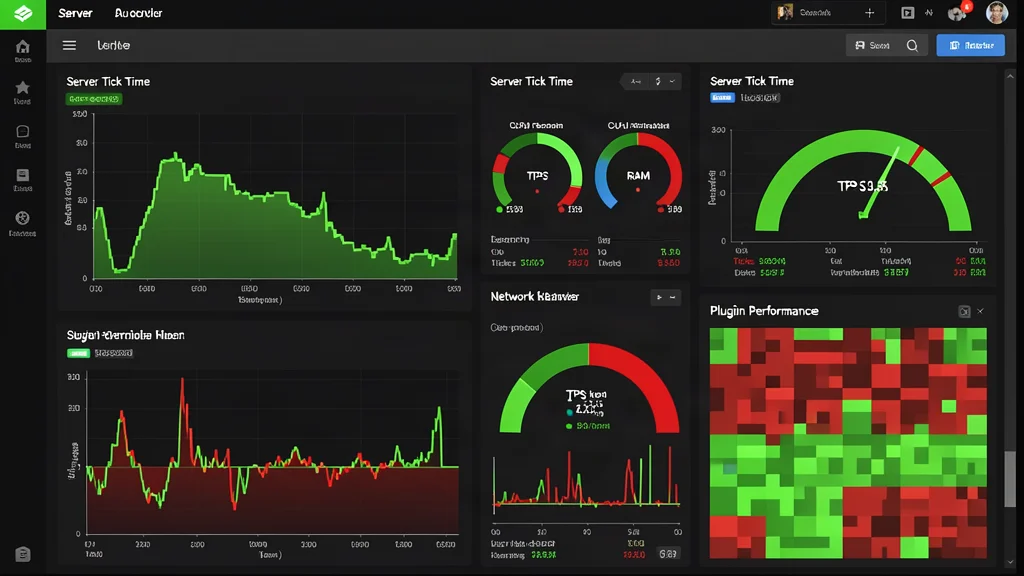
Spark profiler for tick analysis. Run /spark profiler --timeout 60 --thread Server Thread during peak hours and check for plugin hotspots. Pl3xMap or Dynmap with chunk load overlays helps visualize which areas stress the server. Custom Grafana dashboards correlating player count, tick time, and outbound bandwidth give you the full picture.
Set up alerts for the new anti-spam thresholds. Command spam detection hitting false positives during tournament starts is a classic why-can't-players-join headache. Monitor chat-spam-threshold-seconds and command-spam-threshold-seconds in your logs and alert on spike patterns.
Our Votifier tester helps verify vote reward pipelines still work after the update. Vote particles, reward commands, broadcast messages all exercise the new chat and command spam thresholds. Test it before your players do.
Hardware Recommendations for 2026
If you are upgrading hardware for 2026, here is what actually matters for minigame servers:
- CPU: Single-thread performance is king. Intel i9-14900K or AMD Ryzen 7 7800X3D. Avoid server-grade Xeons with low clock speeds
- RAM: 32GB minimum for 500 player lobbies. 64GB if you run multiple game modes on one machine
- Storage: NVMe SSD with 3000MB/s+ read speed. Chunk loading is I/O bound during map rotation
- Network: 1Gbps dedicated upstream. 10Gbps if you run multiple servers behind one IP
Do not overspend on GPU. Minigame servers are headless. A basic GT 710 for display output is plenty. Put that money into CPU and RAM instead.
Network Optimization for 26.2
Vibrant Visuals increases packet sizes across the board. Here are the network settings that matter:
network-compression-threshold: 256(up from 64, reduces CPU overhead)max-tick-time: 60000(up from 30000, prevents watchdog crashes during heavy load)use-native-transport: true(Linux only, uses epoll instead of NIO)enable-jmx-monitoring: false(disable unless you need JMX metrics)
Monitor your bandwidth with iftop or nload during peak hours. If you consistently exceed 80% of your upstream capacity, it is time to upgrade your network or reduce player count.
Common Plugin Issues and Fixes
Here are the most common plugin issues I see after a 26.2 update and how to fix them:
- Chat plugins blocking commands: Increase
command-spam-threshold-secondsto 15 and test again - WorldGuard flag conflicts: Delete
worldguard/regions.ymland let it regenerate - Anti-cheat false positives: Whitelist Sulfur Cube entity ID in your anti-cheat config
- Map loader crashes: Update to the latest Multiverse-Core build, older versions do not handle 26.2 light data
- Vote plugin not firing: Check your Votifier configuration and test the connection with our online tool
Most plugin issues are resolved within a week of a major update as developers push patches. Check the plugin's SpigotMC or GitHub page for 26.2 compatibility updates before assuming the worst.