Managing Residences Across Multiple Servers With ResidenceBridge
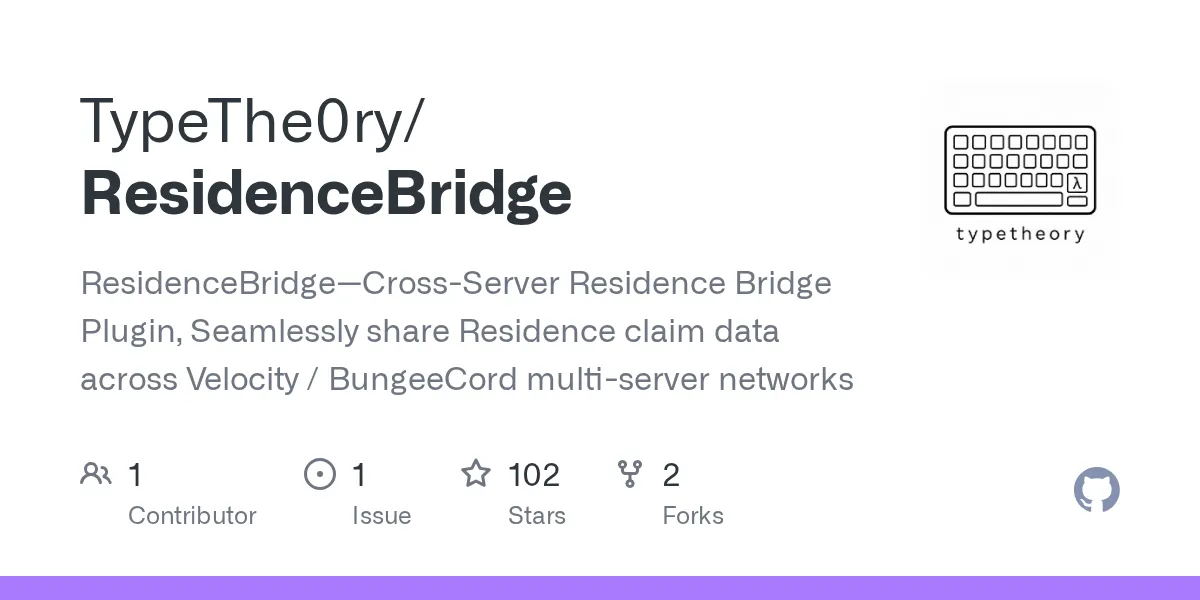
"ResidenceBridge - Cross-Server Residence Bridge Plugin, Seamlessly share Residence claim data across Velocity / BungeeCord multi-server networks"
TypeThe0ry/ResidenceBridge · github.com
Running a Minecraft network across multiple servers means managing separate residence claims on each one - until now. ResidenceBridge syncs residence data across your Velocity or BungeeCord network, letting players build once and claim globally. No more recreating builds or juggling permissions per server.
What ResidenceBridge Does
ResidenceBridge is a bridge plugin written in Kotlin that sits between the Residence plugin and your multi-server setup. It's designed specifically for networks running Velocity or BungeeCord as a proxy layer, and it solves one annoying problem: residence claims are local to each server by default.
Think about it. Your SMP has a survival server, a creative server, and a building server. A player builds a base on survival, sets up their residence claim, then switches to the building server to design something. That claim? Doesn't exist there. They've to set up a brand new one. ResidenceBridge fixes this by keeping all residence data in a central MySQL database and syncing it across every server in your network.
Players can now teleport across servers while staying in their own residence. Commands like /res tp don't just send them to another server - they actually move the player and then teleport them into the target residence on that server. It's all automatic.
Why You'd Want This for Your Network
Most small SMP servers don't need this. Single-server survival worlds work fine with vanilla Residence.
But the moment you expand to multiple servers - whether it's a survival world, creative plots, skyblock instances, or event servers - this plugin pays for itself fast. Here's where it shines:
- Player retention improves. Building a home on Server A, then swapping to Server B to play mini-games, then back to Server A? It all feels connected when your residence goes with you. No disorientation, no "wait, where's my base?"
- Admin workload drops. You're not refereeing disputes about who owns what claim on which server. Everything's global and permanent.
- Permission consistency matters. ResidenceBridge hooks into LuckPerms, so you can set residence limits by player rank. VIP players get 5 residences network-wide, regulars get 2, members get 1. It's configurable and it just works.
- Tab completion works across servers. When a player types
/res tp, they see a list of residence names from every server they can access, not just the current one.
Networks with 50+ regular players benefit noticeably from this kind of friction reduction.
Getting It Installed
ResidenceBridge ships as two separate jar files: one for your sub-servers (Paper, Spigot, or Folia 1.16+) and one for Velocity. You need to install it in both places.
First, download both jars from the latest release on GitHub. The current version is 1.2.3, and both artifacts should come from the same release tag to avoid compatibility issues.
On each sub-server, drop the server-side jar into the plugins/ folder. Do the same with the Velocity jar on your proxy. Start each server once to generate the config file, then shut them down.
Here's where the real setup happens. Open plugins/ResidenceBridge/config.yml on each sub-server and fill in the MySQL connection details:
server-id: "survival-1"

mysql:
  host: "127.0.0.1"
  port: 3306
  database: "minecraft"
  username: "root"
  password: "password"
  maximum-pool-size: 10
Make sure the server-id matches the server name in Velocity's velocity.toml. If Velocity has s2 = "127.0.0.1:25567", set server-id: "s2" on that sub-server. It needs to be exact.
Then restart all servers (or run /rb reload from console). Once they're up, run rb sync from each sub-server console to index any existing Residence data from the Residence plugin into the central database.
One more thing: keep the velocity.channel setting at the default residencebridge:main. The plugin listens on that channel for proxy communication, and changing it breaks the bridge. Actually, I should note - this is one of those settings you don't touch unless you really know what you're doing.
Features That Change How Your Network Runs
Once it's running, several things become possible that weren't before.
Global residence names and limits. Every residence gets a unique name across your entire network. Your player can't have two bases both named "MyHouse" - You would be on survival, one on creative, but the system enforces uniqueness. Rename a residence and the new name is reserved everywhere. You can also set per-permission residence limits, so VIP players might get 10 claims while members get 3, and it counts network-wide instead of per-server.
Cross-server teleporting and tab completion. When a player types /res tp, they see every residence they've access to, across all servers. Pick one, and they're teleported to that server, then dropped into the residence. The system handles the server switch and the final teleport automatically.
Global /res list that actually shows everything. Instead of showing only residences on the current server, /res list now shows all residences owned by that player across the entire network. Admins can run /res list <player> to audit any user's claims anywhere. If you need to manage player-owned land, that visibility is huge.
Common actions like /res rename, /res give, and /res remove work across servers. The plugin detects which server owns the residence and switches the player there to run the command.
Custom messages with full color support. ResidenceBridge lets you customize broadcast messages with legacy color codes and even RGB hex colors. You can make residence notifications pop with custom styling. If you're designing those colored messages, our Minecraft Text Generator can help you format them quickly with the exact colors you want.
PlaceholderAPI integration is included, so if you run services that need to display residence size or lists, you've got placeholders like %reslink_ressize% and %reslink_reslist_1% to work with. Useful for scoreboards or custom plugins that read these values.
Gotchas and Setup Pitfalls
Most issues come from mismatched config or MySQL connection problems.
If players can't cross-server teleport, check that the server-id values match your Velocity config exactly. A typo there silently breaks the bridge.
MySQL connectivity is another one. Make sure every sub-server can reach your database and that they're all using the same credentials. Look, if one server is on a different network or behind a firewall, it won't sync. Test the connection manually if you're unsure.
The teleport wait timer defaults to 3 seconds and is fully configurable. Some admins disable it, some increase it. If players complain about teleport lag, check if you've got the wait timer cranked too high or if movement cancellation is too aggressive. You can configure different wait times by permission group, which is nice for hybrid servers where staff should teleport instantly but regular players wait a bit.
One thing I've noticed while researching plugin setups: some admins forget to run the initial rb sync command, then wonder why old residences don't show up in the global list. That command is important. Run it once at setup and you're done.
When exploring your bases and claimed areas across servers, you might want to scout for specific resources or blocks first. Our Minecraft Block Search tool helps you quickly identify where specific blocks are located across your worlds, so you can plan your exploration strategy.
Worth It Or Not
If you're running a single server, no. Stick with the regular Residence plugin.
If you're running 2-3 servers and plan to stay there, it's probably overkill unless claims are a major pain point for your players. But if you're building a network with plans to grow, this plugin saves you enormous headaches down the road. The 102 stars on GitHub suggest it's well-regarded in the network community, and the MIT license means there's no licensing drama - you can fork or modify it if you need to.
It's also actively maintained.
Setting it up takes maybe an hour once you've got your MySQL server ready. That's a one-time cost for removing tons of per-server claim management forever. If you're serious about a multi-server network, the effort pays off.
TypeThe0ry/ResidenceBridge - MIT, ★102
Lead writer at minecraft.how. Long-time Minecraft player running a small SMP server, testing every build, mod, and seed before writing about it.
Frequently Asked Questions
Do I need both the Paper and Velocity jars for ResidenceBridge?
What database does ResidenceBridge use?
Can I use ResidenceBridge on a single-server network?
How do I uninstall ResidenceBridge?
Does ResidenceBridge support Folia?
Have a Question or Tip about this Guide?Community Q&A
Ask a question or help other players below. Join the discussion and share your Minecraft tips!