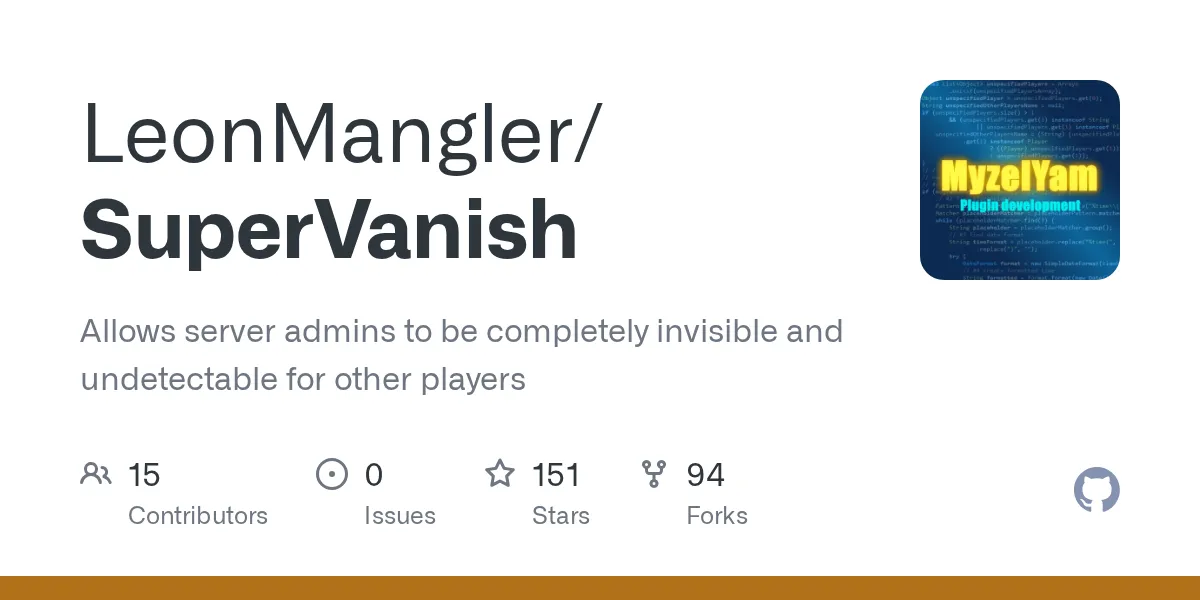

"Allows server admins to be completely invisible and undetectable for other players"
LeonMangler/SuperVanish · github.com
Running a server and need to check on players without your presence changing how they behave? SuperVanish makes admins completely invisible: no join message, no name in the tab list, no footstep particles. You watch, moderate, and build in peace while everyone else assumes you logged off.
What SuperVanish Does
At its core, this is a Bukkit plugin for Spigot, Paper, and CraftBukkit servers that flips you into a ghost. Other players can't see your character, can't hear you pick up items, and won't get a "so-and-so joined the game" line when you log in. You stay fully functional: fly, fight, build, teleport, whatever your role allows. They just can't tell you're there.
It's written in Java, sits at a modest 147 stars on GitHub, and ships under the MIT license. Small project, narrow focus. That's the appeal.
The maintainer, LeonMangler, has been clear on GitHub that time for the plugin is limited these days, so updates land when they land. But the feature set is mature enough that it rarely needs much.
Why Admins Bother With It
Think about what happens the moment players know a staff member is online. Behavior changes. The griefer goes quiet. One guy building something against the rules suddenly stops. You learn nothing.
Invisibility fixes that. A few concrete cases where I've seen it earn its keep:
- Catching rule-breakers in the act instead of after the fact, when the chest is already empty.
- Quietly inspecting builds for stolen blocks or hidden redstone contraptions without tipping anyone off.
- Spectating events like a PvP tournament without your nametag floating in the arena.
- Doing maintenance mid-session: fixing terrain, replacing blocks, testing things, with zero audience.
And honestly, sometimes you just want to play your own server without forty people DMing you. Real talk, vanish, breathe, get on with it.
Installing It
This is about as easy as plugins get. Grab the jar from the project's SpigotMC page (linked from the README), drop it into your server's plugins folder, and restart. No database, no config wizard.
# From your server directory
cd plugins
# move the downloaded jar here
mv ~/Downloads/SuperVanish-6.2.18.jar.
# then restart the server so it loads
Once it's running, the commands are dead simple:
/vanish # toggle your own invisibility
/sv # shorter alias for the same thing
/vanish <player> # vanish someone else (needs permission)
Permissions run through nodes like sv.use (to vanish yourself) and sv.see (to still spot other vanished staff). Wire those into LuckPerms or whatever permission plugin you run, and you're done. Most admins set sv.see for the whole staff group so invisible mods can still coordinate with each other.
For developers who want to hook into it, the README lists a JitPack Maven dependency:
<dependency>
 <groupId>com.github.LeonMangler</groupId>
 <artifactId>SuperVanish</artifactId>
 <version>6.2.18-3</version>
</dependency>
Most server owners never touch that part. It's there if you're building something that needs to know who's vanished.
Features Worth Knowing
The basics (no join/leave spam, hidden from tab, no pickup sounds) are what you'd expect. The more interesting stuff is in how thorough it tries to be about hiding you.

It plugs the sneaky leaks
Visibility isn't just your model. It's the little tells. Recent versions stop vanished players from triggering calibrated sculk sensors, which is the kind of detail that matters if your server runs deep redstone or sculk-based alarms. The latest release changelog also mentions a NoMobSpawn option so you don't accidentally set off mob spawners while ghosting around a farm. (That one's PaperSpigot only, worth flagging.)
Server list ping control
One thing people forget: the player count on the server browser. The 6.2.18 update added a PaperSpigot server list ping listener specifically to keep the serverlist features working right, so vanished staff don't inflate your public player count. Small thing, but it keeps your numbers honest.
Hidden advancement messages
There's a HideAdvancementMessages feature (Paper only again) so you don't broadcast "Admin has made the advancement Diamonds!" while you're supposed to be invisible. Nothing breaks the illusion faster than a server-wide message with your name on it.
Quick aside: if you're decorating staff signs or building a clean spawn while you're vanished, the Minecraft text generator is handy for fancy formatted text, and the block search tool is good for checking exact block IDs when you're swapping materials. Anyway, back to vanish.
Where People Trip Up
A few gotchas that catch new users:
Paper-only features. Several of the newer toggles (NoMobSpawn, HideAdvancementMessages, parts of the serverlist handling) only work on PaperSpigot. On plain Spigot or CraftBukkit, don't expect them to fire. Worth knowing before you file a "broken feature" report.
Other staff still see you, by design. If sv.see is set on your group, vanished admins can see each other. New mods sometimes panic that vanish "isn't working" because a colleague can still spot them. That's the permission doing its job.
Mob behavior. Vanished doesn't always mean every mob ignores you out of the box on every setup. Check your config and the mob-related toggles if a zombie is still pathing toward your invisible self.
Updates are occasional. The maintainer says outright that pull requests should stay small because testing time is short. Translation: this is stable, but don't expect rapid-fire releases. Pin a version that works for your Minecraft build and test before upgrading a live server.
One more: always test on a staging world first. I once toggled a vanish config on a live box and confused half my staff for ten minutes. Lesson learned.
Alternatives Worth a Look
SuperVanish isn't the only ghost in town. A couple of others people compare it to:
- PremiumVanish, from the same developer, is the paid big brother with cross-server (BungeeCord/Velocity network) support and more granular control. If you run a network rather than a single server, that's the one to price out.
- EssentialsX /vanish ships inside the Essentials suite. It's more basic, but if you already run Essentials, you might not need a separate plugin at all.
For a single Spigot or Paper server, though, SuperVanish hits the sweet spot: free, focused, and it does the one job without dragging in a hundred other commands.
My Take
If you run a server and don't already have a vanish solution, this is an easy yes. It's free, it's MIT-licensed so you can fork it if you ever need to, and the feature set has quietly grown to cover the weird edge cases (sculk sensors, mob spawns, server pings) that cheaper vanish hacks miss. Just go in knowing the fancier toggles want Paper, and that updates come at the maintainer's pace. For most admins, that's a perfectly fair trade.