Setting Up Adventure-Platform for Rich Text on Minecraft Servers
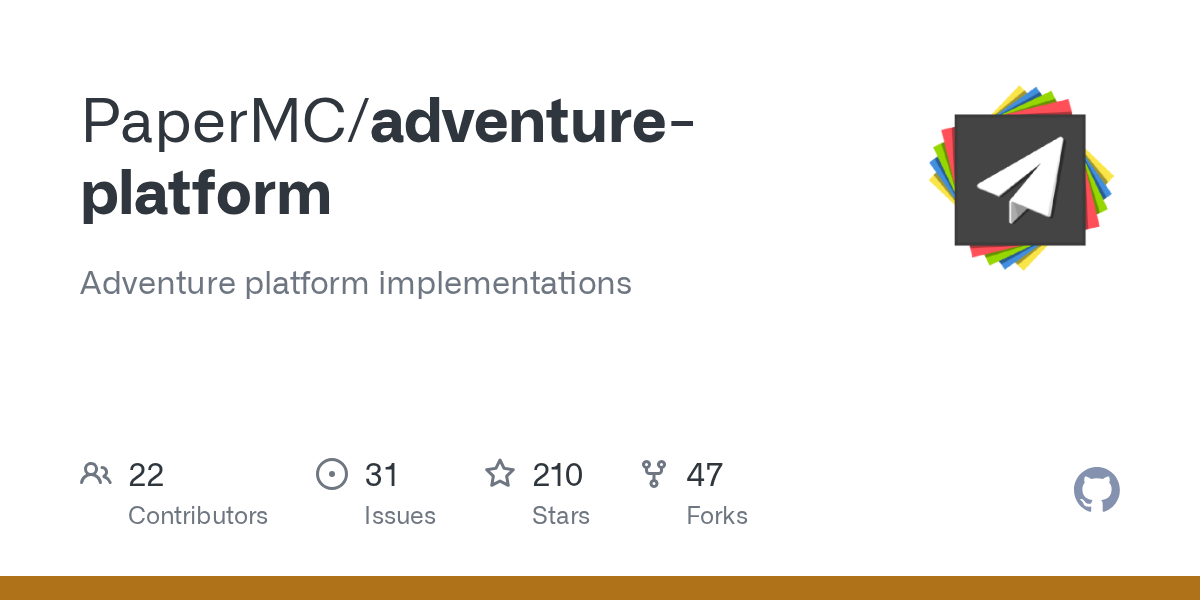
PaperMC/adventure-platform
Adventure platform implementations
View on GitHub ↗If you've built plugins or server software for Minecraft, you've probably felt the pain of text formatting. Colors, styles, click events, hover text - they're all platform-specific. Paper handles it one way, BungeeCord another, Sponge yet another. Adventure-Platform solves this by giving you a unified API for text components that works across all of them.
What Adventure-Platform Does
Adventure-Platform is a set of implementations that sit on top of the Adventure library, a text component library created by Kyori. Think of Adventure as the common language, and Adventure-Platform as the translator for different Minecraft platforms.
On its own, Adventure is platform-agnostic - it doesn't know about Paper's NBT format or BungeeCord's byte arrays. It just provides clean Java APIs. But your server software? It needs native text components. That's where Adventure-Platform steps in. It wraps platform-specific implementations in a single, clean interface.
Supports Paper, Spigot, and Bukkit on the server side. Handles BungeeCord proxies. Even covers Sponge if you're into that. The latest release added support for Minecraft 1.21.6 and 1.21.7.
Why Server Developers Use This
Let's say you're writing a plugin that needs a custom join message with colors, click events, and hover tooltips. Without Adventure-Platform, you'd write one version for Bukkit, another for Sponge, maybe a third for Velocity. Not fun.
With Adventure-Platform, you write it once. The library figures out which platform you're on and translates your components automatically. Colors, gradients, obfuscation, strikethrough - all handled. Click events (open URL, run command, copy to clipboard, show text) work across platforms.
Real-world example: you're building a server MOTD (message of the day). Using Adventure, you create a text component with colors and hover text. Adventure-Platform converts that to whatever format your server understands. If you switch from Paper to BungeeCord later, your code stays the same.
This is genuinely helpful if you're maintaining a plugin or server software that targets multiple platforms.
Getting Adventure-Platform Into Your Project
First, you'll need to add the dependency. Adventure-Platform artifacts live on Maven Central. Here's how you'd set it up in a Gradle build file:
repositories {
 mavenCentral()
}

dependencies {
 // For Bukkit-based servers (Paper, Spigot, Craftbukkit)
 implementation "net.kyori:adventure-platform-bukkit:4.4.1"

 // For BungeeCord
 // implementation "net.kyori:adventure-platform-bungeecord:4.4.1"

 // For Sponge API 7
 // implementation "net.kyori:adventure-platform-sponge7:4.4.1"
}
Pick the right artifact for your platform. If you're using Maven instead, the coordinates are the same, just in Maven XML syntax.
Once you've added the dependency, you need to get an Adventure Audience for your server:
import net.kyori.adventure.audience.Audience;
import net.kyori.adventure.platform.bukkit.BukkitAudiences;
import net.kyori.adventure.text.Component;
import net.kyori.adventure.text.format.NamedTextColor;

public class MyPlugin extends JavaPlugin {
 private BukkitAudiences audiences;

 @Override
 public void onEnable() {
 this.audiences = BukkitAudiences.create(this);
 }

 @Override
 public void onDisable() {
 if (this.audiences!= null) {
 this.audiences.close();
 }
 }

 public void sendMessage(Player player) {
 Audience audience = this.audiences.player(player);
 Component message = Component.text("Hello, ", NamedTextColor.GOLD).append(Component.text(player.getName(), NamedTextColor.YELLOW));
 audience.sendMessage(message);
 }
}
That's the basic pattern. Create your Audiences object once in onEnable(), close it in onDisable(), then use it to send components to players.
What You Can Do With It
Text colors across all 16 legacy colors plus full RGB support. Minecraft 1.16+ lets you use any color value you want, and Adventure handles the conversion on older versions.
Text styles work the way you'd expect: bold, italic, underline, strikethrough, obfuscated. Combine them in any way. Build gradient text, where colors shift across the message.
Click events make your messages interactive. Players can click to open URLs, run commands, copy to clipboard, or show a tooltip message. Hover events display text when players hover over a component - perfect for tooltips or explanations. If you're creating something like a custom MOTD, you can add click-to-join functionality or decorative hover text.
Translations are built in. Adventure has a translatable component type that handles Minecraft's built-in translation keys plus custom ones. The server handles language negotiation automatically.
JSON serialization works if you need to store components or send them over the network. Look, the library can convert components to and from JSON, following Minecraft's native format.
Gotchas and What Can Trip You Up
The biggest mistake: not closing your Audiences object. It holds resources. If you create a BukkitAudiences or similar and don't close it when your plugin disables, you're leaking memory. Always close in onDisable().
Component serialization varies between versions. Actually, that's not quite accurate - the serialization itself is stable, but the internal NBT format Minecraft uses changed in 1.21.6. The latest Adventure-Platform release handles this, but if you're on an older version and jump to 1.21.6, you might see weird behavior with existing stored components. This matters if you're caching components or storing them in databases.
Don't assume all platforms support all features equally. For example, some older Sponge implementations might have limited support for newer text features. Check the platform-specific documentation on the Adventure docs site before relying on edge-case formatting.
RGB colors need 1.16+. If you're targeting older servers, stick with the named colors or use color-down-sampling (which Adventure can do, but you need to handle gracefully).
What Else Is Out There
MiniMessage is a string-based component language that works alongside Adventure. Instead of building components in code, you can write them in a human-readable format: "Hello!". It's lighter weight if you're building text from configuration files or user input. MiniMessage and Adventure work together smoothly.
If you're not ready for a full library like Adventure, LegacyChat or other simpler alternatives exist. They handle the basics (colors, formatting) without the complexity. The trade-off is you don't get click events, hovers, translations, or platform abstraction. Fine for small projects. Not fine if you need features beyond simple colors.
Some platforms bundle their own text APIs. Sponge has its own text implementation that's close to Adventure but not identical. Waterfall (the Velocity successor proxy) encourages Adventure use. If you're building for a specific platform and not planning to support multiple servers, you might skip Adventure entirely and use the native API. But if there's any chance you'll need to reuse code or support multiple platforms later, Adventure-Platform is worth the upfront investment.
Is This Worth Setting Up?
Yes, if you're writing a plugin or server software that might end up on multiple platform types or if you want your code to be reusable. The setup is straightforward, the API is clean, and you avoid a bunch of headaches down the road.
If you're solo-developing a small plugin for one specific server version and platform, you might not need it. But the moment you think "what if I want to use this on a different server type?" or "what if someone asks me to run this on their Sponge server?" Adventure-Platform saves you a rewrite.
The library's been around for years and is actively maintained (as of this writing, recent updates added 1.21.6/1.21.7 support). It's used by major server software and plugins. Not a risky bet.
Visit PaperMC/adventure-platform on GitHub ↗
Lead writer at minecraft.how. Long-time Minecraft player running a small SMP server, testing every build, mod, and seed before writing about it.