Bolsonaro Minecraft Skins: Everything You Need in 2026
Bolsonaro Minecraft skins let you customize your character with themed cosmetics available on minecraft.how. We've compiled everything you need to know about finding, installing, and using these skins in Java 26.1.2, whether you're playing solo or on a multiplayer server.
What Are Bolsonaro Minecraft Skins?
They're custom character cosmetics based on a political figure, available for Java Edition. The Minecraft skin system lets you upload any.png file as your player character's appearance. These particular skins represent one of the most downloaded themed collections on minecraft.how.
Minecraft players use themed skins for tons of reasons. Some want celebrity skins, others go for video game characters, movie figures, or real-world personalities that matter to their communities. Cosmetic customization is huge in Minecraft.
Where to Find Your Bolsonaro Skin
minecraft.how hosts several variants, each with slightly different design and detail. The main Bolsonaro Minecraft Skin is the classic version most players grab first. It's straightforward and well-made.
Want options? There's the Bolsonaro22 Minecraft Skin for a different interpretation. The bolsonaro2018 Minecraft Skin offers another take if you prefer that era's version. Looking for something different? Try the BolsonaroXLula Minecraft Skin for a dual-figure design, or the bolsonaro293 Minecraft Skin variant.
Each has its own character.
Beyond these specific skins, you can browse all Minecraft skins to find thousands more themed cosmetics. Historical figures, celebrities, fictional characters, regional cultural representations - the collection is massive. Browse Minecraft Skins now to see everything available.
How to Install These Skins
Java Edition makes installation dead simple. Here's the process:
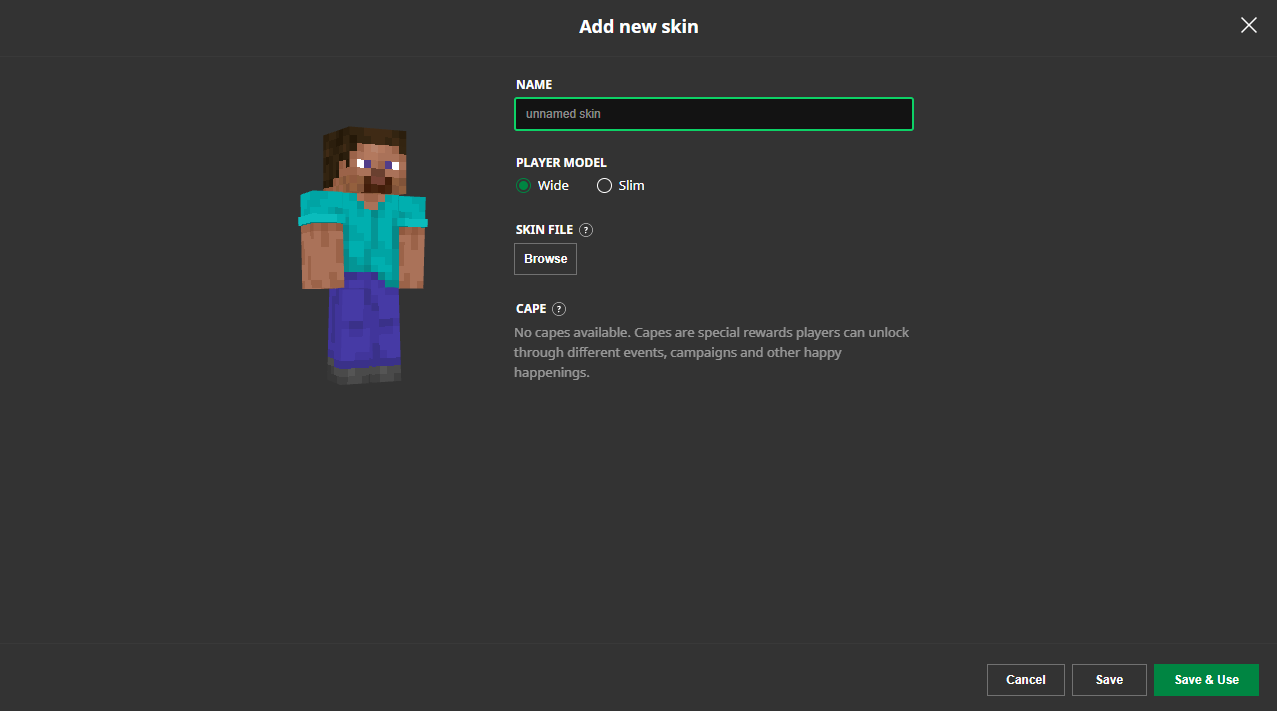
- Download the.png file from minecraft.how
- Open your Minecraft Launcher
- Navigate to Settings, then Skins
- Click Browse and select your downloaded skin file
- The skin appears in your collection - select it to activate
- Launch Minecraft and your new skin loads immediately
That's it. The whole process takes maybe two minutes.
If you're on Bedrock Edition (Windows 10/11, console, or mobile), the process differs slightly. You upload through your Microsoft account settings rather than selecting a local file. But the end result is the same - your account gets the custom skin.
Server Compatibility and Skin Display
Most public servers display custom skins without issues. Your skin is tied to your account, so other players see it regardless of their settings (they need skin visibility on, which is default).
Some roleplay or themed servers have specific dress codes, but these are rare and usually posted in the server description. Competitive servers almost never restrict skins since cosmetics don't affect gameplay.
If you join a server and your skin doesn't show, it's almost always a client-side toggle. Check your options and make sure skins are enabled. Look, before investigating further, verify the server itself is running properly with the Minecraft Server Status Checker. A server that's down won't display anything correctly, including skins.
One technical note: very old servers running pre-1.16 versions sometimes had skin glitches, but Java 26.1.2 is light years past that. You won't run into problems on any modern server.
Why Themed Skins Matter
Minecraft skins are identity. They're your visual representation in the game world, and players genuinely care about that. Themed skins tied to culture, region, or shared interests create community bonds and let players express themselves beyond the default Steve and Alex.
Collecting skins is a real hobby for some players.
They rotate cosmetics based on season, server, mood, or context. Some have dozens installed and spend time choosing which one activates. The cultural side is interesting too - you see skins representing figures important to different regions and communities, especially across South America and Europe.
Quality and Finding Similar Collections
High-quality skins use clean pixel art, good detail within the 64x64 resolution limit, and proportions that look natural on the Minecraft character model. Lower-effort skins look misaligned or poorly drawn. The minecraft.how rating system helps you skip the bad ones.
If you want similar themed collections, the database has thousands beyond Bolsonaro skins. Celebrity cosmetics, character skins, regional or historical figures, fictional characters - search is solid and filters make browsing easy. The quality here consistently beats random fan sites because skins are user-rated, which creates accountability.
Persistence Across Sessions and Accounts
Once you select a skin, it sticks with your Minecraft account. Log in from any computer or launcher, and your chosen skin loads.
The skin format has been rock-solid since well before Java 26.1.2. Older and newer servers handle custom skins identically. Compatibility isn't a concern.
If you're setting up your own server, remember that player engagement goes up when customization exists. Having good skin display, proper DNS routing (consider free Minecraft DNS for simple setups), and smooth connection handling all matter for player retention. These details add up.

Lead writer at minecraft.how. Long-time Minecraft player running a small SMP server, testing every build, mod, and seed before writing about it.