Bringing Blue Archive to Minecraft: FiguraBlueArchiveCrafters Guide
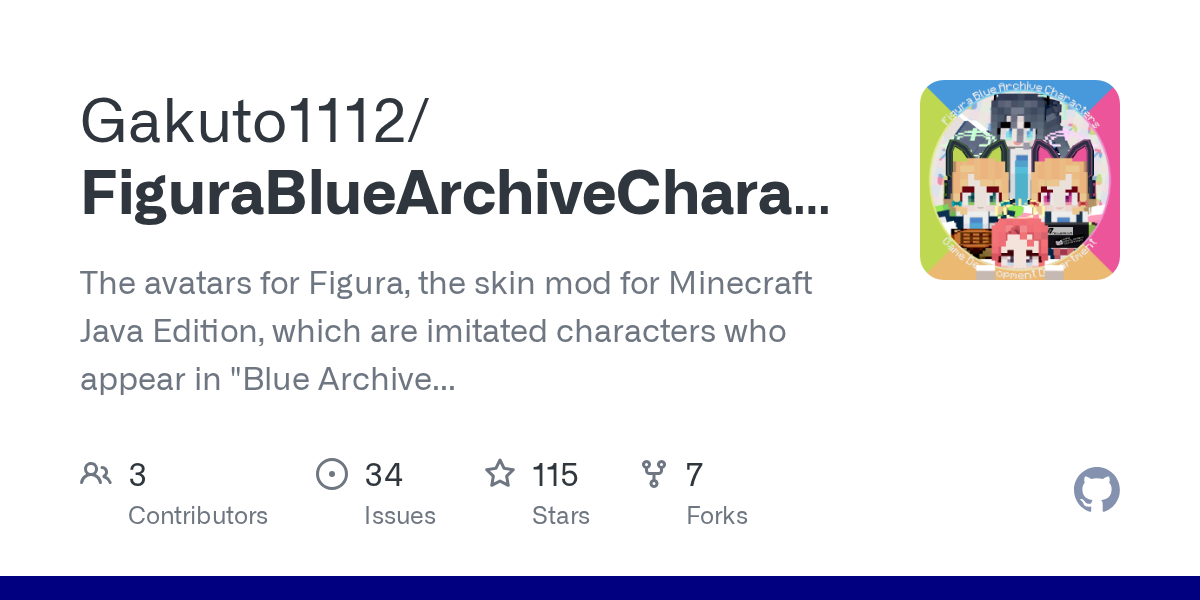
FiguraBlueArchiveCrafters (Gakuto1112/FiguraBlueArchiveCrafters)
The avatars for Figura, the skin mod for Minecraft Java Edition, which are imitated characters who appear in "Blue Archive (ブルーアーカイブ)", the game for mobile devices.
If you've ever wanted to walk around your Minecraft world as your favorite Blue Archive character, FiguraBlueArchiveCrafters makes it possible. This community project recreates over 20 characters from the mobile game as custom avatars for the Figura mod, letting you inhabit their appearance with full animations and detail.
What FiguraBlueArchiveCrafters Does
FiguraBlueArchiveCrafters isn't a texture pack or a simple skin swap. It's a collection of fully-realized avatar models built for Figura, a mod that fundamentally changes how player customization works in Java Edition. Each character is painstakingly recreated from 3D models, complete with proper proportions, animations, and the little details that matter - clothing folds, weapon positions, idle animations that feel alive.
The project launched as "Figura Blue Archive Characters" but rebranded to "Crafters" in version 3.0.0, emphasizing that these aren't just ripped models but crafted avatars designed specifically for Minecraft's constraints. You're not getting a perfect recreation of Blue Archive's models. You're getting thoughtfully adapted versions that work in Minecraft.
Think of it this way: installing this is like replacing your player model entirely for one character. But unlike a static skin, Figura avatars support custom animations, sounds, and behavior modifications. The FBAC avatars take advantage of that.
Why You'd Want This
There's a specific overlap of people who get real value here. You need to play Minecraft, you need to like Blue Archive, and you need to want to *be* that character in your world. If those three things describe you, this saves hours of trying to find or create something similar yourself.
The obvious use case is pure roleplay. Some players build elaborate Blue Archive-themed servers or worlds and want their avatars to match. Others just want that personal connection when exploring their world - your character isn't the generic Steve, it's Hoshino or Yuzu or whoever you're attached to.
Figura's flexibility means these avatars work in multiplayer too (servers see a custom skin on your end), though keep in mind that players without the mod installed will just see a regular skin or avatar on their screen. It's purely cosmetic on your end.
Installation: The Actual Process
First, you need the Figura mod itself. Head to Modrinth and grab version 0.1.5 or later (the project targets 0.1.5 for compatibility). Drop it in your mods folder like any other mod.
Next, grab FiguraBlueArchiveCrafters. You'll find the latest release on GitHub. Version 3.0.0 switched to an all-in-one file structure, so you're downloading one package with all available avatars instead of picking individual characters.
Extract the zip file to your Figura avatars folder. The path is typically:
%appdata%\.minecraft\figura\avatarsOn Linux/Mac, adjust for your system's equivalent.
Launch Minecraft. In-game, open the Figura menu (default key varies, check Figura's settings) and load an avatar. But here's where v3.0.0 added a step: the avatars need language data. You'll see an in-game chat message walk you through downloading these assets. Follow it. This was a change from earlier versions where everything came pre-packaged, so don't skip this step.
After you've loaded an avatar, Figura will ask if you want to enable it for your next session. Say yes. Rejoin a world and you're done.
Available Characters and What You Get
As of the latest release, 21 characters are fully implemented and ready to use:
- Shizuko Kawawa, Izuna Kuda, Mari Iochi
- Momoi and Midori Saiba (the twins)
- Shiroko Sunaookami, Hoshino Takanashi
- Umika Satohama, Serina Sumi, Iroha Natsume
- Ibuki Tanga, Seia Yurizono, Aris Tendo
- Yuzu Hanaoka, Hikari Tachibana, Nozomi Tachibana
- Reisa Uzawa, Michiru Chidori, Hifumi Ajitani
- Hina Sorasaki, Hanae Asagao
That's a solid chunk of the game's roster. The maintainer is actively working on more. There's no avatar currently in progress (the project's README is honest about this), but there's a planned pipeline with character variants like Yuzu's battle form and completely new characters like Kei, Azusa Shirasu, and Yuka Hayase queued up.
If your favorite isn't here yet, you can request it on the GitHub issues page. The maintainer takes requests seriously - they maintain a "Requested" list of characters fans have asked for, though they're clear this doesn't guarantee creation.
Want to host a Blue Archive-themed server where players can see each other's avatars? Consider using our Minecraft Whitelist Creator to manage your player list.
Key Features and What They Do
Custom Animations: Each avatar has idle animations, movement animations, and attack animations built in. You're not getting a static model - the characters feel alive when you move around.
Clothing and Accessories: Unlike many avatar packs, FBAC includes layered clothing and proper proportions. Weapons are positioned correctly, ribbons flow, uniforms look right. The detail work is evident.
Configuration Persistence (v3.0.0): Earlier versions had compatibility issues saving settings. v3.0.0 changed the save path, which resets your config (yeah, annoying), but future updates won't erase your preferences. This is actually better long-term.
Language Support: The project includes language files for multiple locales. Download them in-game and you'll see labels and menu text in your language.
Community-Driven Updates: The project has 115 stars on GitHub and active maintenance. When bugs appear or Figura updates, the maintainer pushes fixes. It's not abandoned-ware.
Tips, Gotchas, and Things That'll Trip You Up
Config resets are a thing in major updates. Back up your settings folder if you've customized anything - before updating, copy your config somewhere safe, then check if the new version is compatible before restoring.
The language download step in v3.0.0 is mandatory, not optional. Don't just load the avatar and expect everything to work. Follow the in-game instructions. This confused some early adopters.
Figura has its own key bindings. Here's the thing, if you're new to the mod, spend 30 seconds in the settings menu learning the default hotkeys. You'll probably want to customize them.
Multiplayer servers without Figura installed on the server side will still work, but only you see your avatar. Everyone else sees a regular skin. That's expected behavior, not a bug. Also, some servers might have restrictions on mods, so check before installing on a public server you're playing on.
Alternatives Worth Knowing About
If you want custom player models in Minecraft, Figura isn't the only option. Custom NPCs can add characters to your world, but that's different - you're creating an NPC, not becoming a character. Citizens mod does something similar. Neither gives you the personal avatar experience FBAC provides.
For Blue Archive specifically, there are community texture packs that apply Blue Archive aesthetics to Minecraft, but they won't give you the actual character models. Some private servers have commissioned custom avatars, but you'd need to find those communities.
The honest take: if you want to be a Blue Archive character in Minecraft with full model support, this is the project. There's nothing else quite like it.
Open the FiguraBlueArchiveCrafters repo ↗
Lead writer at minecraft.how. Long-time Minecraft player running a small SMP server, testing every build, mod, and seed before writing about it.