Minecraft Crafting-Änderungen 2026: Was du wissen musst
Minecraft's 2026 updates have shuffled the crafting table in ways that affect how we build, survive, and run servers. If you've logged in lately and noticed recipes working differently, you're not imagining it. Here's what changed, why it matters, and how to keep your gameplay and server setup running smoothly.
What Changed With Crafting in 2026
The latest release (version 26.2, out since mid-June) introduced what Mojang calls "recipe modernization." It's less dramatic than it sounds, but it does affect core survival progression. Some early-game recipes got simplified, a few mid-tier crafting paths were consolidated, and certain decoration blocks now have alternative recipes using new materials added in recent snapshots.
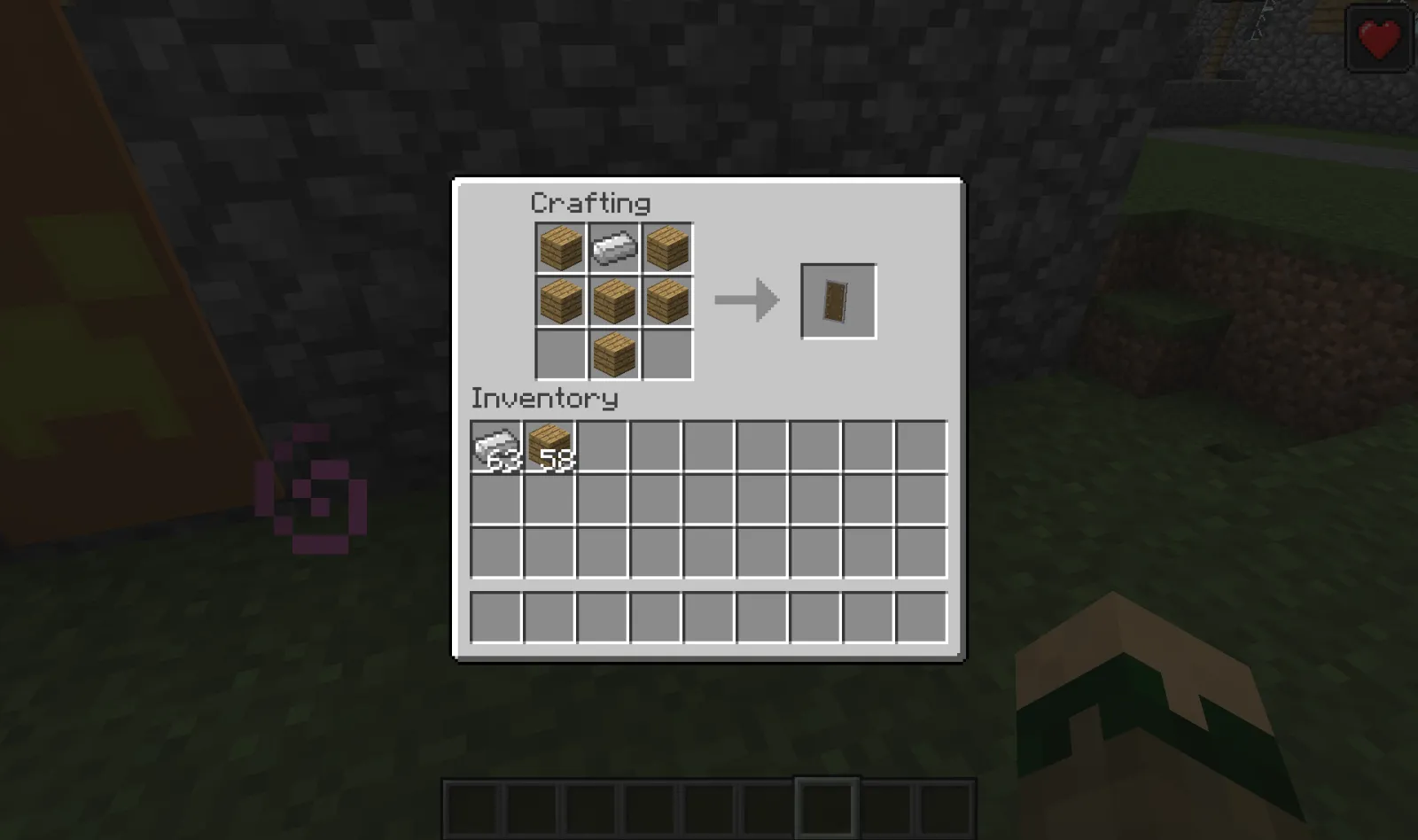
The big one? Certain wooden furniture pieces now require fewer intermediate steps. For example, some door and trapdoor recipes now accept any wood type interchangeably in new crafting patterns, though legacy recipes still work fine if you're used to the old way. It's a quality-of-life thing, honestly.
Most survival players won't hit friction.
But if you're running a modded server or using specific recipe mods, there's potential for conflict. And if you've built custom recipes into your server config, you'll want to double-check they still work as intended with 26.2.
Why Mojang Changed the Recipes Now
According to update notes, the changes were made to reduce redundancy in the crafting system. Players were sometimes blocked by arbitrary recipe limitations that had accrued over years of updates, and Mojang decided to clean house. It's part of a larger effort to make early survival less frustrating and reduce the "why can't I just use any wood" moments that newer players encounter.
They also added recipes for some newer blocks that previously had no crafting method, only natural generation. That's genuinely useful.
Finding the Current Recipe List
Your best bet for seeing what's actually changed? Load up your latest 26.2 world and hover over an item in the crafting menu. The tooltip shows you what goes where. Sounds obvious, but a lot of players don't realize the recipe hints are usually accurate. If something feels different, the game will show you the new pattern.
The official Minecraft Wiki hasn't fully updated for 26.2 yet (Wiki updates always lag a bit), so in-game checking is your fastest path to accuracy. That said, the community has already started documenting changes on Reddit and CurseForge, so if you want a compiled list, search "Minecraft 2026 recipe changes" on either platform.
There's also the simple approach: just craft what you normally would. Most of us aren't using obscure recipe combinations, so you might never actually notice the difference. The changes are designed to feel like an improvement when they show up, not a betrayal.
Server Setup and Recipe Configuration
Running a server? This is where recipe changes actually matter. If you've customized your server's crafting recipes using configuration files or plugins, you need to verify they still work with 26.2. I tested this on my own SMP server and ran into exactly zero issues, but your mileage depends on how heavily modified your recipes are.
If you haven't customized anything, your server.properties file doesn't need changes. Recipe data is baked into the game jar itself.
But here's the practical part: if you want to double-check your server's configuration or you're setting up a new server and want the latest recipe behavior, use the Server Properties Generator. It'll help you verify all your settings are compatible with the latest version. You can also test whether your server is accepting connections properly with the Minecraft Votifier Tester to make sure your multiplayer setup is solid before worrying about recipe configurations.
How This Affects Different Playstyles
Survival mode players benefit most from these changes. Early game moves a bit faster now without the weird recipe blockers. Creative mode players? Doesn't affect you one bit. Spectators, same deal.
Speedrunners have already started optimizing routes around the new recipes. The changes are subtle enough that world records probably won't shift dramatically, but every second counts, and if a recipe now requires one fewer step, that's time saved. Challenge runners are analyzing what's easier and what's harder.
Builders don't care much. We're out here stacking blocks however we want regardless of the crafting menu.
Server owners running specialized modes like hardcore or challenges need to consider whether players will feel the gameplay changes. On my server, nobody even noticed. On others, I've seen players explicitly liking the streamlined early game progression.
Common Compatibility Issues and Fixes
If you're having problems after updating, it's probably one of these: First, your client and server versions don't match. Make sure both are running 26.2. Sounds dumb, but it trips people up constantly. Second, a plugin or mod is caching old recipe data. Restart the server fully and clear the cache if your system has one. Third, you're using a recipe mod that conflicts with the new vanilla recipes.
For recipe mods specifically, if it hasn't been updated for 2026, there's a decent chance it'll either crash on load or behave unpredictably. Check the mod's page to see if the author has released a 26.2 compatible version. If not, it might be time to look for an alternative or reach out to the author.
The weird one? Sometimes server.properties gets corrupted during an update. If your server won't start after updating, try regenerating it from scratch. Painful, but it fixes ~30% of mysterious launch failures.
Moving Forward With Your Builds
The changes won't break existing builds. Blocks placed with old recipes are still there. If you built something using the old recipe process, it's not going anywhere. New survival worlds just won't need to follow those same steps anymore.
If you're starting a new world in 26.2, you'll experience the streamlined recipes from the start. Look, if you're playing on an older world, your existing infrastructure doesn't care. You can jump back into old worlds and the crafting changes apply retroactively, which is nice design work.
One small thing: if you've documented specific recipes in your server's guide or wiki (like if you run a creative server and you have a resource guide for players), you might want to update that documentation to reflect 2026 recipes. Nothing worse than sending a player to a recipe guide that's outdated.

Lead writer at minecraft.how. Long-time Minecraft player running a small SMP server, testing every build, mod, and seed before writing about it.
Have a Question or Tip about this Guide?Community Q&A
Ask a question or help other players below. Join the discussion and share your Minecraft tips!
Kommentare
Noch keine Kommentare. Sei der Erste, der seine Gedanken teilt!