Minecraft Shader 2026: Setup, beste Packs und FPS-Optimierun
Minecraft Shader in 2026 lohnen sich absolut, wenn du bessere Beleuchtung, Wasser, Schatten und Atmosphäre ohne Veränderung des Kerngameplay möchtest. Der Trick besteht darin, das richtige Pack für deine Hardware zu wählen, es korrekt zu installieren und die Einstellungen so anzupassen, dass deine Framerate spielbar bleibt.
Minecraft Shader in 2026: Was sie verändern
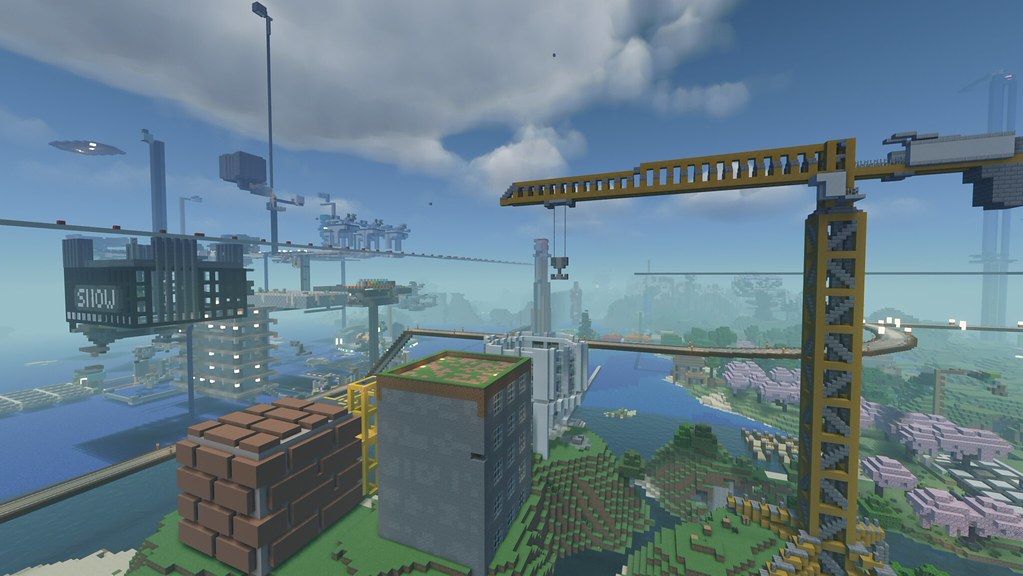
Wenn du noch nie Minecraft Shader verwendet hast, stell dir sie als eine visuelle Rendering-Schicht vor, die über den Vanilla-Texturen liegt. Du hast immer noch deine gleichen Bauten, die gleiche Redstone und die gleichen Mobs. Aber Sonnenlicht filtert durch Blätter, Höhlen leuchten mit glaubwürdigem Bouncelicht, und Wasser sieht endlich wie Wasser aus und nicht wie blaues Gelee.
Allerdings fühlen sich nicht alle Shaderpacks gleich an. Manche sind cinematisch und dramatisch, andere sind subtil und praktisch für Survival. Ich habe aktuelle Builds auf einem Paper-Server mit Freunden und in einer lokalen Hardcore-Welt getestet, und der größte Unterschied war die Sichtbarkeit bei Nacht. Ein paar Packs sehen in Screenshots wunderbar aus, machen es aber schwer, Mobs zu entdecken. Schön, dann tödlich. Nicht ideal.
Und ja, Performance ist immer noch wichtiger als Screenshots.
In rein spielerischen Begriffen beeinflussen Shader normalerweise:
- Beleuchtungsmodell: weichere Schatten, farbiges Licht, Bloom, Godrays
- Wasser und Wetter: Reflektionen, Brechung, Regenstimmung, Nebelverhalten
- Himmel und Atmosphäre: Wolkenstil, Sonnenbahn, Morgen- und Dämmerungsübergänge
- Materialreaktion: Glanzlichter, selbstleuchtende Blöcke, nasse Oberflächen
Manche Spieler bezeichnen das als "nur Kosmetik", aber das wird dem nicht gerecht. Bauentscheidungen ändern sich, wenn Schatten Teil deiner Palette werden. Ich habe ein ganzes Hafenviertel umgestaltet, weil das Laternenlich nach Sonnenuntergang mit aktivierten Shadern anders aussah.
Wie man Minecraft Shader installiert (Java und Bedrock - Realitätscheck)
Kurz gesagt: Java Edition ist immer noch der einfachste Weg für Minecraft Shader. Bedrock kann ähnliche visuelle Verbesserungen erreichen, aber der Weg ist anders und je nach Plattform eingeschränkter.
Java Edition Setup (der zuverlässige Arbeitsablauf)
- Installiere einen Shader-fähigen Loader, normalerweise Iris (mit Sodium) oder OptiFine.
- Lade ein Shaderpack `.zip` aus einer zuverlässigen Quelle herunter.
- Lege die Datei in deinen `shaderpacks` Ordner.
- Starten Minecraft, öffne Video-Einstellungen und wähle das Pack aus.
- Beginne mit mittlerer Voreinstellung, dann optimiere von dort.
Iris plus Sodium ist meine aktuelle Standardempfehlung, weil es für moderne Performance-Optimierung in der Regel sauberer ist. OptiFine funktioniert immer noch für viele Spieler, aber Kompatibilitätsprobleme mit einigen Mod-Stacks können störend sein.
Bedrock Edition Vorbehalt (eigentlich eine kleine Klarstellung)
Menschen fragen oft, ob Bedrock "echte Shader" im gleichen Sinne wie Java hat. Eigentlich ist das nicht ganz richtig für Bedrock-Terminologie. Du hast normalerweise mit RenderDragon-kompatiblen visuellen Packs und deferred Rendering-Funktionen zu tun, anstatt die gleichen Java Shaderpacks einzubauen. Die Ergebnisse können großartig aussehen, aber die Kompatibilität hängt stark von Gerät und Plattformregeln ab.
Also, wenn dein Freund sagt, "installiere einfach diesen Java Shader auf Bedrock", vermischt er Ökosysteme.
Konsolen-Spieler sollten auch realistische Erwartungen haben. The Loadout berichtete im Juni 2024, dass Mojang eine native PS5-Version testet, mit Release noch in diesem Jahr geplant. Diese native Konsolen-Initiative ist gute Nachricht für Performance-Konsistenz, aber das bedeutet immer noch nicht, dass jeder Java Shader Arbeitsablauf direkt übertragbar ist.
Beste Minecraft Shader nach Spielstil, nicht nach Hype
Die meisten "beste Shader" Listen rangieren einfach cinematische Packs und nennen es einen Tag. So endest du mit 28 FPS auf einem Weizenfeld und Reue in deinem Herzen. Besserer Ansatz: wähle je nachdem, was du am meisten tust.
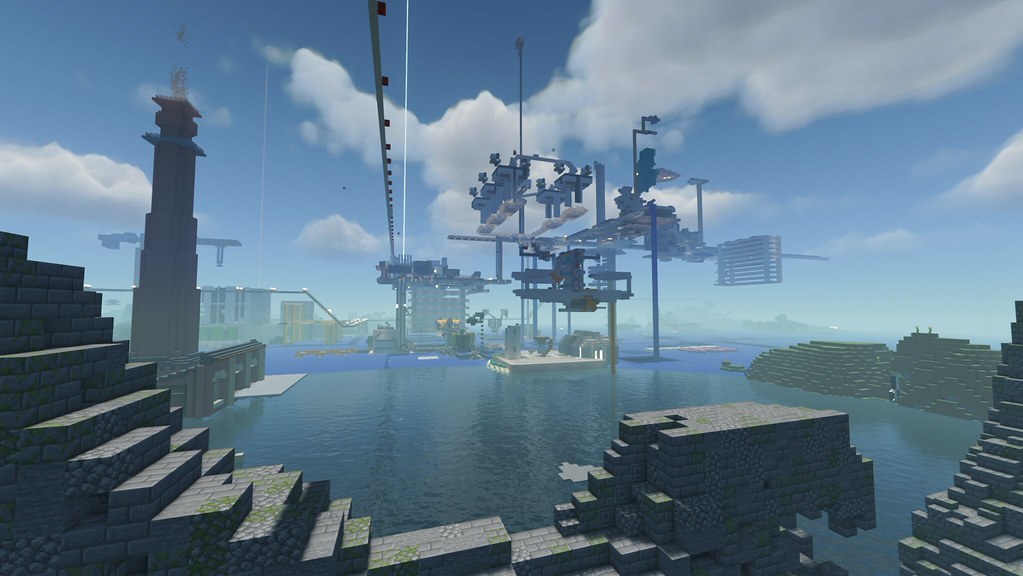
Hier ist, wie ich 2026 wählen würde.
- Survival und lange Sessions: wähle ausgewogene Packs mit klaren Nächten und niedrigem Input-Lag. Du möchtest stabile Frames statt dramatischer Godrays.
- Builder und Screenshots: wähle hochwertige Volumetriken, fortgeschrittene Wolkenebenen, stärkere Reflektionen, dann optimiere nur beim Rendern von finalen Aufnahmen.
- PvP und Minigames: nutze entweder sehr leichte Shader oder überspringe sie. Visuelle Unordnung kann Hilfefeedback und Bewegungshinweise verbergen.
- Roleplay Server: mittel-cinematische Packs glänzen hier, besonders mit Wetter und warmem Fackelfeuer.
Meine Wahl für die meisten Spieler ist immer noch eine "ausgewogene Voreinstellung zuerst" Strategie. Fancy Features sind spaßig, aber stabile Frame Pacing gewinnt jedes Mal, wenn du 40 Minuten tief in die Erkundung gehst und Chunks weiter laden.
Kurze Abschweifung: Wenn deine Shader-Voreinstellung jedes Innenzimmer wie ein Instagram-Filter aus 2017 aussehen lässt, reduziere sofort Bloom. Deine Augen werden dir danken, und auch jeder, der deinen Stream anschaut.
Möchtest du einen themenbezogenen Charakter-Look, der zu Shader-lastigen Screenshots passt? Diese Skins passen gut zur Stimmung: ShaderSK Minecraft Skin für leuchtende Fantasy-Bauten, ShadersShadow Minecraft Skin für dunklere cinematische Szenen, und ShaderShark1 Minecraft Skin für Ozean- und Aquariumprojekte.
Für sauberer modernes Bauen mag ich auch Shadersss Minecraft Skin mit minimalistischem Stil und Shaders Minecraft Skin für klassische Shader-Showcases. Nicht erforderlich, natürlich, aber Ästhetik ist die Hälfte des Spaßes.
FPS-Optimierung: Halte Minecraft Shader schön und spielbar
Hier ist, wo die meisten Menschen viel zu früh aufhören. Sie installieren ein Shaderpack, sehen Frame Drops, und nehmen an, dass ihre GPU dem Untergang geweiht ist. Normalerweise sind es einfach nur schlechte Voreinstellungen.
Beginne mit Render-Distanz, bevor du exotische Einstellungen anfasst. Eine vernünftige Render-Distanz plus moderate Schattenqualität gibt größere Gewinne als zufälliges Umschalten. Auf meinem Test-Rig holte das Senken der Schattenauflösung eine Stufe mehr FPS zurück als das Deaktivieren von drei Minor-Effekten zusammen.
Nutze diese Reihenfolge bei der Optimierung:
- Render-Distanz: reduziere zuerst, besonders auf Servern
- Schattenqualität/Auflösung: hohe GPU-Kosten, sorgfältig optimieren
- Volumetrische Beleuchtung und Wolken: hohe visuelle Auswirkungen, hohe Kosten
- Reflektionen und Wasserqualität: teuer in offenen Landschaften
- Anti-Aliasing Stufe: schärfe nur wenn Platz bleibt
Eine praktische Regel: ziele auf stabile minimale FPS ab, nicht auf Peak-FPS. Ein Spiel, das zwischen 140 und 45 schwankt, fühlt sich schlechter an als eines, das stabil bei etwa 70 läuft. Spitzen sind der Feind.
Und ignoriere nicht die CPU-Grenzen. In modifizierten Welten mit Farmen, Dorfbewohnern und Chunk-Ladern könnte deine GPU in Ordnung sein, während die CPU kämpft. Deshalb ist "neue Grafikkarte" nicht immer die Lösung.
Wenn du streamst oder aufnimmst, stelle ein separates Profil auf. Recording Overhead plus schwere Shader können Smoothness schnell zerstören. Ich halte ein visuelles Profil für Screenshots und ein "tatsächlich spielbar" Profil für SMP Nächte. Gleiches Pack, unterschiedliche Presets, viel weniger Schmerz.
Kompatibilität 2026: Updates, Versionen und häufige Fehler
Shader-Fehlerbehebung kommt normalerweise auf Versionskonflikte an. Minecraft-Version, Loader-Version, Shaderpack-Version und Mod-Set müssen alle übereinstimmen. Miss eine und du bekommst Artefakte, fehlende UI, schwarzes Wasser oder Crashes beim Start.
PCGamesN berichtete am 4. März 2026, dass Minecrafts "Drops" Rhythmus immer noch auf etwa vierteljährliche Releases deutet, mit 1.26.1 "Tiny Takeover" geschätzt für März 2026. Ob dieses exakte Datum eintritt oder verschoben wird, das Muster zählt: häufige Updates bedeuten Kompatibilität Schwankungen. Erwarte etwas Zeit nach jedem Drop, bis Shader- und Loader-Updates sich stabilisieren.
Meine Regel ist einfach: Aktualisiere deine Hauptwelt nicht sofort am ersten Tag, wenn Visuals zählen. Klone deine Instanz, teste dort, und wechsle nur wenn dein Shader-Stack bestätigt stabil ist.
Häufige Probleme und schnelle Fixes:
- Schwarzer Bildschirm beim Laden der Welt: falsche Loader-Version oder fehlerhafter Shader Preset Import
- Wasser sieht opak oder fehlerhafte aus: Pack nicht aktualisiert für deine Spielversion
- UI-Text merkwürdig hell: Post-Processing Konflikt, Bloom und Exposure senken
- Massive Stotterer beim Fliegen: zu hohe Render-Distanz, Chunk Generation Bottleneck
- Nacht ist unbrauchbar dunkel: cinematische Voreinstellung, wechsle zu Gameplay-Voreinstellung
Zwei-Minuten Sanity Check spart Stunden: bestätige genaue Spielversion, Loader und Pack Changelog, bevor du sonst etwas tust.
Solltest du Minecraft Shader in jeder Welt verwenden?
Nein, und das ist in Ordnung.
Hardcore Kampf-Läufe, kompetitives PvP und schweres Automatisierungs-Testing können in Vanilla-Beleuchtung besser sein, wo Klarheit vor Stimmung gewinnt. Aber für Survival-Basen, Stadt-Bauten, Roleplay-Server, Explorations-Screenshots und eigentlich alles Szenisches sind Minecraft Shader immer noch eines der besten Upgrades, die du 2026 machen kannst.
Also meine ehrliche Empfehlung ist diese: installiere ein ausgewogenes Pack, erstelle zwei Voreinstellungen, und höre auf, jedem dramatischen Trailer Look hinterherzujagen. Spiel zuerst, optimiere danach. Du wirst weniger Zeit in Menüs verbringen, mehr Zeit beim Bauen von Dingen, die bei Sonnenaufgang unglaublich aussehen (und ja, immer noch akzeptabel um Mitternacht während eines Creeper-Notfalls).
Wenn deine aktuelle Welt bereits am Rande läuft, halte die Erwartungen realistisch und optimiere aggressiv. Eine "mittel" Voreinstellung, die nie stottert, schlägt eine "ultra" Voreinstellung, die genau vor Fertigstellung deines Daches abstürzt. Das habe ich auf einer Klippenseite-Megabasis auf die harte Tour gelernt. Zweimal.

Lead writer at minecraft.how. Long-time Minecraft player running a small SMP server, testing every build, mod, and seed before writing about it.
Häufig gestellte Fragen
Wie installiere ich Minecraft Shader in der Java Edition?
Funktionieren Java Shader auch in der Bedrock Edition?
Iris oder OptiFine: Was ist besser für Minecraft Shader?
Welche Shader eignen sich für Survival-Spieler?
Was genau verändern Shader in Minecraft?
Was tue ich, wenn meine FPS mit Shadern zu niedrig sind?
Have a Question or Tip about this Guide?Community Q&A
Ask a question or help other players below. Join the discussion and share your Minecraft tips!
Kommentare
Noch keine Kommentare. Sei der Erste, der seine Gedanken teilt!