PackGod Minecraft-Skin
✓ Genehmigt
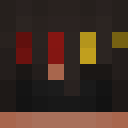
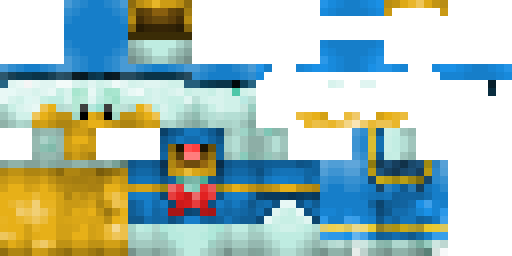
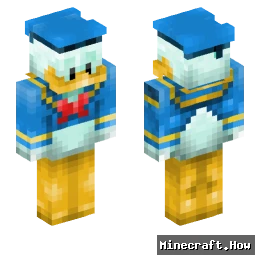
PackGod drops onto your character like a set of forged plates. The base is matte black, layered with sharp shoulder pads and a chest plate that catches light. Red lines run along the edges, glowing faintly in low light. The helmet has a visor that narrows the view, adding an intimidating feel. The legs and boots follow the same pattern, keeping the look tight and consistent.
Use it when you want to stand out in PvP arenas or simply give your base a tougher look. It works well on servers that allow custom skins, and it reads clearly even from a distance, so teammates can spot you fast. The glowing accents help when you explore caves at night. Pair it with a sword or bow and you’ll have a ready-to-fight appearance without extra mods.
Use it when you want to stand out in PvP arenas or simply give your base a tougher look. It works well on servers that allow custom skins, and it reads clearly even from a distance, so teammates can spot you fast. The glowing accents help when you explore caves at night. Pair it with a sword or bow and you’ll have a ready-to-fight appearance without extra mods.
0
Downloads
37
Aufrufe
Skin-Informationen
Minecraft-Version:Alle
Dateigröße:Unbekannt
Geschlecht:Unbekannt
Hochgeladen von:minecraft.how BOT
Minecraft profile
a1bd47cd-3636-4481-9ea0-265f37fba40dModel
classic
Views / 30 days
36
Observed names
Dates show when minecraft.how first observed each name.
PackGod—
Skin history
History grows as minecraft.how observes profile changes.

Head command
/give @p minecraft:player_head[profile={name:"PackGod"}]Benutzer mit gleicher Textur (2 insgesamt)
2
Benutzer insgesamt
118
Aufrufe insgesamt
0
Downloads insgesamt

PNG · 64×64
Diesen Skin teilen
Mit dem Handy scannen, um diesen Skin zu teilen
Tags
MinecraftSkinsPackGod
Häufig gestellte Fragen
So lädst du den Minecraft-Skin PackGod herunter:
- Klicke auf den Button „Herunterladen“, um diesen kostenlosen PackGod-Skin zu erhalten
- Die Skin-Datei
.pngwird auf deinem Gerät gespeichert - Funktioniert sowohl mit Java Edition als auch mit Bedrock Edition
- Siehe unten für die vollständige Installationsanleitung
So wendest du den Skin PackGod an:
- Melde dich mit deinem Mojang- oder Microsoft-Konto auf der offiziellen Minecraft-Website an.
- Navigiere in deinem Profil zum Bereich „Skins“.
- Lade die heruntergeladene
.png-Datei hoch. - Starte Minecraft – dein Charakter verwendet jetzt den Skin PackGod.
Hinweis: Der Vorgang kann zwischen Minecraft Java Edition und Minecraft Bedrock Edition leicht variieren.
Ja, der Skin PackGod ist sowohl mit Minecraft Java Edition als auch mit Minecraft Bedrock Edition kompatibel. Die Methode zum Anwenden des Skins kann sich jedoch zwischen den beiden Versionen leicht unterscheiden. Folge den Anweisungen auf dieser Seite für deine spezifische Edition.
Absolut! Du kannst den Skin PackGod mit einem Minecraft-Skin-Editor bearbeiten. Öffne einfach die heruntergeladene
.png-Datei im Editor, nimm deine Änderungen vor und speichere die Datei. Lade anschließend den bearbeiteten Skin in dein Minecraft-Profil hoch.Wenn der Skin PackGod nicht funktioniert, probiere Folgendes:
- Stelle sicher, dass du das richtige Dateiformat
.pngheruntergeladen hast. - Stelle sicher, dass du die richtige Version von Minecraft verwendest: Java Edition oder Bedrock Edition.
- Prüfe, ob die Skin-Datei nicht beschädigt ist. Lade den Skin bei Bedarf erneut herunter.
- Melde dich aus deinem Mojang- oder Microsoft-Konto ab und wieder an, um dein Profil zu aktualisieren.
Erstelle deinen eigenen Skin
Zeichne einen pixelgenauen Minecraft-Skin direkt im Browser mit unserem kostenlosen 3D-Skin-Editor.
→ Skin Ersteller