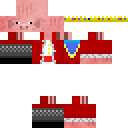
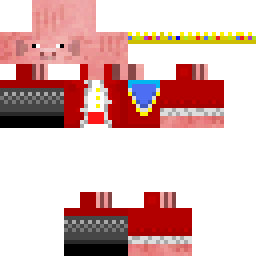
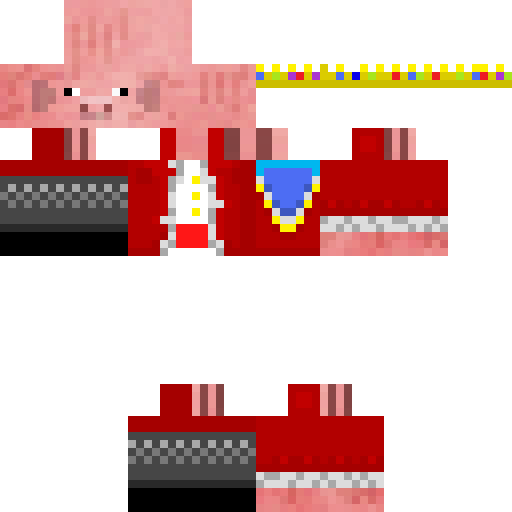
adamsayshello Minecraft-Skin
✓ Genehmigt
Skin für adamsayshello
1
Downloads
693
Aufrufe
0
Gefällt mir
Reaktionen
Melde dich an, um zu reagieren.
Minecraft profile
20b28d3d-b1eb-4af2-b6b2-2649ef07a12bModel
classic
Views / 30 days
35
Observed names
Dates show when minecraft.how first observed each name.
adamsayshello—
Skin history
History grows as minecraft.how observes profile changes.

Head command
/give @p minecraft:player_head[profile={name:"adamsayshello"}]Benutzer mit gleicher Textur (51 insgesamt)
51
Benutzer insgesamt
8.5K
Aufrufe insgesamt
33
Downloads insgesamt
 appletroyz
212 Aufrufe0 Downloads
 Colz21
191 Aufrufe1 Downloads
 Gmerdom
188 Aufrufe1 Downloads
 daftsoup
177 Aufrufe1 Downloads
 Jerkic
173 Aufrufe1 Downloads
 profizockerA
172 Aufrufe1 Downloads
 Flobonet
172 Aufrufe1 Downloads
 Trafalgar_27
171 Aufrufe1 Downloads
 YeetMyFeet456
170 Aufrufe1 Downloads
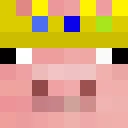 CoolioGuy1
168 Aufrufe1 Downloads
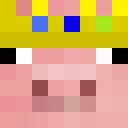 imzyth
167 Aufrufe1 Downloads
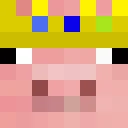 ethanos64782
162 Aufrufe1 Downloads
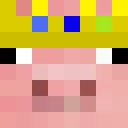 PatrickStar133
161 Aufrufe0 Downloads
 IMPXAB
159 Aufrufe1 Downloads
 Harrx159
158 Aufrufe1 Downloads
 MetaKnight123
158 Aufrufe1 Downloads
 Thor_2024
158 Aufrufe1 Downloads
 PewPew321123
155 Aufrufe1 Downloads
 E_NPC
E_NPC155 Aufrufe1 Downloads
 MartinezoBG
155 Aufrufe0 Downloads
 Reflexhehe
154 Aufrufe1 Downloads
 TheTechnoblade_
154 Aufrufe1 Downloads
 Gh0st1yYT
154 Aufrufe1 Downloads
 Spyro1804
153 Aufrufe1 Downloads
 dpb2009
153 Aufrufe1 Downloads
 PennYwiZee
153 Aufrufe1 Downloads
 UoSo
UoSo152 Aufrufe0 Downloads
 WelshBlockWizard
152 Aufrufe0 Downloads
 tecknoblade
151 Aufrufe1 Downloads
 Cold_9
150 Aufrufe0 Downloads
 SpectChicken
150 Aufrufe1 Downloads
 GuyTheKing20701
148 Aufrufe0 Downloads
 Jod33tomato
148 Aufrufe0 Downloads
 Noname090404
148 Aufrufe1 Downloads
 TheDeepCalls
147 Aufrufe0 Downloads
 gocommitstop
147 Aufrufe1 Downloads
 Silvergolddark
147 Aufrufe0 Downloads
 Technqblade
145 Aufrufe0 Downloads
 COOPER0724
145 Aufrufe1 Downloads
 gnats1111
144 Aufrufe0 Downloads
 schmackyboy
144 Aufrufe0 Downloads
 yaboi11111
144 Aufrufe0 Downloads
 BossRogue512197
140 Aufrufe0 Downloads
 ShanerGames
140 Aufrufe1 Downloads
 _beni01
139 Aufrufe0 Downloads
 tyuvntsihtgsehvb
137 Aufrufe1 Downloads
 Technocleavers
137 Aufrufe1 Downloads
 kaan2
kaan2137 Aufrufe0 Downloads
 NazDaz
133 Aufrufe0 Downloads
 purpleman885
133 Aufrufe1 Downloads
PNG · 64×64
Diesen Skin teilen
Mit dem Handy scannen, um diesen Skin zu teilen
Tags
MinecraftSkinsadamsayshello
Häufig gestellte Fragen
So lädst du den Minecraft-Skin adamsayshello herunter:
- Klicke auf den Button „Herunterladen“, um diesen kostenlosen adamsayshello-Skin zu erhalten
- Die Skin-Datei
.pngwird auf deinem Gerät gespeichert - Funktioniert sowohl mit Java Edition als auch mit Bedrock Edition
- Siehe unten für die vollständige Installationsanleitung
So wendest du den Skin adamsayshello an:
- Melde dich mit deinem Mojang- oder Microsoft-Konto auf der offiziellen Minecraft-Website an.
- Navigiere in deinem Profil zum Bereich „Skins“.
- Lade die heruntergeladene
.png-Datei hoch. - Starte Minecraft – dein Charakter verwendet jetzt den Skin adamsayshello.
Hinweis: Der Vorgang kann zwischen Minecraft Java Edition und Minecraft Bedrock Edition leicht variieren.
Ja, der Skin adamsayshello ist sowohl mit Minecraft Java Edition als auch mit Minecraft Bedrock Edition kompatibel. Die Methode zum Anwenden des Skins kann sich jedoch zwischen den beiden Versionen leicht unterscheiden. Folge den Anweisungen auf dieser Seite für deine spezifische Edition.
Absolut! Du kannst den Skin adamsayshello mit einem Minecraft-Skin-Editor bearbeiten. Öffne einfach die heruntergeladene
.png-Datei im Editor, nimm deine Änderungen vor und speichere die Datei. Lade anschließend den bearbeiteten Skin in dein Minecraft-Profil hoch.Wenn der Skin adamsayshello nicht funktioniert, probiere Folgendes:
- Stelle sicher, dass du das richtige Dateiformat
.pngheruntergeladen hast. - Stelle sicher, dass du die richtige Version von Minecraft verwendest: Java Edition oder Bedrock Edition.
- Prüfe, ob die Skin-Datei nicht beschädigt ist. Lade den Skin bei Bedarf erneut herunter.
- Melde dich aus deinem Mojang- oder Microsoft-Konto ab und wieder an, um dein Profil zu aktualisieren.
Erstelle deinen eigenen Skin
Zeichne einen pixelgenauen Minecraft-Skin direkt im Browser mit unserem kostenlosen 3D-Skin-Editor.
→ Skin Ersteller