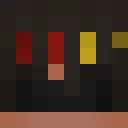
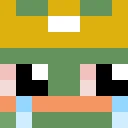
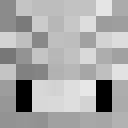
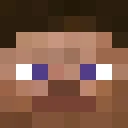
ninjaboco Minecraft-Skin
✓ Genehmigt
Skin for ninjaboco
1
Downloads
881
Aufrufe
0
Gefällt mir
Reaktionen
Melde dich an, um zu reagieren.
Minecraft profile
b64d78cb-7ea1-4891-8fea-f68842ecb5eeModel
classic
Views / 30 days
603
Observed names
Dates show when minecraft.how first observed each name.
ninjaboco—
Skin history
History grows as minecraft.how observes profile changes.

Head command
/give @p minecraft:player_head[profile={name:"ninjaboco"}]Benutzer mit gleicher Textur (51 insgesamt)
51
Benutzer insgesamt
54.6K
Aufrufe insgesamt
52
Downloads insgesamt
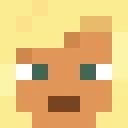 Es tut mir leid, aber es gibt keinen Text zur Übersetzung. Bitte fügen Sie den Text hinzu, den ich für ikasumi1025 übersetzen soll.
14.6K Aufrufe1 Downloads
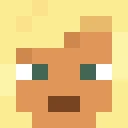 RamiSyrjala
1.1K Aufrufe1 Downloads
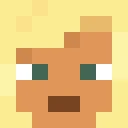 Maligo5
1.1K Aufrufe1 Downloads
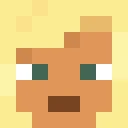 suminsbigtoe127
1.0K Aufrufe1 Downloads
 Xdwdanson
1.0K Aufrufe1 Downloads
 Parachute4443
1.0K Aufrufe1 Downloads
 BabaBooey1234
973 Aufrufe1 Downloads
 SteelEagle568
972 Aufrufe2 Downloads
 HarrisGR
967 Aufrufe1 Downloads
 scoopticles
931 Aufrufe1 Downloads
 SirQuintavious
914 Aufrufe1 Downloads
 KOPF12
907 Aufrufe1 Downloads
 lazythepro
866 Aufrufe1 Downloads
 Alp4a
859 Aufrufe1 Downloads
 ragnarkiller111
859 Aufrufe1 Downloads
 frank93852
827 Aufrufe1 Downloads
 mintyminy26
822 Aufrufe1 Downloads
 StriverVT
813 Aufrufe1 Downloads
 AlteredBug9110
812 Aufrufe1 Downloads
 fires666
806 Aufrufe1 Downloads
 bodybagGODLIKE
797 Aufrufe1 Downloads
 Akshay3196
788 Aufrufe1 Downloads
 brHEEEE
786 Aufrufe1 Downloads
 faz3_m0n3y
781 Aufrufe1 Downloads
 GracedElf
780 Aufrufe1 Downloads
 DBomb222
762 Aufrufe1 Downloads
 Forrvator
757 Aufrufe1 Downloads
 _TheQuietKid
754 Aufrufe1 Downloads
 Antibrix
752 Aufrufe1 Downloads
 Maple__Donut
743 Aufrufe1 Downloads
 Jaca2116
741 Aufrufe1 Downloads
 CorreiaMO
738 Aufrufe1 Downloads
 HispanolaV2
736 Aufrufe1 Downloads
 MohammadSmith
729 Aufrufe1 Downloads
 hypixeldeaf
724 Aufrufe1 Downloads
 gabbak
723 Aufrufe1 Downloads
 SAHILSTAFFMASTER
720 Aufrufe1 Downloads
 CM_TheEnder
718 Aufrufe1 Downloads
 SrGohi
706 Aufrufe1 Downloads
 itsmejak78
704 Aufrufe1 Downloads
 Antu69_
701 Aufrufe1 Downloads
 Alelass
695 Aufrufe1 Downloads
 Wh1teKarma
680 Aufrufe1 Downloads
 M0neybagbr0
666 Aufrufe1 Downloads
 SeAlLoRd0312
664 Aufrufe1 Downloads
 AsR_Yes
662 Aufrufe1 Downloads
 Awesomefortyf
622 Aufrufe1 Downloads
 DumpyLin
618 Aufrufe1 Downloads
 TheTrueHen
614 Aufrufe1 Downloads
 ETNoblest
604 Aufrufe1 Downloads
PNG · 64×64
Diesen Skin teilen
Mit dem Handy scannen, um diesen Skin zu teilen
Tags
MinecraftSkinsninjaboco
Häufig gestellte Fragen
So lädst du den Minecraft-Skin ninjaboco herunter:
- Klicke auf den Button „Herunterladen“, um diesen kostenlosen ninjaboco-Skin zu erhalten
- Die Skin-Datei
.pngwird auf deinem Gerät gespeichert - Funktioniert sowohl mit Java Edition als auch mit Bedrock Edition
- Siehe unten für die vollständige Installationsanleitung
So wendest du den Skin ninjaboco an:
- Melde dich mit deinem Mojang- oder Microsoft-Konto auf der offiziellen Minecraft-Website an.
- Navigiere in deinem Profil zum Bereich „Skins“.
- Lade die heruntergeladene
.png-Datei hoch. - Starte Minecraft – dein Charakter verwendet jetzt den Skin ninjaboco.
Hinweis: Der Vorgang kann zwischen Minecraft Java Edition und Minecraft Bedrock Edition leicht variieren.
Ja, der Skin ninjaboco ist sowohl mit Minecraft Java Edition als auch mit Minecraft Bedrock Edition kompatibel. Die Methode zum Anwenden des Skins kann sich jedoch zwischen den beiden Versionen leicht unterscheiden. Folge den Anweisungen auf dieser Seite für deine spezifische Edition.
Absolut! Du kannst den Skin ninjaboco mit einem Minecraft-Skin-Editor bearbeiten. Öffne einfach die heruntergeladene
.png-Datei im Editor, nimm deine Änderungen vor und speichere die Datei. Lade anschließend den bearbeiteten Skin in dein Minecraft-Profil hoch.Wenn der Skin ninjaboco nicht funktioniert, probiere Folgendes:
- Stelle sicher, dass du das richtige Dateiformat
.pngheruntergeladen hast. - Stelle sicher, dass du die richtige Version von Minecraft verwendest: Java Edition oder Bedrock Edition.
- Prüfe, ob die Skin-Datei nicht beschädigt ist. Lade den Skin bei Bedarf erneut herunter.
- Melde dich aus deinem Mojang- oder Microsoft-Konto ab und wieder an, um dein Profil zu aktualisieren.
Erstelle deinen eigenen Skin
Zeichne einen pixelgenauen Minecraft-Skin direkt im Browser mit unserem kostenlosen 3D-Skin-Editor.
→ Skin Ersteller