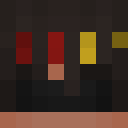
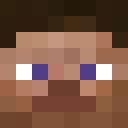
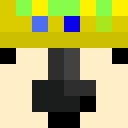
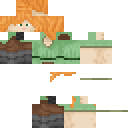
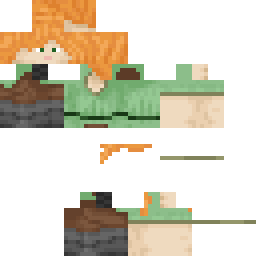
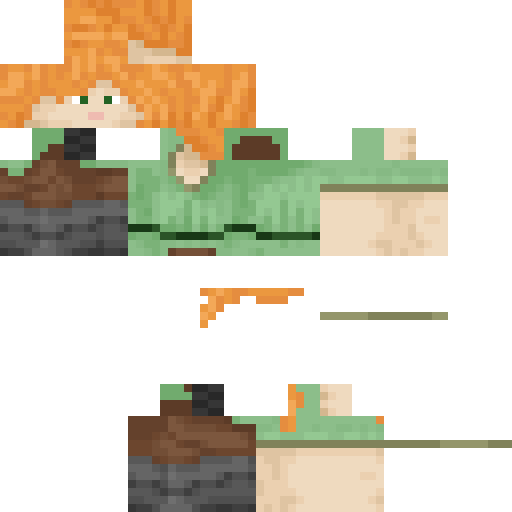
Mama1830 Minecraft-Skin
✓ Genehmigt
Skin for Mama1830
0
Downloads
13
Aufrufe
Skin-Informationen
Minecraft-Version:Alle
Dateigröße:Unbekannt
Geschlecht:Unbekannt
Hochgeladen von:minecraft.how BOT
Minecraft profile
bdce660c-9e42-4276-8ccf-bf6c603d5f4bModel
classic
Views / 30 days
4
Observed names
Dates show when minecraft.how first observed each name.
Mama1830—
Skin history
History grows as minecraft.how observes profile changes.
Head command
/give @p minecraft:player_head[profile={name:"Mama1830"}]Benutzer mit gleicher Textur (51 insgesamt)
51
Benutzer insgesamt
7.6K
Aufrufe insgesamt
0
Downloads insgesamt
 killed by Creeper Explosion
6.5K Aufrufe0 Downloads
 chiyueyao
30 Aufrufe0 Downloads
 fromHollows
29 Aufrufe0 Downloads
 CEOofFembois
28 Aufrufe0 Downloads
 FriedPotato8517
27 Aufrufe0 Downloads
 askasr
26 Aufrufe0 Downloads
 ChainalBeads
26 Aufrufe0 Downloads
 t4iy4ki2006
26 Aufrufe0 Downloads
 proguitarplayer
25 Aufrufe0 Downloads
 Voldemorter
24 Aufrufe0 Downloads
 BeeNyx31
23 Aufrufe0 Downloads
 UWXin
UWXin23 Aufrufe0 Downloads
 ShadowNinja9943
23 Aufrufe0 Downloads
 Finecuisine
23 Aufrufe0 Downloads
 jtyq
jtyq22 Aufrufe0 Downloads
 femboyhuntress
22 Aufrufe0 Downloads
 CallMeAhnaf
22 Aufrufe0 Downloads
 adksjhabsdkhj
22 Aufrufe0 Downloads
 CapsuleVoyage01
22 Aufrufe0 Downloads
 princey204
22 Aufrufe0 Downloads
 Dragon7552
22 Aufrufe0 Downloads
 VIMithridates
21 Aufrufe0 Downloads
 Bigtasty46
21 Aufrufe0 Downloads
 EVEraymox2
21 Aufrufe0 Downloads
 chillinglava
21 Aufrufe0 Downloads
 Entity_Xtra
21 Aufrufe0 Downloads
 SHREKS_FEET
21 Aufrufe0 Downloads
 sabmalor
21 Aufrufe0 Downloads
 Mitfu2008
21 Aufrufe0 Downloads
 InformalFriend9
21 Aufrufe0 Downloads
 WhyAsh
21 Aufrufe0 Downloads
 Adon9z
21 Aufrufe0 Downloads
 shintoke
21 Aufrufe0 Downloads
 AYUPLAYS26
20 Aufrufe0 Downloads
 pamu058
20 Aufrufe0 Downloads
 Hrishil
20 Aufrufe0 Downloads
 67SkyKnight
20 Aufrufe0 Downloads
 Barstrand1
20 Aufrufe0 Downloads
 wsune
wsune20 Aufrufe0 Downloads
 Crecent_007
20 Aufrufe0 Downloads
 wildgoose5373
20 Aufrufe0 Downloads
 GigaCat333
20 Aufrufe0 Downloads
 BuffMineAndCraft
19 Aufrufe0 Downloads
 Yohello122
19 Aufrufe0 Downloads
 Arctic_Boreal
19 Aufrufe0 Downloads
 opalstorm23
19 Aufrufe0 Downloads
 BRIESER9
19 Aufrufe0 Downloads
 Conner04v2
18 Aufrufe0 Downloads
 RealOFaker
18 Aufrufe0 Downloads
 enkecod12
18 Aufrufe0 Downloads
PNG · 64×64
Diesen Skin teilen
Mit dem Handy scannen, um diesen Skin zu teilen
Tags
MinecraftSkinsMama1830
Häufig gestellte Fragen
So lädst du den Minecraft-Skin Mama1830 herunter:
- Klicke auf den Button „Herunterladen“, um diesen kostenlosen Mama1830-Skin zu erhalten
- Die Skin-Datei
.pngwird auf deinem Gerät gespeichert - Funktioniert sowohl mit Java Edition als auch mit Bedrock Edition
- Siehe unten für die vollständige Installationsanleitung
So wendest du den Skin Mama1830 an:
- Melde dich mit deinem Mojang- oder Microsoft-Konto auf der offiziellen Minecraft-Website an.
- Navigiere in deinem Profil zum Bereich „Skins“.
- Lade die heruntergeladene
.png-Datei hoch. - Starte Minecraft – dein Charakter verwendet jetzt den Skin Mama1830.
Hinweis: Der Vorgang kann zwischen Minecraft Java Edition und Minecraft Bedrock Edition leicht variieren.
Ja, der Skin Mama1830 ist sowohl mit Minecraft Java Edition als auch mit Minecraft Bedrock Edition kompatibel. Die Methode zum Anwenden des Skins kann sich jedoch zwischen den beiden Versionen leicht unterscheiden. Folge den Anweisungen auf dieser Seite für deine spezifische Edition.
Absolut! Du kannst den Skin Mama1830 mit einem Minecraft-Skin-Editor bearbeiten. Öffne einfach die heruntergeladene
.png-Datei im Editor, nimm deine Änderungen vor und speichere die Datei. Lade anschließend den bearbeiteten Skin in dein Minecraft-Profil hoch.Wenn der Skin Mama1830 nicht funktioniert, probiere Folgendes:
- Stelle sicher, dass du das richtige Dateiformat
.pngheruntergeladen hast. - Stelle sicher, dass du die richtige Version von Minecraft verwendest: Java Edition oder Bedrock Edition.
- Prüfe, ob die Skin-Datei nicht beschädigt ist. Lade den Skin bei Bedarf erneut herunter.
- Melde dich aus deinem Mojang- oder Microsoft-Konto ab und wieder an, um dein Profil zu aktualisieren.
Erstelle deinen eigenen Skin
Zeichne einen pixelgenauen Minecraft-Skin direkt im Browser mit unserem kostenlosen 3D-Skin-Editor.
→ Skin Ersteller