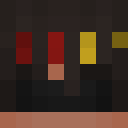
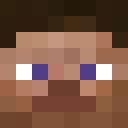
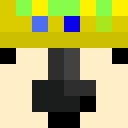
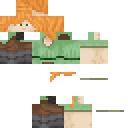
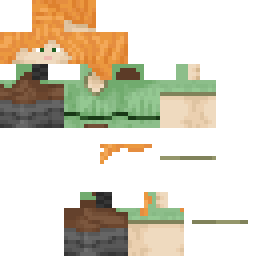
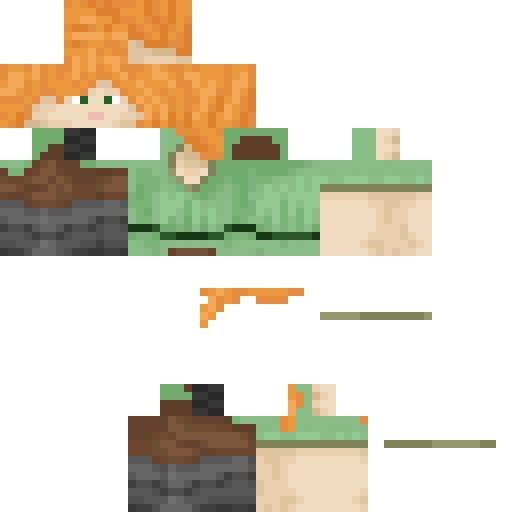
pattayaboy Minecraft-Skin
✓ Genehmigt
Skin for pattayaboy
0
Downloads
21
Aufrufe
Skin-Informationen
Minecraft-Version:Alle
Dateigröße:Unbekannt
Geschlecht:Unbekannt
Hochgeladen von:minecraft.how BOT
Minecraft profile
8ab3fda0-5a1a-415c-93ec-95435f733c59Model
classic
Views / 30 days
21
Observed names
Dates show when minecraft.how first observed each name.
pattayaboy—
Skin history
History grows as minecraft.how observes profile changes.
Head command
/give @p minecraft:player_head[profile={name:"pattayaboy"}]Benutzer mit gleicher Textur (51 insgesamt)
51
Benutzer insgesamt
15.7K
Aufrufe insgesamt
0
Downloads insgesamt
 10gnikei23
12.3K Aufrufe0 Downloads
 belugaval
128 Aufrufe0 Downloads
 youhavedreams143
121 Aufrufe0 Downloads
 sniczecs24
105 Aufrufe0 Downloads
 casorneedhandle
90 Aufrufe0 Downloads
 Bubbles0424
77 Aufrufe0 Downloads
 Spiky_Tofuu
76 Aufrufe0 Downloads
 Ghost_Riderrr
74 Aufrufe0 Downloads
 ISn0Z
ISn0Z72 Aufrufe0 Downloads
 FilipK112a
69 Aufrufe0 Downloads
 _N311
_N31169 Aufrufe0 Downloads
 Killercoo2
68 Aufrufe0 Downloads
 Roktim003
68 Aufrufe0 Downloads
 WokeUpInAnIkea
67 Aufrufe0 Downloads
 symiley
67 Aufrufe0 Downloads
 Plasplay
67 Aufrufe0 Downloads
 Devonte_James
67 Aufrufe0 Downloads
 CalmPlays
66 Aufrufe0 Downloads
 HotSweatyMeat
66 Aufrufe0 Downloads
 7GeorgeAnderson7
66 Aufrufe0 Downloads
 pokeproef
65 Aufrufe0 Downloads
 bellaam28
65 Aufrufe0 Downloads
 King_morris3rd
65 Aufrufe0 Downloads
 Clutch_op
65 Aufrufe0 Downloads
 laupoia
65 Aufrufe0 Downloads
 Zeloahh
65 Aufrufe0 Downloads
 timster1611
65 Aufrufe0 Downloads
 blindfoldmelon
64 Aufrufe0 Downloads
 MrNftNotFound
64 Aufrufe0 Downloads
 me_goodperson
64 Aufrufe0 Downloads
 xDitte
63 Aufrufe0 Downloads
 Bananchild679
63 Aufrufe0 Downloads
 XmixMS
63 Aufrufe0 Downloads
 matrix2625
63 Aufrufe0 Downloads
 ImaPenguin12
63 Aufrufe0 Downloads
 zackyboi2400
62 Aufrufe0 Downloads
 InexactColt3943
62 Aufrufe0 Downloads
 toho2508
62 Aufrufe0 Downloads
 annie_rainbow
62 Aufrufe0 Downloads
 Garrylamalice
62 Aufrufe0 Downloads
 itama21
61 Aufrufe0 Downloads
 WagerQueen
61 Aufrufe0 Downloads
 Atyua02
60 Aufrufe0 Downloads
 Papergecko383
60 Aufrufe0 Downloads
 LuckyCharmsYT
60 Aufrufe0 Downloads
 Vcycle
60 Aufrufe0 Downloads
 Strike_16
60 Aufrufe0 Downloads
 TacosInTheVoid
59 Aufrufe0 Downloads
 lucian63
59 Aufrufe0 Downloads
 Lennart280602
59 Aufrufe0 Downloads
PNG · 64×64
Diesen Skin teilen
Mit dem Handy scannen, um diesen Skin zu teilen
Tags
MinecraftSkinspattayaboy
Häufig gestellte Fragen
So lädst du den Minecraft-Skin pattayaboy herunter:
- Klicke auf den Button „Herunterladen“, um diesen kostenlosen pattayaboy-Skin zu erhalten
- Die Skin-Datei
.pngwird auf deinem Gerät gespeichert - Funktioniert sowohl mit Java Edition als auch mit Bedrock Edition
- Siehe unten für die vollständige Installationsanleitung
So wendest du den Skin pattayaboy an:
- Melde dich mit deinem Mojang- oder Microsoft-Konto auf der offiziellen Minecraft-Website an.
- Navigiere in deinem Profil zum Bereich „Skins“.
- Lade die heruntergeladene
.png-Datei hoch. - Starte Minecraft – dein Charakter verwendet jetzt den Skin pattayaboy.
Hinweis: Der Vorgang kann zwischen Minecraft Java Edition und Minecraft Bedrock Edition leicht variieren.
Ja, der Skin pattayaboy ist sowohl mit Minecraft Java Edition als auch mit Minecraft Bedrock Edition kompatibel. Die Methode zum Anwenden des Skins kann sich jedoch zwischen den beiden Versionen leicht unterscheiden. Folge den Anweisungen auf dieser Seite für deine spezifische Edition.
Absolut! Du kannst den Skin pattayaboy mit einem Minecraft-Skin-Editor bearbeiten. Öffne einfach die heruntergeladene
.png-Datei im Editor, nimm deine Änderungen vor und speichere die Datei. Lade anschließend den bearbeiteten Skin in dein Minecraft-Profil hoch.Wenn der Skin pattayaboy nicht funktioniert, probiere Folgendes:
- Stelle sicher, dass du das richtige Dateiformat
.pngheruntergeladen hast. - Stelle sicher, dass du die richtige Version von Minecraft verwendest: Java Edition oder Bedrock Edition.
- Prüfe, ob die Skin-Datei nicht beschädigt ist. Lade den Skin bei Bedarf erneut herunter.
- Melde dich aus deinem Mojang- oder Microsoft-Konto ab und wieder an, um dein Profil zu aktualisieren.
Erstelle deinen eigenen Skin
Zeichne einen pixelgenauen Minecraft-Skin direkt im Browser mit unserem kostenlosen 3D-Skin-Editor.
→ Skin Ersteller