Running Multiple Minecraft Servers with CloudNet
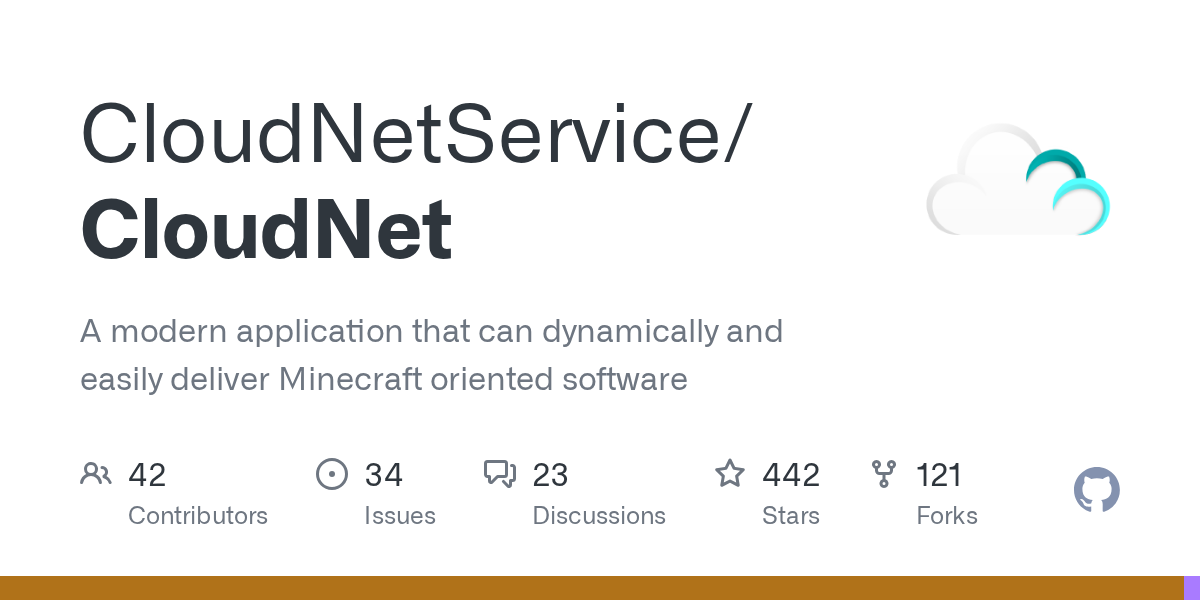
"A modern application that can dynamically and easily deliver Minecraft oriented software"
CloudNetService/CloudNet · github.com
Building a Minecraft server network is different from running a single survival server. You've got different player groups connecting at different times, servers that need to spin up and shut down on demand, and the constant headache of keeping everything stable while resources are actually being used efficiently. CloudNet is an open-source Java framework that automates all of this. Instead of manually juggling multiple server instances, you get dynamic deployment, automatic scaling, and load balancing. It's built for server admins who are tired of babysitting console windows.
What CloudNet Does
CloudNet is a cloud network management framework that handles the orchestration of multiple Minecraft servers across your infrastructure. Think of it as an automated traffic director for your server network. When players log in, CloudNet decides which server they connect to, spins up new instances if needed, and shuts down idle ones to save resources. So this isn't middleware you install on your Spigot server - it's a complete framework you run separately that manages everything else.
The project has been around for years and sees regular updates. This latest release (v3.4.5) keeps pace with recent Minecraft versions and fixes compatibility issues. With 442 GitHub stars, it's got a solid community backing it. The framework is written in Java and distributed under the Apache-2.0 license, so you can use and modify it freely.
Basically, CloudNet automates the boring infrastructure work so you can focus on actual server management and features.
Who Needs This
If you're running one vanilla survival server, CloudNet is massive overkill. You don't need it. But if you're hosting multiple server types (survival, creative, minigames, PvP), managing player distribution, or want servers to scale based on traffic, CloudNet becomes genuinely useful.
Common use cases include:
- Hosting networks with different game modes that share a player base
- Automatically spawning minigame servers when enough players queue up
- Load balancing across multiple physical servers or cloud instances
- Reducing resource costs by spinning down empty servers automatically
- Deploying custom plugin configurations instantly across your network
Check out a list of actual Minecraft servers to see examples of networks that handle this kind of scale. Most large public servers use something like CloudNet under the hood.
How to Get Started
You'll need JDK 25 to compile from source or you can download the prebuilt release. CloudNet publishes builds to Maven Central, which makes integration into your build pipeline straightforward.
If you're using Gradle, add this to your build file:
repositories {
 mavenCentral()
}

dependencies {
 compileOnly 'eu.cloudnetservice.cloudnet:driver:3.4.5'
}
Maven users would instead add:
 eu.cloudnetservice.cloudnet
 driver
 3.4.5
 provided
The project also ships Docker images on Docker Hub, so if you're containerizing your infrastructure, you can spin up CloudNet nodes in seconds. This is actually the path most new users take, honestly.
Key Components and How They Work
CloudNet splits its functionality into different artifacts depending on what you're building.
The driver module is what you'll use most often. It's the basic API that runs on every Minecraft server in your network, whether that's a Spigot server, a custom wrapper, or a forked version. Any plugin that needs to talk to CloudNet imports this.
If your plugin needs deeper access to what CloudNet is doing internally, you'd use the wrapper-jvm module for more detailed control. The node module gives you access to node-specific features if you're building something that manages the infrastructure itself. And the bridge module lets you interact with players and catch events regardless of which physical server they're on in your network.
The Bill of Materials (BOM) import is just a convenience - it locks all CloudNet dependencies to the same version so you don't have version mismatches across your build.
What CloudNet Handles for You
Dynamic server provisioning is where CloudNet shines. You define templates for different server types. When players join and queue up on a lobby, CloudNet detects the player count and automatically spins up new minigame servers. When everyone leaves, it shuts them down. You're only paying for resources you're actually using.
Load balancing happens transparently. New players get routed to whichever server has the most room. If one server crashes, CloudNet can automatically restart it or redirect traffic elsewhere.
Network-wide player events are possible too. A plugin can hook into CloudNet's bridge module and handle player movement between servers, chat, or inventory sync across the entire network. This is useful for lobby servers that need to know when a player's finished playing.
Common Gotchas and Pitfalls
The biggest mistake new users make is misconfiguring their server templates. If your template has the wrong JVM arguments or plugin list, all spawned servers inherit those mistakes. Test your templates thoroughly in isolation first.
Network communication can be finicky. CloudNet nodes need to talk to each other, and if your firewall or port forwarding is wrong, nodes just silently fail to connect. Check your logs aggressively when things don't work. Also, actually, if you're running this in Docker, make sure you're not using localhost bindings - use explicit IPs or container networking.
Plugin compatibility is another thing. Not every Spigot plugin was written expecting a CloudNet network. Some plugins cache data locally and don't handle players moving between servers gracefully. You might find yourself having to patch plugins or avoid certain ones entirely.
And because CloudNet is managing your entire infrastructure, a misconfiguration can take down your whole network, not just one server. Test changes in a staging environment first.
Snapshots and Bleeding Edge Versions
The project builds snapshots from the nightly branch, which you can grab if you want latest fixes before official releases. These are published to the Maven snapshot repository: https://central.sonatype.com/repository/maven-snapshots/. Just append -SNAPSHOT to the version number.
Unless you're tracking a specific bug fix, stick with official releases. Snapshots can be unstable.
Alternatives to Consider
If you're looking at other solutions, BungeeCord was the original proxy-based solution for Minecraft server networks. It's simpler and lighter weight, but it doesn't do dynamic server management. You're basically just routing players manually.
Velocity is a more modern, performance-focused proxy. Again, it's just routing - you still manage servers manually.
Kubernetes with containerized Minecraft servers is the enterprise approach. It's overkill for most setups but gives you infrastructure-level orchestration. CloudNet is specifically designed for Minecraft, so it's easier to reason about and cheaper to operate at smaller scales.
If you want to get creative with server generation, check out the Minecraft text generator for procedural content - though that's a different use case entirely.
Should You Use This?
CloudNet is genuinely impressive for what it does. If you're managing a network, it saves real operational overhead. But it's also complexity, and complexity has a cost. You need to understand Java, networking, and server operations. Anyone need a staging environment to test safely.
Start with it if you're already comfortable running multiple servers and you're tired of the manual work. Don't start with it if you just want a single nice server to play on with friends.
The project's well-maintained, the documentation exists, and the community on their Discord can help when you get stuck. That's actually rare in open-source game infrastructure projects, so it's worth something.
CloudNetService/CloudNet - Apache-2.0, ★442
Lead writer at minecraft.how. Long-time Minecraft player running a small SMP server, testing every build, mod, and seed before writing about it.