2026年版 Minecraft バイオームMOD: 世界を変える
Biome mods are the quickest way to turn vanilla Minecraft into terrain you've never imagined. In 2026, with the modding ecosystem thriving stronger than ever, adding custom biomes and terrain generation feels almost essential if you're looking to keep your world fresh. But not all biome mods are created equal, and some require more careful planning than others.
The Modding Boom and Terrain Generation
The Minecraft modding scene has exploded this year. PCGamesN reported that viral phenomena like the Verity mod hit 4.9 million downloads in just 28 days, proving that players in 2026 are starving for meaningful modifications that go beyond vanilla gameplay. While Verity's yellow smiley face isn't generating terrain, it shows something important: the infrastructure for mods is mature, communities are engaged, and downloading and installing mods has become normalized across the playerbase.
Biome mods specifically ride this wave of legitimacy.
When you install a biome mod for Minecraft 26.2, you're usually doing one of two things: adding new biome types that generate naturally alongside vanilla biomes, or completely replacing how terrain generates from the ground up. Both approaches work. Both come with tradeoffs.
The Classics: Biomes O' Plenty and Beyond
Biomes O' Plenty remains the safest starting point if you've never touched biome mods before. It adds dozens of new biome types, generates them smoothly alongside vanilla terrain, and honestly, it just works. No fights with compatibility, no performance collapse, no mysterious chunk errors. It's stable enough that servers have been running it without incident for years.
What you get is visual variety without architectural chaos. Your world generates naturally, ore distribution stays predictable, and new players joining your server won't suddenly encounter bizarre terrain glitches. That matters more than people realize.
Then there's the aggressive approach.
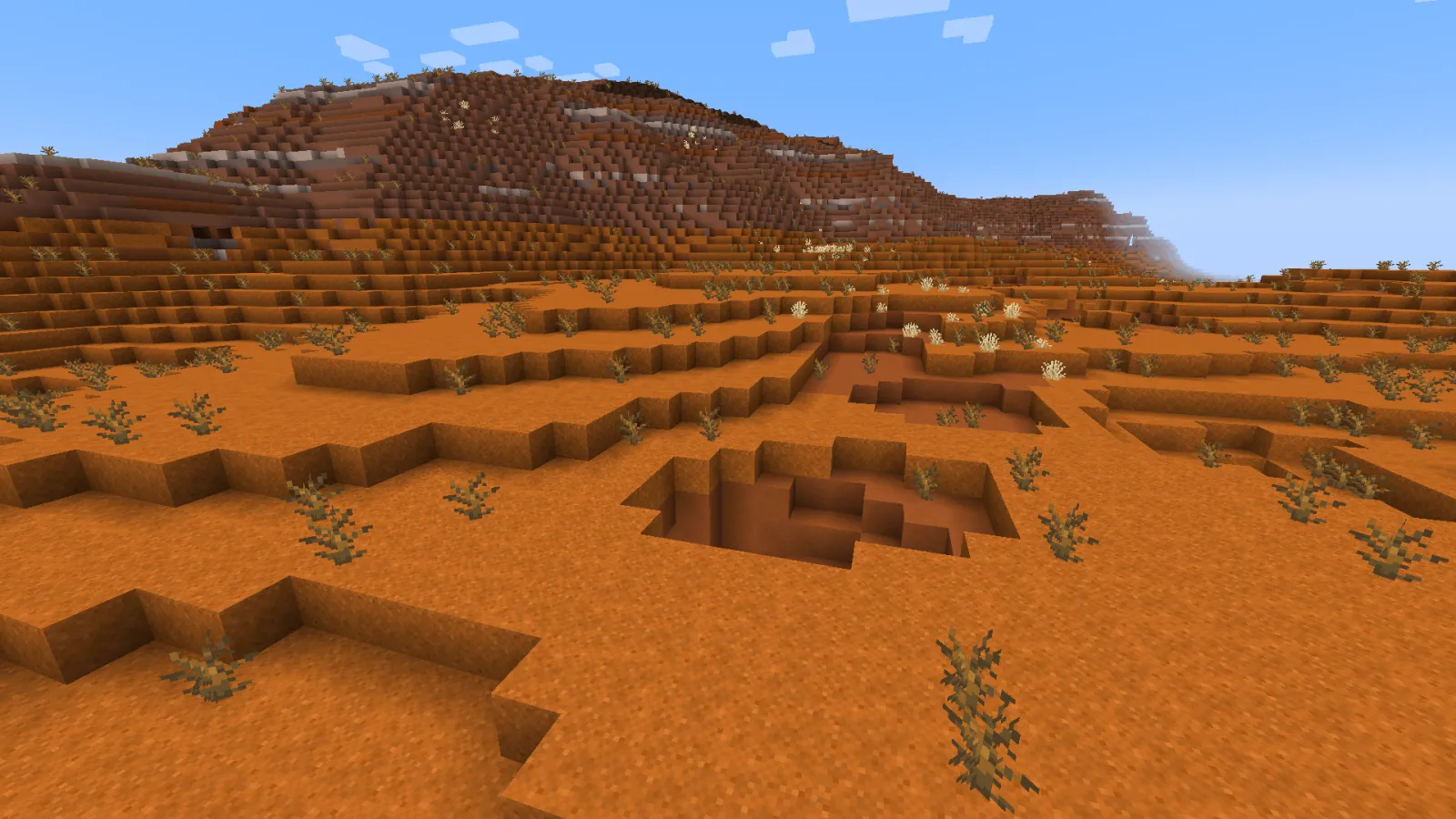
Mods like Terralith completely overhaul mountain generation, redesign cave systems, and add entirely new terrain types that make vanilla Minecraft look quaint. The first time I loaded a Terralith world on my SMP server, the landscape was so different I almost thought something had gone wrong. Massive mountains, intricate cave networks, terrain that actually felt like real geography. Performance was noticeably heavier (chunk generation took longer, tick rate dipped slightly), but on reasonable hardware, it stayed playable.
The Compatibility Problem You'll Hit
Here's what nobody warns you about until it's too late: biome mods don't always coexist peacefully. Some override the same terrain generation values and fight for control over how your world looks.
I tested two different biome packs together once and watched chunk generation become borderline unusable. Some chunks loaded with one mod's terrain, others with the second mod's. The result was a patchwork nightmare. One fix? Removing one of them entirely.
The lesson was expensive but useful: install one biome mod, test it thoroughly on a creative world, and only add more if you know they're compatible. Most popular mods publish compatibility lists, and if they don't, that's a red flag.
Performance compounds too. A single biome mod usually runs fine. Two work together fine. Three is pushing it. Five or six and you're watching chunk loading lag spike, which ruins the experience faster than anything else.
Server-Side vs Client-Side: A Real Decision
If you're running a multiplayer server, biome mods add friction that single-player servers don't face. Most biome generation mods need to be server-side to affect actual world generation. That means every player connecting needs to have the same mods installed locally, or they'll see broken terrain, invisible blocks, and general chaos.
This is where you need your server announcement to be clear and professional. Use the Minecraft MOTD Creator to craft a message that tells potential players exactly what mods they need to install before joining. Make it simple. Make it clear.
Beyond marketing, there's the practical question: are you requiring mods as a server rule, or are biome mods optional for players who want them? Real talk, optional means some players see one thing, others see something different. Required means everyone's on the same page, but you're adding a barrier to entry.
Seeds and Long-Term Worlds
Something that catches people completely off guard: your favorite seed behaves differently (or doesn't work at all) when biome mods are installed. The seed system in Minecraft is tied directly to terrain generation. Change the generation algorithm, and the seed produces completely different results.
On minecraft.how, our community's current favorite seed is "Pink and White" (5063885805507972583 for version 1.21), and it's genuinely stunning with vanilla terrain generation. Install a major biome mod and that same seed becomes something entirely different. Sometimes better, sometimes unrecognizable.
This matters if you're planning a long-term world. Test biome mods on a separate creative copy first, load your favorite seed, and actually explore it before committing. Don't install biome mods on a world you've already invested 50 hours into and hope it still looks good.
Coordinating With Other Mods
Biome mods interact with other systems you might care about. The Nether Portal Calculator becomes relevant if your server uses teleportation mechanics or careful coordinate planning. Some biome mods alter Nether generation, which throws off portal mathematics. Others change End dimension terrain, which affects how speedrunners navigate the endgame.
It's a detail, but details matter when you're running a server where players depend on predictable mechanics.
Modded spawners, custom loot, mob-spawning mods: these all interact with terrain in unexpected ways. A biome mod that changes where mobs spawn can completely break a mob farm someone built. Terrain modifications can sink bases built on floating islands. Test everything.
Honest Assessment
Should you actually use biome mods? The answer depends entirely on what you want. If you're bored with vanilla terrain after hundreds of hours, biome mods absolutely justify the effort and complexity. The visual variety keeps the game feeling fresh, and diverse biomes give you genuine reasons to explore your world again.
If you're a casual player or someone just starting Minecraft, honestly, vanilla terrain holds up better than you think. The real advantage of biome mods emerges only after you've exhausted vanilla variety, which takes a long time.
For servers, biome mods are worth the setup complexity if your community cares about world aesthetics. They won't help if your actual gameplay systems are broken, and they won't save a server that lacks engaged players. But for established communities where people spend months on the same map, themed biome selection can give each region genuine identity.
My recommendation: start with Biomes O' Plenty if you want easy stability, or jump to Terralith if you want your world to actually look different. Anything beyond that, research the mod community first and check what other players have experienced. The worst outcome isn't installing a bad mod. It's installing something that corrupts a world you've invested real time into.
The modding infrastructure in 2026 is solid enough that you'll likely succeed. Just test before you commit.

Lead writer at minecraft.how. Long-time Minecraft player running a small SMP server, testing every build, mod, and seed before writing about it.