Minecraft Shaders 1.20.1 完全ガイド(2026年版)
Shaders in Minecraft 1.20.1 completely transform how the game looks. If you've been playing vanilla and wondering what all the shader hype is about, you're missing out on one of the biggest visual upgrades available. This guide covers what shaders actually do, how to install them, which ones are worth your time, and how to run them without your PC catching fire.
What are Minecraft Shaders anyway?
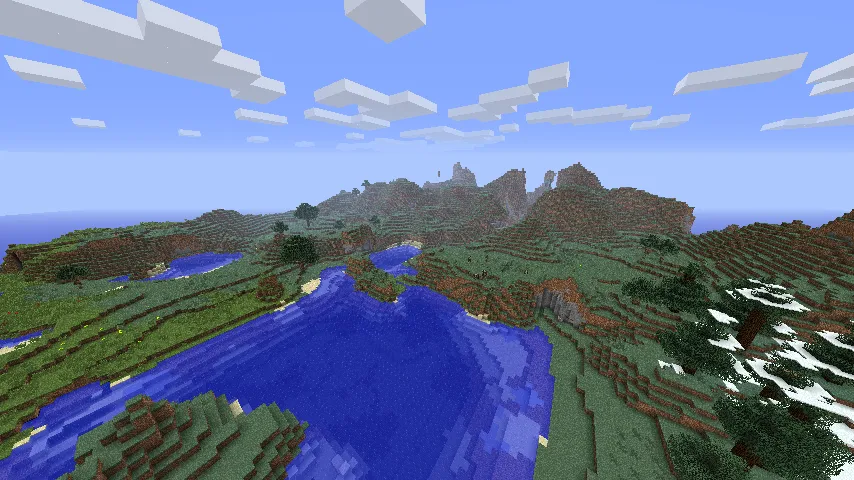
Shaders are essentially visual mods that replace Minecraft's default lighting and rendering. They add realistic shadows, dynamic lighting, better reflections on water, bloom effects on glowing blocks, and dramatically improved atmosphere. The difference between vanilla and a good shader pack is like comparing a sketch to an oil painting.
Here's the thing though: shaders aren't magic. They require Optifine or Sodium (a performance mod) to run, and they'll tank your FPS if your system isn't ready. A shader pack might drop you from 200 FPS to 60-80 FPS depending on what you've got under the hood. Worth it? Usually, yes. But we'll get into that.
Installing Shaders for Minecraft 1.20.1
There are two main paths here, and which one you pick matters more than you'd think.
First, the easy route: Optifine. Download Optifine for 1.20.1, install it into your Minecraft launcher, and done. Shader packs go straight into your `shaderpacks` folder. It's user-friendly, familiar, and just works. The tradeoff is performance - Optifine isn't optimized for raw speed.
Second, the performance route: Sodium. So this mod is built for speed and works with fabric loader. You'll also need Iris, which adds shader support to Sodium. The learning curve is steeper (Fabric mods are a bit more involved to install), but the FPS gains are real. Sodium users typically get 30-40% better performance than Optifine with the same shader pack.
There's actually a third option if you want maximum compatibility: run shaders through a launcher like CurseForge or ATLauncher, which handles installation for you. But if you know your way around modded Minecraft, just go with Optifine or Sodium + Iris directly.
Best Shader Packs for 1.20.1
Not all shaders are created equal. Some are optimized for performance, others go for maximum visual fidelity, and some try to find the middle ground. Here are the ones that actually hold up in 2026.
Complementary is the most popular choice for good reason. It's visually impressive without being absurdly demanding, supports a massive range of blocks and effects, and the developer updates it regularly. If you're picking one shader and unsure, this is your answer. Water reflections are genuinely gorgeous.
BSL (Bliss Shaders) leans toward a more stylized, dreamy look. Sunrise and sunset colors are ridiculous. It performs better than Complementary on older systems but still looks incredible. Playing with BSL makes you want to screenshot everything.
Then there's Seus PTGI, which is the extreme option. Path tracing rendering, ray-traced reflections, indirect lighting that actually makes sense. It's stunning. It's also heavy. You need a decent GPU (RTX preferred) to get playable frames. But the results? Worth owning a good PC.
Rethinking Voxels is the aggressive performance option. Surprisingly good looking for how lightweight it is. If you're running shaders on a laptop or older hardware, start here.
Shader Settings and Performance Optimization
Here's where most people go wrong: they install a shader, get 30 FPS, rage-quit, and assume their PC can't handle shaders. Usually the problem is they didn't touch a single setting.
Every shader pack has a settings screen. Hit ESC, go to Options, then Shader Options. You'll see toggles for shadows, ray tracing, water reflections, bloom intensity, and about fifteen other things. Each one eats FPS.
Start by turning off shadows or setting them to low resolution. That alone usually gets you 20-30 more frames. Then dial back water reflections and ambient occlusion. Keep bloom enabled (it's cheap and makes everything better). Test. Adjust. Find your sweet spot where you get solid 60+ FPS and the world still looks amazing.
Your GPU matters way more than CPU for shaders. A 1660 Super or RTX 3060 will run most popular shaders smoothly at 1080p. If you're on integrated graphics (Intel Iris, AMD Vega), you're looking at heavy compromises, but lightweight packs like Rethinking Voxels can work.
Shaders and Custom Minecraft Content
Where shaders get really interesting is when you pair them with custom skins and texture packs. A well-designed shader can make a mediocre texture pack look professional. Looking at skins, players like ttt1201 and ShadersBR have specifically optimized their designs to look incredible under shader lighting.
There's an entire community of shader enthusiasts creating skins with shader rendering in mind - enhanced details that pop under dynamic lighting, materials that actually look reflective. Shadersss and ShaderSK both demonstrate this. If you're serious about the shaded look, finding skins designed with shaders in mind makes a real difference.
ShaderShark1 is another great example of someone who understands how their skin will look with enhanced lighting. The subtle gradient work and material definition becomes visible when shaders are involved.
Texture packs matter equally. Complementary has built-in support for popular packs like Faithful, Compliance, and John Smith Legacy. Match your shader to a texture pack that's been optimized for it.
Common Shader Issues and Fixes
Shaders introduce problems vanilla Minecraft never had to deal with.
Black screens or missing textures: Usually means your Optifine or Iris version doesn't match your Java version, or your graphics drivers are ancient. Update everything.
Stuttering: Your system is borderline for the shader. Lower some settings or switch to a lighter pack. It's not your imagination - some shaders really are that demanding.
Washed out colors: The shader's exposure settings are wrong for your monitor. Go into shader options and adjust brightness manually.
Actually, that's not quite right for all scenarios - Seus PTGI has eye adaptation that takes time to adjust, not just a simple brightness slider. The point is, most visual issues are fixable in settings.
Water looks weird: Shader compatibility with your texture pack. Shaders like Complementary handle most packs fine, but less popular ones sometimes have clashing water renderers. Try a different shader or texture pack to isolate the problem.
The Reality Check
Shaders make Minecraft look incredible. But they're not essential. A lot of players prefer vanilla Minecraft's simplicity, and that's a completely valid choice. Shaders add setup friction, require more system resources, and occasionally break with updates.
If you've never used shaders, your first time will blow your mind. Water will look real. Sunsets will make you pause and admire. Shadows will add actual depth to structures you've built a hundred times. After that magical first experience, whether shaders become part of your permanent setup depends on your system, your patience, and whether you value visuals or performance more.
For 2026, shader technology is mature and stable. Installation is straightforward. Performance is good enough that even mid-range systems can run them. If you've been curious, now's the time to try.

Lead writer at minecraft.how. Long-time Minecraft player running a small SMP server, testing every build, mod, and seed before writing about it.
よくある質問
シェーダーはバニラの Minecraft で動作しますか?それとも MOD が必要ですか?
シェーダーを使用すると FPS はどれくらい減りますか?
Optifine と Sodium + Iris の違いは何ですか?
古い PC や低スペックの PC でもシェーダーは動かせますか?
シェーダーパックはテクスチャパックやカスタムスキンと併用できますか?
Have a Question or Tip about this Guide?Community Q&A
Ask a question or help other players below. Join the discussion and share your Minecraft tips!
コメント
まだコメントはありません。最初にご意見を共有しましょう!