Portablemc: A CLI Launcher for Minecraft That Actually Works
portablemc (theorzr/portablemc)
Cross platform command line utility for launching Minecraft quickly and reliably with included support for Mojang versions and popular mod loaders such as Fabric, Forge, NeoForge and derived.
If you're tired of the official Minecraft launcher consuming RAM like a server farm, or you prefer terminal tools and tight control over your Java environment, portablemc solves that problem. It's a command-line utility written in Rust that installs and launches Minecraft, along with popular mod loaders like Fabric, Forge, and NeoForge, in a single command. No GUI, no bloat, no launcher settings menus to navigate.
What's portablemc?
portablemc is a cross-platform launcher that manages Minecraft versions and mod loaders from your terminal. Instead of opening a GUI, you type a command. The tool handles downloading game files, installing mod loaders, detecting your system's Java runtime, and launching the game automatically. With over 500 GitHub stars and built by the open-source community under Apache-2.0, the project follows a straightforward philosophy: minimize overhead and friction.
It works on Linux, Windows, and macOS. The Rust implementation means it's genuinely fast and lightweight, not a web wrapper or JVM app pretending to be native.
Why You'd Use This
Okay, so the vanilla launcher exists. Why switch?
Multi-version management. If you're running a server on 1.20.1 while your friend group plays 1.21.1, or you're testing mods across versions, juggling different launcher instances gets old fast. portablemc lets you launch specific versions directly from a script or command without reopening the launcher.
Mod loader automation. Installing Forge or Fabric through the GUI launcher works, eventually. But if you're cycling through different mod setups, it's tedious. portablemc installs Fabric, Forge, NeoForge, Quilt, and others automatically. Specify your loader and version, and it handles the rest.
Linux native binaries. The official launcher on Linux isn't a native app; it's a Java wrapper. portablemc is a compiled binary that actually knows your system. It'll find compatible system Java installations or fall back to Mojang-provided runtimes. No wrapper nonsense.
Automation and scripting. Got a test server? Need to spin up a temporary instance with Fabric and specific versions? Write a shell script and let portablemc handle it. This is genuinely useful if you're building dev environments, testing setups, or running headless servers.
Offline mode without the launcher. If your internet is sketchy, you can launch offline mode without dealing with the official launcher's account system or GUI.
Installation
Binaries
The easiest route: grab a pre-built binary from the releases page. The project provides builds for Linux (including ARM variants for Raspberry Pi), Windows, and macOS.
tar -xzf portablemc-5.0.3-linux-x86_64-gnu.tar.gz./portablemc --versionThat's it. No installer, no dependency hell. The binary is static-linked where possible.
Cargo
If you've got Rust installed:
cargo install portablemc-cliThis compiles from source, which takes longer but gives you the absolute latest development version. Handy if you want unreleased features or are comfortable with Rust tooling.
Linux Package Managers
Arch Linux users can grab it from the AUR:
yay -S portablemcOther distros may eventually package it, but the binary release or Cargo install are most reliable.
Key Features That Matter
One-command install and launch. Seriously. Run:
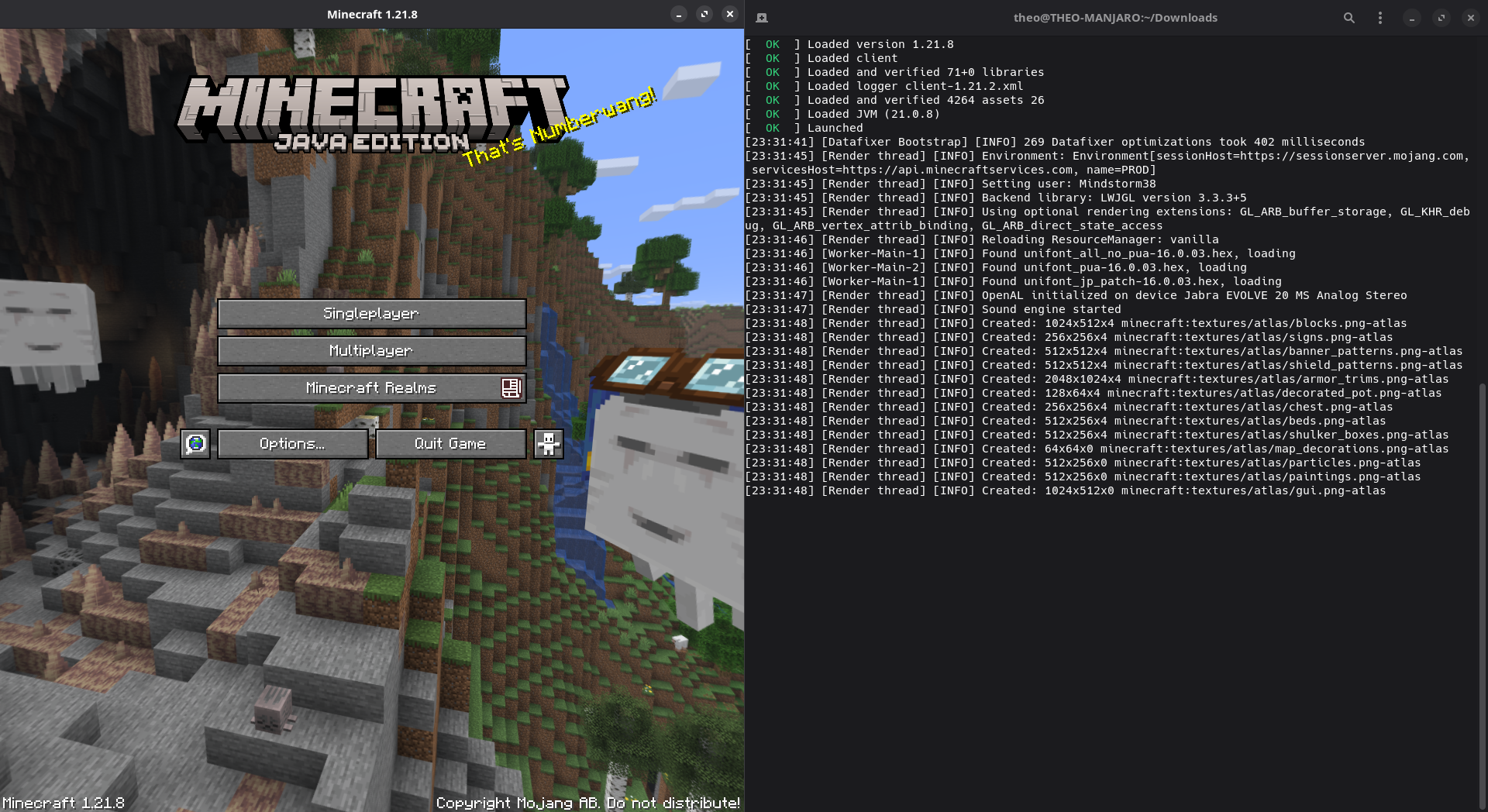
portablemc run --version 1.21.1Minecraft launches. Downloads happen in the background, Java gets detected, everything orchestrates automatically. No clicking through wizards.
Mod loader support. Specify Fabric and portablemc fetches the installer, configures it, done. Same with Forge, NeoForge, Quilt. The latest release (v5.0.3) even improved how versions sort - now in descending order because humans prefer seeing new versions first. (Seriously, that's the kind of detail that makes tools feel less janky.)
Offline mode. Launch without a Microsoft account, no internet required after initial download. Essential for testing or when connectivity flakes.
Fast parallel downloads. Game files download concurrently, not sequentially. Noticeably faster than the official launcher.
Machine-readable output. Need to integrate with scripts or CI/CD pipelines? portablemc can output JSON or other structured formats. Build automation around it.
What Can Go Wrong (And How to Handle It)
portablemc is stable, but watch for these gotchas.
Java version mismatches. Minecraft 1.17+ requires Java 16 or newer. Older versions want Java 8 or 11. If portablemc can't find a compatible Java on your system, it'll download one from Mojang, which adds time. Check java -version before troubleshooting. Actually, just run it once and let the tool sort it out - it's smarter than you'd expect.
Mod loader version confusion. Fabric and Forge release multiple versions for the same Minecraft release. Make sure you're targeting the loader version your mods actually need. It's easy to grab the wrong one and wonder why nothing loads. Check mod sites for version requirements first.
Offline mode limitations. Offline mode skips authentication, fine for singleplayer. But trying to join a server set to "online mode" gets rejected. That's Minecraft's design, not portablemc's fault.
Instance isolation. By default portablemc stores game data in `~/.portablemc` (Linux) or your user folder (Windows). If you're migrating from the official launcher, your old worlds won't appear automatically. Move world folders manually or tell portablemc where they are.
Alternatives
MultiMC / PolyMC / Prism Launcher. These are GUI-based instance managers that do roughly the same thing - manage versions and mod loaders - but with a visual interface. Pick these if you dislike terminals or need something less technical.
Official Minecraft Launcher. It works, it's officially supported, and it gets you into Minecraft. If you don't mind RAM usage and GUI overhead, there's no shame in sticking with it. And if you want something for customizing your server's appearance, the MOTD creator is useful for that.
portablemc shines if you want speed, automation, and CLI-based control. For casual players who just want click-and-play, the official launcher is probably fine.
Visit theorzr/portablemc on GitHub ↗
Lead writer at minecraft.how. Long-time Minecraft player running a small SMP server, testing every build, mod, and seed before writing about it.