Запуск нескольких серверов Minecraft на одном IP с mc-router
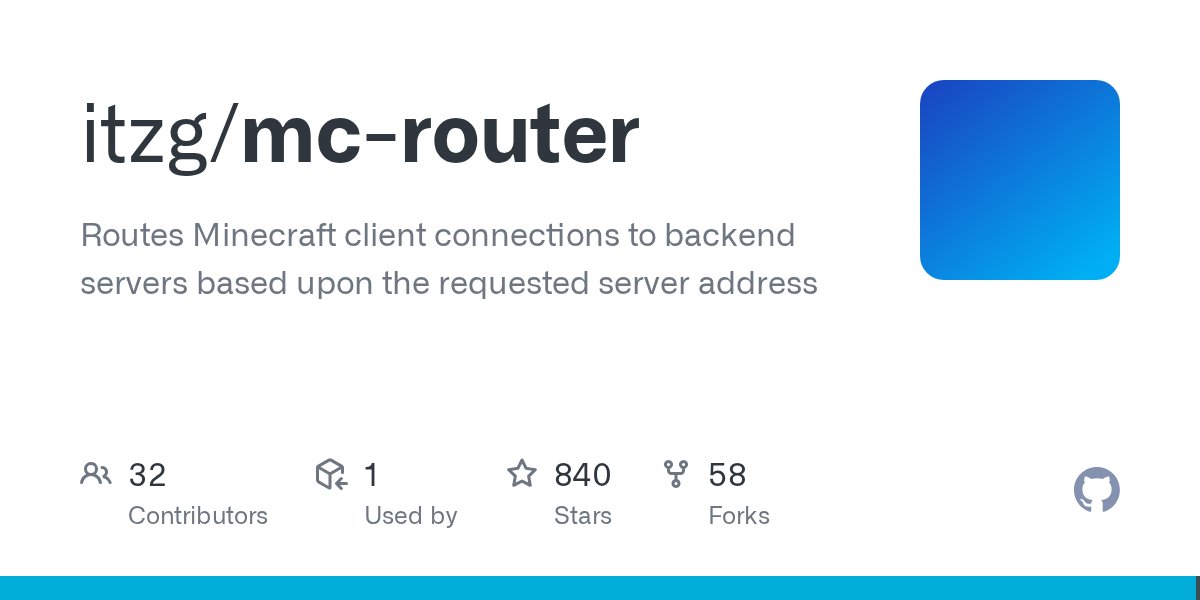
"Перенаправляет подключения клиентов Minecraft к бэкенд-серверам на основе запрошенного адреса сервера"
itzg/mc-router, github.com
Хотите запустить несколько серверов Minecraft на одном публичном IP и порту? mc-router позволяет размещать несколько серверов за одной адресом, автоматически направляя игроков на правильный бэкенд на основе используемого хоста. Никаких дорогих тарифных планов или дополнительных IP не требуется.
Проблема порта 25565
Реальность домашних серверных настроек: порт 25565 - стандартный порт Minecraft, а большинство интернет-провайдеров предоставляют один публичный IP-адрес. Хотите одновременно запустить мир выживания, творческий режим и конкурсный PvP-сервер? Обычно вам приходится покупать несколько публичных IP (дорого и часто недоступно) или оплачивать подписки на хостинг (что быстро накапливается).
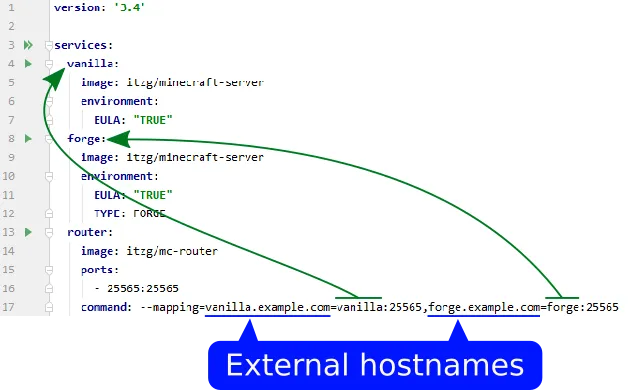
mc-router решает эту проблему, находясь перед всеми вашими бэкендами и действуя как интеллектуальный маршрутизатор трафика. Игрок подключается к `survival.example.com` и перенаправляется на Сервер А. Другой игрок подключается к `creative.example.com` и попадает на Сервер Б. Один IP, один порт, полностью разные бэкенды.
Почему это важно больше, чем кажется
Энтузиасты домашних серверов наконец получают несколько миров без корпоративного ценообразования. Сообщественные серверы могут консолидировать инфраструктуру. А поскольку mc-router написан на Go, он потребляет минимальные ресурсы - меньше CPU и памяти, чем один простоящий сервер Minecraft. Он с радостью запустится на старом оборудовании или Raspberry Pi.
Честно говоря: вам это не нужно, если вы уже не комфортно чувствуете себя с Docker или сетью Linux. Запуск одного случайного сервера для друзей? Пропустите это. Строите что-то более сложное? Это сэкономит огромное количество денег и головной боли.
Безопасность - еще одно недооцененное преимущество.
mc-router блокирует сканеры портов Minecraft, не указывающие допустимое имя хоста. Случайный интернет-трафик не может легко обнаружить и столкнуться с вашей настройкой. Это бесплатный слой безопасности, который поставляется в комплекте.
Запуск в работу
Большинство пользователей используют Docker. Скачайте образ:
docker pull itzg/mc-router:latestЗатем запустите его с определёнными маршрутами:
docker run -d \ --name mc-router \
 -p 25565:25565 \
 -e ROUTES=survival=backend-survival:25565,creative=backend-creative:25565 \
 itzg/mc-router:latest
Разберём это: `-p 25565:25565` открывает порт Minecraft для внешнего мира. Переменная `ROUTES` указывает mc-router направлять подключения, запрашивающие "survival", к Docker-контейнеру с именем `backend-survival`, а подключения "creative" - к `backend-creative`. Вот вся концепция.
В реальном настройке вы бы использовали Docker Compose, чтобы ваши бэкенды и маршрутизатор начинались вместе. Всё остаётся читаемым и завершается чисто.
Используете Kubernetes? mc-router автоматически обнаруживает бэкенд-серверы из меток службы. Вам не нужно вручную перечислять маршруты. Для крупных операций это действительно убийственная функция.
Функции, которые помогают
Автомасштабирование - это то, что звучит как выдумка, пока вы не начнёте использовать его. Бэкенд-серверы могут автоматически выключаться при простое и запускаться, когда кто-то подключается. Простоящие серверы истощают ресурсы и деньги. Игроки видят только сообщение «Загрузка», пока их сервер запускается. (Это работает только с Kubernetes StatefulSets или контейнерами Docker, не с виртуальными машинами на хостах в облаке.)
Метрики и мониторинг означают, что вы получаете интеграцию с Prometheus/InfluxDB прямо из коробки. Отслеживайте подключения игроков, какой трафик получают серверы, задержку между маршрутизатором и бэкендами. Если вы уже отслеживаете инфраструктуру, вы получаете мгновенную видимость.
Фильтрация IP и ограничение скорости блокируют базовые атаки DDoS и позволяют вам белый/чёрный список диапазонов IP. Не замена真正щей защиты от DDoS, но это держит в бай-пасе случайных атаков. Интеграция вебхука уведомляет другие системы, когда игроки подключаются и отключаются.
Грациозный fallback - это небольшая, но ценная вещь. Когда бэкенд выходит из строя, показывайте пользовательское MOTD вместо тайм-аута. Автомасштабированные серверы, запускающиеся, могут показать «Сервер запускается...» вместо того, чтобы заставлять игроков ждать, сбитыми с толку.
Подводные камни и как их избежать
DNS не подлежит обсуждению. mc-router маршрутизирует на основе хоста, поэтому игроки должны подключаться к `survival.example.com`, а не просто к сырой IP. Если у вас не настроен DNS, наш инструмент Бесплатный DNS для Minecraft может помочь вам начать. Как только вы это сделаете, возможно, также закопируйте наш Калькулятор Нитер-портала для другой инфраструктурной работы.
Бэкенд-серверы видят все подключения, исходящие от mc-router, а не от оригинальных игроков. Ваши серверные логи теряют реальные IP игроков, если вы не настроите поддержку прокси-протокола. Это возможно, но легко упустить из виду при первоначальной настройке.
mc-router добавляет почти никакой задержки, но становится единственной точкой отказа. Если маршрутизатор крахается, никто не достигает бэкенда. Правильный мониторинг и процедуры перезапуска имеют значение.
Форматирование конфигурации подозрительно.
Пробелы вокруг знаков равенства в переменных среды незаметно ломают маршрутизацию. Опечатка в именах контейнеров неудачно проваливается. Всегда проверяйте конфигурацию, прежде чем задумываться, почему трафик не проходит.
Аналогичные инструменты, о которых стоит знать
Bungeecord и Velocity - это Java-прокси для Minecraft, предназначенные специально для маршрутизации игроков между серверами. Они обрабатывают синхронизацию данных между серверами, но потребляют больше ресурсов и требуют управления отдельным Java-приложением. Используйте их, если общая база данных игроков между мирами важна для вас.
Waterfall - это форк Bungeecord с немного другой философией управления.
Коммерческий хостинг вроде AWS и DigitalOcean обрабатывает несколько серверов без манипуляций с портами. Вы платите за удобство вместо построения инфраструктуры самостоятельно.
mc-router выигрывает, когда вы хотите легковесный, ручной контроль с минимальной нагрузкой. Он делает одну вещь действительно хорошо, а не пытается быть всем.
Текущее состояние
Проект остаётся активно поддерживаемым с регулярными релизами, улучшающими API Маршрутов и контроли логирования. С 840 звёздами на GitHub и активным сообществом Discord, это не эксперимент. Это реальный инструмент, на котором зависят люди.

Lead writer at minecraft.how. Long-time Minecraft player running a small SMP server, testing every build, mod, and seed before writing about it.
Have a Question or Tip about this Guide?Community Q&A
Ask a question or help other players below. Join the discussion and share your Minecraft tips!
Комментарии
Пока нет комментариев. Станьте первым, кто поделится своим мнением!