PornHubMC
✓ Approved
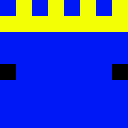
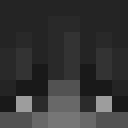
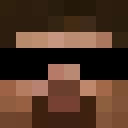
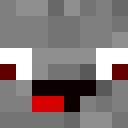
This provocative parody skin brings edgy internet culture directly into Minecraft with its instantly recognizable black and orange color scheme. The design features the infamous branding reimagined as a bold hoodie or t-shirt design, making it a conversation-starting choice for players who appreciate meme culture and aren't afraid to push boundaries. The skin showcases the iconic logo placement across the chest, with clean geometric patterns in the signature color palette that internet users worldwide instantly recognize. This humorous reference has become part of Minecraft's diverse skin ecosystem, appealing to mature players who enjoy provocative internet humor and pop culture parodies. The design demonstrates how real-world branding gets creatively incorporated into gaming personas, making it a bold statement piece in multiplayer environments. While controversial, this skin represents the playful and unrestricted creativity that defines Minecraft's community, perfect for players who want to make an attention-grabbing entrance on their server.
1
Downloads
5
Views
0
Likes
Categories
ModernMemesHoodie
Skin Information
Minecraft Version:java
File Size:5.4 KB
Gender:Unknown
Uploaded by:Admin User
Upload Date:4/21/2025
skins.download_format
Share this skin
Scan with your phone to share this skin
Tags
MinecraftSkinsPornHubMCjavaneutralModernMemesHoodie
Frequently Asked Questions
To download the PornHubMC Minecraft skin:
- Click the "Download" button to get this free PornHubMC skin
- The skin file
.pngwill be saved to your device - Works with both Java Edition and Bedrock Edition
- See below for complete installation instructions
To apply the PornHubMC skin:
- Log in to your Mojang or Microsoft account on the official Minecraft website.
- Navigate to the "Skins" section in your profile.
- Upload the downloaded
.pngfile. - Launch Minecraft, and your character will now use the PornHubMC skin.
Note: The process may vary slightly between Minecraft Java Edition and Minecraft Bedrock Edition.
Yes, the PornHubMC skin is compatible with both Minecraft Java Edition and Minecraft Bedrock Edition. However, the method of applying the skin may differ slightly between the two versions. Follow the instructions provided on this page for your specific edition.
Absolutely! You can edit the PornHubMC skin using a Minecraft skin editor. Simply open the downloaded
.png file in the editor, make your changes, and save the file. Then, upload the edited skin to your Minecraft profile.If the PornHubMC skin isn't working, try the following:
- Ensure you downloaded the correct file format
.png. - Make sure you're using the correct version of Minecraft Java Edition or Bedrock Edition.
- Check that the skin file is not corrupted. Re-download the skin if necessary.
- Log out and back into your Mojang or Microsoft account to refresh your profile.
Create your own skin
Draw a pixel-perfect Minecraft skin in the browser with our free 3D skin editor.
→ Skin Creator