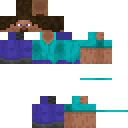
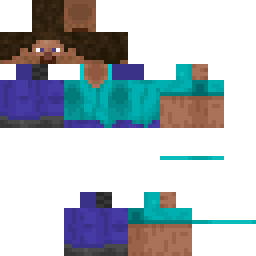
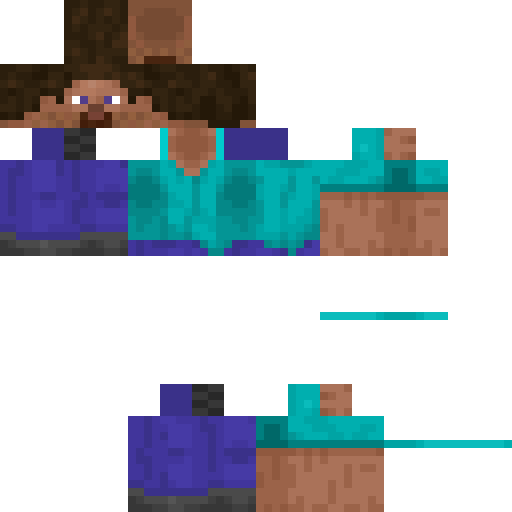
MonsterCookie1s Minecraft Skin
✓ Approved
Minecraft skin for player MonsterCookie1s
1
Downloads
330
Views
0
Likes
Reactions
Log in to react.
Minecraft profile
3562db7c-8cac-41d0-9a18-a3ff8f053dd8Model
classic
Views / 30 days
50
Observed names
Dates show when minecraft.how first observed each name.
MonsterCookie1s—
Skin history
History grows as minecraft.how observes profile changes.

Head command
/give @p minecraft:player_head[profile={name:"MonsterCookie1s"}]Users with Same Texture (51 total)
51
Total Users
107.9K
Combined Views
53
Combined Downloads
 Spider_man_2019
90.5K views2 downloads
 Dream_SMP
421 views1 downloads
 Ararat
387 views1 downloads
 ChoriReallyBad
383 views1 downloads
 Moster_JDM
382 views1 downloads
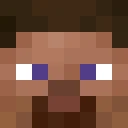 SouthLol
379 views1 downloads
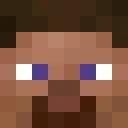 HedgehogStar
378 views1 downloads
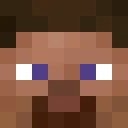 Mine_Craft_Dr
374 views1 downloads
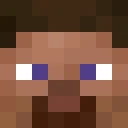 Darth_Vader21389
371 views2 downloads
 noface5
368 views1 downloads
 DeOpItalian
366 views1 downloads
 Baeman
361 views1 downloads
 TACOYACO
358 views1 downloads
 aldeanonovato
356 views1 downloads
 Caballo_Entero
356 views1 downloads
 mine_craft
355 views1 downloads
 JohnsonWeijia
354 views1 downloads
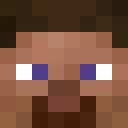 CARL_JOHNSON0
354 views1 downloads
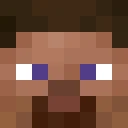 hunterhuntersvi
354 views1 downloads
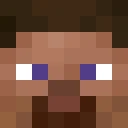 SkinnyMan
354 views1 downloads
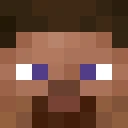 SMG4mario64
353 views1 downloads
 dragonblockc6
351 views1 downloads
 Peaceonearth409
351 views1 downloads
 doctorwho_1963
351 views1 downloads
 Milosz200200
350 views1 downloads
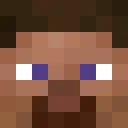 PeelyO2
349 views1 downloads
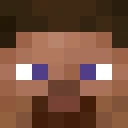 Master_chiefy86
347 views1 downloads
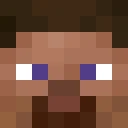 tokyoghoul3641
346 views1 downloads
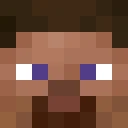 Slavey
343 views1 downloads
 KittyAnnaLY
343 views1 downloads
 Tecnoblade4
342 views1 downloads
 catstevens17
341 views1 downloads
 camman18yt657
341 views1 downloads
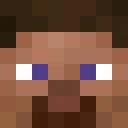 GiantChocolate
341 views1 downloads
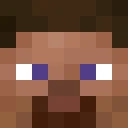 Kobeni98
341 views1 downloads
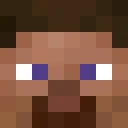 BUILDBATTLERNICK
338 views1 downloads
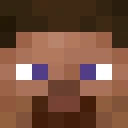 SantaClausThe1st
338 views1 downloads
 iceboyisaacyt
337 views1 downloads
 GOYO_R6
333 views1 downloads
 Darth_vader12345
332 views1 downloads
 BionicLMAO3
332 views1 downloads
 cool_boy7323
332 views1 downloads
 camman18_fan
331 views1 downloads
 nothcrul
330 views1 downloads
 Gunter458
329 views1 downloads
 SaskeUchiha
326 views1 downloads
 COMPANYGUYYT6123
322 views1 downloads
 jack_sparrow64
310 views1 downloads
 walterwhite556
306 views1 downloads
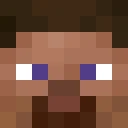 Tommyinnit4186
269 views1 downloads
PNG · 64×64
Share this skin
Scan with your phone to share this skin
Tags
MinecraftSkinsMonsterCookie1s
Frequently Asked Questions
To download the MonsterCookie1s Minecraft skin:
- Click the "Download" button to get this free MonsterCookie1s skin
- The skin file
.pngwill be saved to your device - Works with both Java Edition and Bedrock Edition
- See below for complete installation instructions
To apply the MonsterCookie1s skin:
- Log in to your Mojang or Microsoft account on the official Minecraft website.
- Navigate to the "Skins" section in your profile.
- Upload the downloaded
.pngfile. - Launch Minecraft, and your character will now use the MonsterCookie1s skin.
Note: The process may vary slightly between Minecraft Java Edition and Minecraft Bedrock Edition.
Yes, the MonsterCookie1s skin is compatible with both Minecraft Java Edition and Minecraft Bedrock Edition. However, the method of applying the skin may differ slightly between the two versions. Follow the instructions provided on this page for your specific edition.
Absolutely! You can edit the MonsterCookie1s skin using a Minecraft skin editor. Simply open the downloaded
.png file in the editor, make your changes, and save the file. Then, upload the edited skin to your Minecraft profile.If the MonsterCookie1s skin isn't working, try the following:
- Ensure you downloaded the correct file format
.png. - Make sure you're using the correct version of Minecraft Java Edition or Bedrock Edition.
- Check that the skin file is not corrupted. Re-download the skin if necessary.
- Log out and back into your Mojang or Microsoft account to refresh your profile.
Create your own skin
Draw a pixel-perfect Minecraft skin in the browser with our free 3D skin editor.
→ Skin Creator