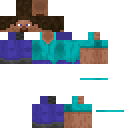
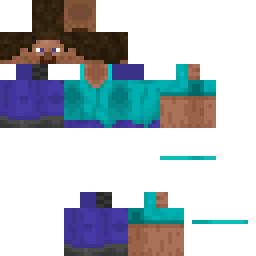
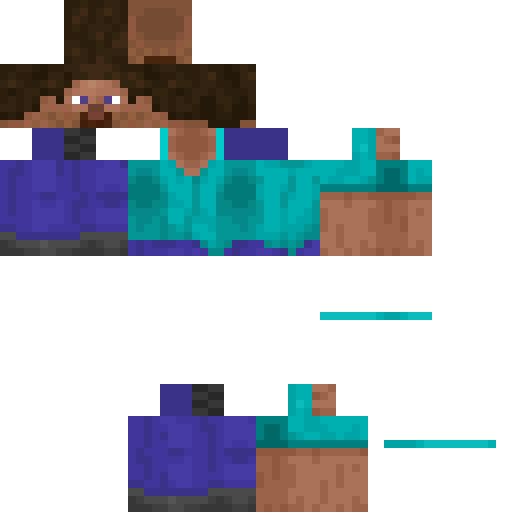
tivent Minecraft Skin
✓ Approved
Skin for tivent
1
Downloads
464
Views
0
Likes
Reactions
Log in to react.
Minecraft profile
abbbe9d6-113f-4539-90ff-5b93ec9f7393Model
classic
Views / 30 days
52
Observed names
Dates show when minecraft.how first observed each name.
tivent—
Skin history
History grows as minecraft.how observes profile changes.

Head command
/give @p minecraft:player_head[profile={name:"tivent"}]Users with Same Texture (51 total)
51
Total Users
127.0K
Combined Views
88
Combined Downloads
 pixelpioneer2025
109.6K views37 downloads
 Vemnomusfox6955
466 views1 downloads
 DREAMAAAAA
454 views1 downloads
 Arcann
429 views1 downloads
 Fazendeiro10
399 views1 downloads
 cratosncloud
394 views2 downloads
 Doorbeans
385 views1 downloads
 Snotlout285
381 views1 downloads
 fazendeiro_123
380 views1 downloads
 ido_the_sheuit
377 views1 downloads
 jettisim
376 views1 downloads
 BIG_CHICKEN25
374 views1 downloads
 wpwp
364 views1 downloads
 Rubihno1610
362 views1 downloads
 Comidas
359 views1 downloads
 Laulibap
356 views1 downloads
 ChocoCat
351 views1 downloads
 Mikecracker
350 views1 downloads
 HardRed
349 views1 downloads
 maxcraftman1
347 views1 downloads
 beenidoaj
347 views1 downloads
 millonario777
346 views1 downloads
 mimicer
345 views1 downloads
 Eloute
343 views1 downloads
 foltynn
341 views1 downloads
 forskaren
339 views1 downloads
 Carolain19
335 views1 downloads
 Notch2
333 views1 downloads
 DanjieT
333 views1 downloads
 Zukri
329 views1 downloads
 jjjkjj
329 views1 downloads
 jasonchann
329 views1 downloads
 GirlsGirlsGirls
328 views1 downloads
 gyatts
325 views1 downloads
 Kleptopitek
323 views1 downloads
 lihgt0605
323 views1 downloads
 minecraft6741
322 views1 downloads
 trapppd
320 views1 downloads
 minecrakk
319 views1 downloads
 ainmer
317 views1 downloads
 Osimen
315 views1 downloads
 Maizan
314 views1 downloads
 FNAFChick
314 views1 downloads
 Yutubeegodem123
310 views1 downloads
 KrokoSaurus
310 views1 downloads
 comidabeast346
307 views1 downloads
 lithgow123
306 views1 downloads
 Yojan
306 views1 downloads
 ERROR4222453
302 views1 downloads
 niggard
299 views1 downloads
PNG · 64×64
Share this skin
Scan with your phone to share this skin
Tags
MinecraftSkinstivent
Frequently Asked Questions
To download the tivent Minecraft skin:
- Click the "Download" button to get this free tivent skin
- The skin file
.pngwill be saved to your device - Works with both Java Edition and Bedrock Edition
- See below for complete installation instructions
To apply the tivent skin:
- Log in to your Mojang or Microsoft account on the official Minecraft website.
- Navigate to the "Skins" section in your profile.
- Upload the downloaded
.pngfile. - Launch Minecraft, and your character will now use the tivent skin.
Note: The process may vary slightly between Minecraft Java Edition and Minecraft Bedrock Edition.
Yes, the tivent skin is compatible with both Minecraft Java Edition and Minecraft Bedrock Edition. However, the method of applying the skin may differ slightly between the two versions. Follow the instructions provided on this page for your specific edition.
Absolutely! You can edit the tivent skin using a Minecraft skin editor. Simply open the downloaded
.png file in the editor, make your changes, and save the file. Then, upload the edited skin to your Minecraft profile.If the tivent skin isn't working, try the following:
- Ensure you downloaded the correct file format
.png. - Make sure you're using the correct version of Minecraft Java Edition or Bedrock Edition.
- Check that the skin file is not corrupted. Re-download the skin if necessary.
- Log out and back into your Mojang or Microsoft account to refresh your profile.
Create your own skin
Draw a pixel-perfect Minecraft skin in the browser with our free 3D skin editor.
→ Skin Creator