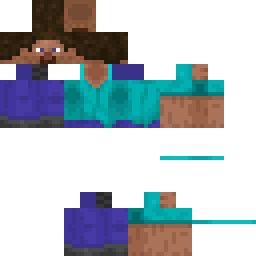
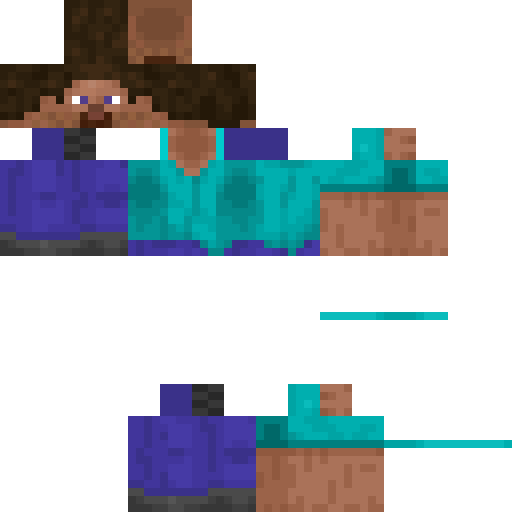
ido_the_pr0 Minecraft Skin
✓ Approved
Skin for ido_the_pr0
1
Downloads
344
Views
0
Likes
Reactions
Log in to react.
Minecraft profile
3e493955-34a4-4059-aa65-da7014c0ae6cModel
classic
Views / 30 days
52
Observed names
Dates show when minecraft.how first observed each name.
ido_the_pr0—
Skin history
History grows as minecraft.how observes profile changes.

Head command
/give @p minecraft:player_head[profile={name:"ido_the_pr0"}]Users with Same Texture (51 total)
51
Total Users
369.9K
Combined Views
90
Combined Downloads
 maizg
351.7K views38 downloads
 Chrtistian
596 views1 downloads
 Angel2012pier
535 views1 downloads
 yusufalii
477 views1 downloads
 Xavierrr25
442 views1 downloads
 Michaaelos
440 views1 downloads
 DoomSlayerPig
437 views1 downloads
 Dreamaaaa3465
424 views1 downloads
 Yutube
404 views1 downloads
 BananaMan551
402 views1 downloads
 Ido_the_pro
378 views1 downloads
 bananaman59012
374 views1 downloads
 toalet
372 views1 downloads
 Drugsie
370 views1 downloads
 DOOMSLAYER
370 views1 downloads
 Arman
366 views1 downloads
 BORALO2
366 views1 downloads
 janekv0
364 views2 downloads
 big_chicken425
357 views1 downloads
 Creebuss
354 views1 downloads
 Forskyn
352 views1 downloads
 yutuberski
352 views1 downloads
 EYstreamtv
351 views1 downloads
 ahtohio
350 views1 downloads
 ashawwad
350 views1 downloads
 Fox_1234
349 views1 downloads
 Alvin
349 views1 downloads
 Ferry20
346 views1 downloads
 Ederman2010
344 views1 downloads
 TiViar
344 views1 downloads
 Pedriz
343 views1 downloads
 vingendi13
343 views1 downloads
 Bhoot2
340 views1 downloads
 durbinator06
340 views1 downloads
 Sans31
340 views1 downloads
 greff
338 views1 downloads
 dunnyewan
336 views1 downloads
 WednesdayAddams4
335 views1 downloads
 forskaelyn
334 views1 downloads
 2SaucyyBeans
330 views1 downloads
 PEDRUXS
329 views1 downloads
 Laiwi4302
327 views1 downloads
 janki3l
326 views1 downloads
 NightHD90
326 views1 downloads
 cloaker321
323 views1 downloads
 Wibu08
317 views2 downloads
 C00lkidThEfIrSt
312 views1 downloads
 dupuisbraiden
310 views1 downloads
 Flakeware
301 views1 downloads
 Shadobass5330
288 views1 downloads
PNG · 64×64
Share this skin
Scan with your phone to share this skin
Tags
MinecraftSkinsido_the_pr0
Frequently Asked Questions
To download the ido_the_pr0 Minecraft skin:
- Click the "Download" button to get this free ido_the_pr0 skin
- The skin file
.pngwill be saved to your device - Works with both Java Edition and Bedrock Edition
- See below for complete installation instructions
To apply the ido_the_pr0 skin:
- Log in to your Mojang or Microsoft account on the official Minecraft website.
- Navigate to the "Skins" section in your profile.
- Upload the downloaded
.pngfile. - Launch Minecraft, and your character will now use the ido_the_pr0 skin.
Note: The process may vary slightly between Minecraft Java Edition and Minecraft Bedrock Edition.
Yes, the ido_the_pr0 skin is compatible with both Minecraft Java Edition and Minecraft Bedrock Edition. However, the method of applying the skin may differ slightly between the two versions. Follow the instructions provided on this page for your specific edition.
Absolutely! You can edit the ido_the_pr0 skin using a Minecraft skin editor. Simply open the downloaded
.png file in the editor, make your changes, and save the file. Then, upload the edited skin to your Minecraft profile.If the ido_the_pr0 skin isn't working, try the following:
- Ensure you downloaded the correct file format
.png. - Make sure you're using the correct version of Minecraft Java Edition or Bedrock Edition.
- Check that the skin file is not corrupted. Re-download the skin if necessary.
- Log out and back into your Mojang or Microsoft account to refresh your profile.
Create your own skin
Draw a pixel-perfect Minecraft skin in the browser with our free 3D skin editor.
→ Skin Creator