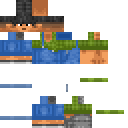
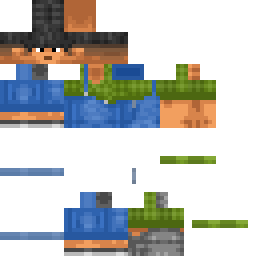
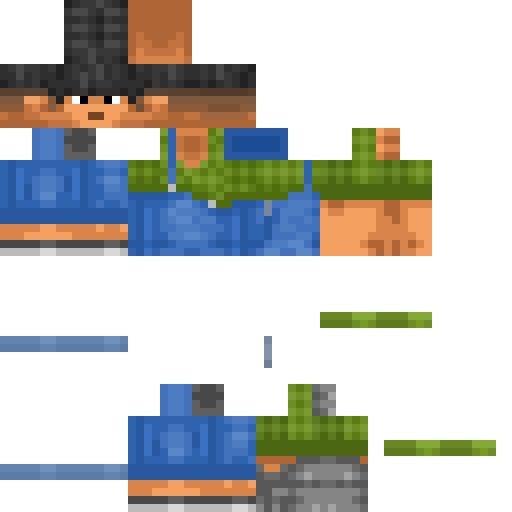
ShivangPatelOP Minecraft Skin
✓ Approved
Skin for ShivangPatelOP
1
Downloads
205
Views
0
Likes
Reactions
Log in to react.
Minecraft profile
0d88da8b-5e01-47b5-a72d-4f8c7aa02851Model
classic
Views / 30 days
26
Observed names
Dates show when minecraft.how first observed each name.
ShivangPatelOP—
Skin history
History grows as minecraft.how observes profile changes.

Head command
/give @p minecraft:player_head[profile={name:"ShivangPatelOP"}]Users with Same Texture (43 total)
43
Total Users
57.4K
Combined Views
44
Combined Downloads
 yusufalam
47.2K views1 downloads
 ninjaxxlebg
410 views1 downloads
 Graciosa
316 views1 downloads
 ayUda
311 views1 downloads
 Yorichii
292 views1 downloads
 epstiensrope
290 views1 downloads
 Ravindu
270 views1 downloads
 Esone
265 views1 downloads
 tomix1234
262 views1 downloads
 cgggg
260 views1 downloads
 PSALMS232608
259 views1 downloads
 Koryn42
258 views1 downloads
 VDMS
256 views1 downloads
 FarhanPro
256 views1 downloads
 doraemon
254 views1 downloads
 Borola
251 views2 downloads
 FleetGamerz
244 views1 downloads
 Alien_bro7004_LP
241 views1 downloads
 lingeriecoquine9
239 views1 downloads
 omarfive5
239 views1 downloads
 MaranzaKapi
238 views1 downloads
 mavislime
236 views1 downloads
 Tsubasa
236 views1 downloads
 Surjo_2121
228 views1 downloads

227 views1 downloads
 SukaBIyat
227 views1 downloads
 NinaTomi
227 views1 downloads
 l2qx__
226 views1 downloads
 Smith
225 views1 downloads
 006_561
224 views1 downloads
 VillageSage1
223 views1 downloads
 victorogsimba12
222 views1 downloads
 ovelhagamer
222 views1 downloads
 002C
220 views1 downloads
 albido
218 views1 downloads
 modulooito
216 views1 downloads
 GuasonXDxB
211 views1 downloads
 Boraj16
208 views1 downloads
 nbbbbbbbbbbbbbb
208 views1 downloads
 BookFanatic1212
208 views1 downloads
 Morfeus123
206 views1 downloads
 12deepth
163 views1 downloads
PNG · 64×64
Share this skin
Scan with your phone to share this skin
Tags
MinecraftSkinsShivangPatelOP
Frequently Asked Questions
To download the ShivangPatelOP Minecraft skin:
- Click the "Download" button to get this free ShivangPatelOP skin
- The skin file
.pngwill be saved to your device - Works with both Java Edition and Bedrock Edition
- See below for complete installation instructions
To apply the ShivangPatelOP skin:
- Log in to your Mojang or Microsoft account on the official Minecraft website.
- Navigate to the "Skins" section in your profile.
- Upload the downloaded
.pngfile. - Launch Minecraft, and your character will now use the ShivangPatelOP skin.
Note: The process may vary slightly between Minecraft Java Edition and Minecraft Bedrock Edition.
Yes, the ShivangPatelOP skin is compatible with both Minecraft Java Edition and Minecraft Bedrock Edition. However, the method of applying the skin may differ slightly between the two versions. Follow the instructions provided on this page for your specific edition.
Absolutely! You can edit the ShivangPatelOP skin using a Minecraft skin editor. Simply open the downloaded
.png file in the editor, make your changes, and save the file. Then, upload the edited skin to your Minecraft profile.If the ShivangPatelOP skin isn't working, try the following:
- Ensure you downloaded the correct file format
.png. - Make sure you're using the correct version of Minecraft Java Edition or Bedrock Edition.
- Check that the skin file is not corrupted. Re-download the skin if necessary.
- Log out and back into your Mojang or Microsoft account to refresh your profile.
Create your own skin
Draw a pixel-perfect Minecraft skin in the browser with our free 3D skin editor.
→ Skin Creator