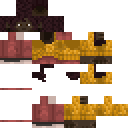
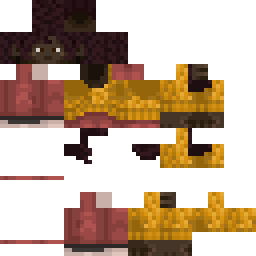
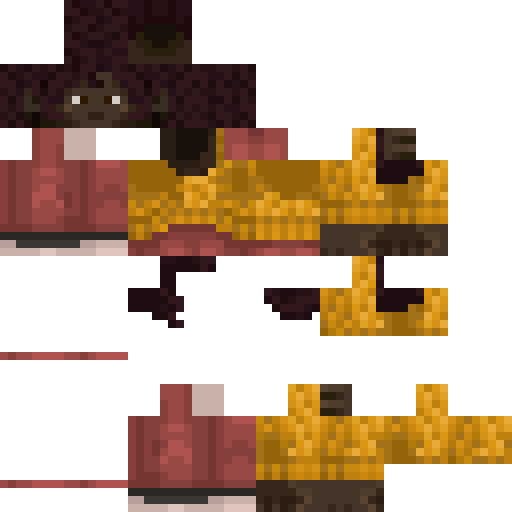
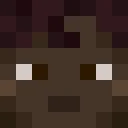
doover33 Minecraft Skin
✓ Approved
Skin for doover33
1
Downloads
158
Views
0
Likes
Reactions
Log in to react.
Minecraft profile
ed7ab6be-d536-4035-b130-4842d0cca048Model
classic
Views / 30 days
22
Observed names
Dates show when minecraft.how first observed each name.
doover33—
Skin history
History grows as minecraft.how observes profile changes.

Head command
/give @p minecraft:player_head[profile={name:"doover33"}]Users with Same Texture (51 total)
51
Total Users
71.3K
Combined Views
51
Combined Downloads
 AgarthanChudjak
62.0K views1 downloads
 Tomix
Tomix270 views1 downloads
 ruffneckbass
264 views1 downloads
 yutubydobydo
251 views1 downloads
 saad
saad238 views1 downloads
 Jiraiya777
232 views1 downloads
 Tenoblade
221 views1 downloads
 inderman01
213 views1 downloads
 Arcanine27
209 views1 downloads
 JitlerYaHeard
206 views1 downloads
 Kasunaa
206 views1 downloads
 AYu2004
204 views1 downloads
 Mimikan
199 views1 downloads
 PunjabiHunter99
197 views1 downloads
 chictweaker
195 views1 downloads
 Kameramann7
193 views1 downloads
 Swordoman
192 views1 downloads
 FultOnion
192 views1 downloads
 fremen0000
191 views1 downloads
 vvFrosty
190 views1 downloads
 Xnestorio1
189 views1 downloads
 webBumblebee
188 views1 downloads
 Didymium
187 views1 downloads
 ScheduleMayHigh
183 views1 downloads
 yakub
yakub178 views1 downloads
 andersonight
178 views1 downloads
 NBBBBBBB
178 views1 downloads
 Daquaw
177 views1 downloads
 campesino
176 views1 downloads
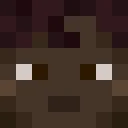 osimen35
176 views1 downloads
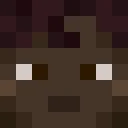 tomixXx
176 views1 downloads
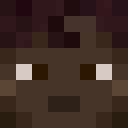 omziscoolfan27
176 views1 downloads
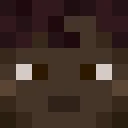 SMITH29
175 views1 downloads
 jhghfdefrgttvft
173 views1 downloads
 emkisdonutgey
173 views1 downloads
 ViHugo
171 views1 downloads
 pepellol
170 views1 downloads
 whyumadbruh
169 views1 downloads
 kokuhou
166 views1 downloads
 expirator
166 views1 downloads
 Lumedy
164 views1 downloads
 jjik
jjik163 views1 downloads
 matteooooovv
160 views1 downloads
 Calcedon
159 views1 downloads
 JefreyTheSquirrl
159 views1 downloads
 blazw13121
158 views1 downloads
 doreamon6264
157 views1 downloads
 whyyoumadg
155 views1 downloads
 liuxk
liuxk151 views1 downloads
 NBBBBBB
148 views1 downloads
PNG · 64×64
Share this skin
Scan with your phone to share this skin
Tags
MinecraftSkinsdoover33
Frequently Asked Questions
To download the doover33 Minecraft skin:
- Click the "Download" button to get this free doover33 skin
- The skin file
.pngwill be saved to your device - Works with both Java Edition and Bedrock Edition
- See below for complete installation instructions
To apply the doover33 skin:
- Log in to your Mojang or Microsoft account on the official Minecraft website.
- Navigate to the "Skins" section in your profile.
- Upload the downloaded
.pngfile. - Launch Minecraft, and your character will now use the doover33 skin.
Note: The process may vary slightly between Minecraft Java Edition and Minecraft Bedrock Edition.
Yes, the doover33 skin is compatible with both Minecraft Java Edition and Minecraft Bedrock Edition. However, the method of applying the skin may differ slightly between the two versions. Follow the instructions provided on this page for your specific edition.
Absolutely! You can edit the doover33 skin using a Minecraft skin editor. Simply open the downloaded
.png file in the editor, make your changes, and save the file. Then, upload the edited skin to your Minecraft profile.If the doover33 skin isn't working, try the following:
- Ensure you downloaded the correct file format
.png. - Make sure you're using the correct version of Minecraft Java Edition or Bedrock Edition.
- Check that the skin file is not corrupted. Re-download the skin if necessary.
- Log out and back into your Mojang or Microsoft account to refresh your profile.
Create your own skin
Draw a pixel-perfect Minecraft skin in the browser with our free 3D skin editor.
→ Skin Creator