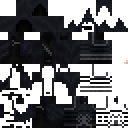
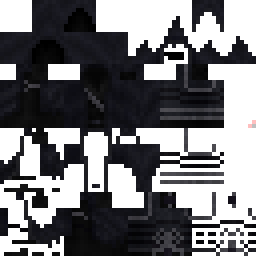
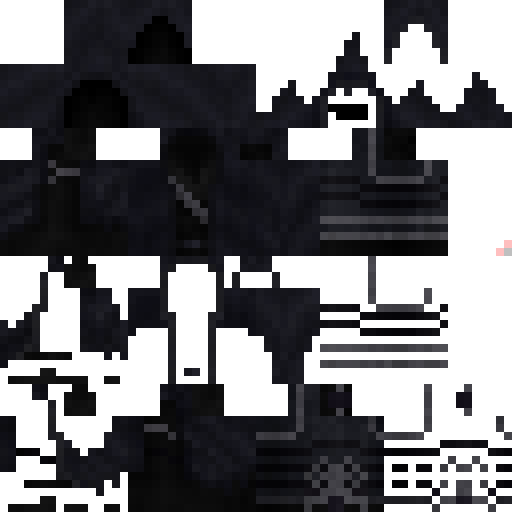
Profireball_Gamr Minecraft Skin
✓ Approved
Skin for Profireball_Gamr
0
Downloads
117
Views
0
Likes
Reactions
Log in to react.
Minecraft profile
7702e3a4-52ac-4944-9d1e-770ec4cb1e14Model
classic
Views / 30 days
0
Observed names
Dates show when minecraft.how first observed each name.
Profireball_Gamr—
Skin history
History grows as minecraft.how observes profile changes.

Head command
/give @p minecraft:player_head[profile={name:"Profireball_Gamr"}]Users with Same Texture (39 total)
39
Total Users
5.0K
Combined Views
1
Combined Downloads
 CrazzyWindz
734 views0 downloads
 Harshil999999
135 views0 downloads
 Sky_Ded
135 views0 downloads
 Visedsnow
128 views0 downloads
 2nd_WaxShadowRiz
127 views0 downloads
 KIauss
125 views0 downloads
 Z4val1t0
125 views0 downloads
 MrDreaddd
124 views0 downloads
 Typschkily
124 views0 downloads
 kubur
kubur123 views0 downloads
 Ylxka
Ylxka122 views0 downloads
 newUAAmilo
121 views0 downloads
 speedend
120 views0 downloads
 PastylaFemeilor
120 views0 downloads
 Xeitiuzen
119 views0 downloads
 iMKK0523
118 views0 downloads
 _Santus_
116 views0 downloads
 PepeAguileraC
115 views0 downloads
 _BIBIK_
114 views0 downloads
 TITAN2000
114 views1 downloads
 SOSFlare
114 views0 downloads
 levvyy11
113 views0 downloads
 MerryNecromancer
113 views0 downloads
 Hero_con22
113 views0 downloads
 Teclizau
112 views0 downloads
 GentleNeko
112 views0 downloads
 Decapify
111 views0 downloads
 BLOOD_NIGHT20
111 views0 downloads
 Krzysiek007M
106 views0 downloads
 Stofklomp
105 views0 downloads
 ArsiGod
104 views0 downloads
 Ab1gel
104 views0 downloads
 URSAF_Collector
103 views0 downloads
 DeadNight1993
102 views0 downloads
 Dionyra
102 views0 downloads
 Styx7622
101 views0 downloads
 Joel14426
81 views0 downloads
 C0urageee
54 views0 downloads
PNG · 64×64
Share this skin
Scan with your phone to share this skin
Tags
MinecraftSkinsProfireball_Gamr
Frequently Asked Questions
To download the Profireball_Gamr Minecraft skin:
- Click the "Download" button to get this free Profireball_Gamr skin
- The skin file
.pngwill be saved to your device - Works with both Java Edition and Bedrock Edition
- See below for complete installation instructions
To apply the Profireball_Gamr skin:
- Log in to your Mojang or Microsoft account on the official Minecraft website.
- Navigate to the "Skins" section in your profile.
- Upload the downloaded
.pngfile. - Launch Minecraft, and your character will now use the Profireball_Gamr skin.
Note: The process may vary slightly between Minecraft Java Edition and Minecraft Bedrock Edition.
Yes, the Profireball_Gamr skin is compatible with both Minecraft Java Edition and Minecraft Bedrock Edition. However, the method of applying the skin may differ slightly between the two versions. Follow the instructions provided on this page for your specific edition.
Absolutely! You can edit the Profireball_Gamr skin using a Minecraft skin editor. Simply open the downloaded
.png file in the editor, make your changes, and save the file. Then, upload the edited skin to your Minecraft profile.If the Profireball_Gamr skin isn't working, try the following:
- Ensure you downloaded the correct file format
.png. - Make sure you're using the correct version of Minecraft Java Edition or Bedrock Edition.
- Check that the skin file is not corrupted. Re-download the skin if necessary.
- Log out and back into your Mojang or Microsoft account to refresh your profile.
Create your own skin
Draw a pixel-perfect Minecraft skin in the browser with our free 3D skin editor.
→ Skin Creator