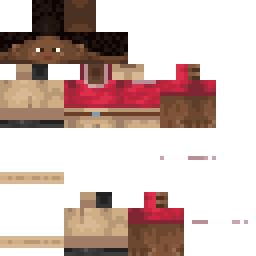
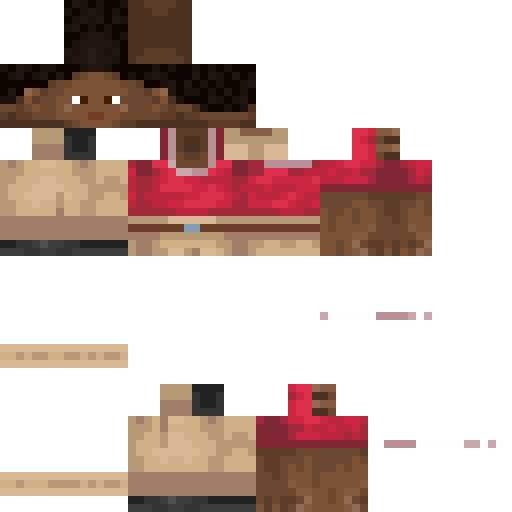
ChillingCactus Minecraft Skin
✓ Approved
Skin for ChillingCactus
1
Downloads
1.1K
Views
0
Likes
Reactions
Log in to react.
Minecraft profile
c101f7c4-9dea-4117-8fd7-15e328f0805eModel
classic
Views / 30 days
712
Observed names
Dates show when minecraft.how first observed each name.
ChillingCactus—
Skin history
History grows as minecraft.how observes profile changes.

Head command
/give @p minecraft:player_head[profile={name:"ChillingCactus"}]Users with Same Texture (51 total)
51
Total Users
52.7K
Combined Views
52
Combined Downloads
 StageNameFrank
9.0K views1 downloads
 GermanyProfi15
1.5K views1 downloads
 Baimpala
1.3K views1 downloads
 Tsuki_____
1.3K views1 downloads
 SirJaden2866
1.2K views1 downloads
 jaspayur
1.2K views1 downloads
 LordRex216
1.2K views1 downloads
 DEATH_SLAYERZZ
1.1K views1 downloads
 Arthurmaj12
1.1K views1 downloads
 SQUIDSPACE_CO
1.0K views1 downloads
 FirebaII22
1.0K views1 downloads
 YesBroBrogan
1.0K views1 downloads
 snpooy
1.0K views1 downloads
 AsianInvasion52
965 views1 downloads
 KillerKidd
957 views1 downloads
 StefRob___
948 views1 downloads
 H34mnn
887 views1 downloads
 KKholl
872 views1 downloads
 helge1233
869 views1 downloads
 TheBearKing13
860 views1 downloads
 Bedroomrockerr
859 views1 downloads
 LeMazju
858 views1 downloads
 mirpack_19
852 views1 downloads
 zChop
846 views2 downloads
 ClamLively
839 views1 downloads
 marciiiii
834 views1 downloads
 Defaultdude231
820 views1 downloads
 WaltonianRyry
806 views1 downloads
 zyroflux
799 views1 downloads
 william110765
799 views1 downloads
 zINoYze
797 views1 downloads
 SethKingDragon
782 views1 downloads
 HastyTerminator_
774 views1 downloads
 BANMIHA
764 views1 downloads
 GuiltySus
751 views1 downloads
 deltazyro
750 views1 downloads
 8484NiGHtmare
739 views1 downloads
 DermMan
727 views1 downloads
 Spinner1205008
723 views1 downloads
 Luciferchick0
714 views1 downloads
 UnsaidRook55251
712 views1 downloads
 RaulRosa
657 views1 downloads
 AvocadoTea
646 views1 downloads
 Grubzee
645 views1 downloads
 SigmaGrzesiu
630 views1 downloads
 Kamfall
626 views1 downloads
 msc915
621 views1 downloads
 Jakubpep1239
615 views1 downloads
 Corruptwd
614 views1 downloads
 azasta
613 views1 downloads
PNG · 64×64
Share this skin
Scan with your phone to share this skin
Tags
MinecraftSkinsChillingCactus
Frequently Asked Questions
To download the ChillingCactus Minecraft skin:
- Click the "Download" button to get this free ChillingCactus skin
- The skin file
.pngwill be saved to your device - Works with both Java Edition and Bedrock Edition
- See below for complete installation instructions
To apply the ChillingCactus skin:
- Log in to your Mojang or Microsoft account on the official Minecraft website.
- Navigate to the "Skins" section in your profile.
- Upload the downloaded
.pngfile. - Launch Minecraft, and your character will now use the ChillingCactus skin.
Note: The process may vary slightly between Minecraft Java Edition and Minecraft Bedrock Edition.
Yes, the ChillingCactus skin is compatible with both Minecraft Java Edition and Minecraft Bedrock Edition. However, the method of applying the skin may differ slightly between the two versions. Follow the instructions provided on this page for your specific edition.
Absolutely! You can edit the ChillingCactus skin using a Minecraft skin editor. Simply open the downloaded
.png file in the editor, make your changes, and save the file. Then, upload the edited skin to your Minecraft profile.If the ChillingCactus skin isn't working, try the following:
- Ensure you downloaded the correct file format
.png. - Make sure you're using the correct version of Minecraft Java Edition or Bedrock Edition.
- Check that the skin file is not corrupted. Re-download the skin if necessary.
- Log out and back into your Mojang or Microsoft account to refresh your profile.
Create your own skin
Draw a pixel-perfect Minecraft skin in the browser with our free 3D skin editor.
→ Skin Creator