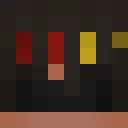
sniczecs24 Minecraft Skin
✓ Approved
Skin for sniczecs24
1
Downloads
270
Views
0
Likes
Reactions
Log in to react.
Minecraft profile
548d38b1-5b67-4875-ae4d-801d8092f4c7Model
classic
Views / 30 days
36
Observed names
Dates show when minecraft.how first observed each name.
sniczecs24—
Skin history
History grows as minecraft.how observes profile changes.

Head command
/give @p minecraft:player_head[profile={name:"sniczecs24"}]Users with Same Texture (51 total)
51
Total Users
24.5K
Combined Views
51
Combined Downloads
 10gnikei23
12.5K views1 downloads
 youhavedreams143
310 views1 downloads
 belugaval
298 views1 downloads
 Roktim003
288 views1 downloads
 Clutch_op
286 views1 downloads
 Kelvin7725
269 views1 downloads
 Killercoo2
265 views1 downloads
 Ninja_Lucasxu
263 views1 downloads
 Spiky_Tofuu
263 views1 downloads
 casorneedhandle
259 views1 downloads
 sebbzz7
255 views1 downloads
 HotSweatyMeat
253 views1 downloads
 Hyperbrozz
252 views1 downloads
 TacosInTheVoid
244 views1 downloads
 laupoia
244 views1 downloads
 LleNb
243 views1 downloads
 annie_rainbow
242 views1 downloads
 Ghost_Riderrr
241 views1 downloads
 rationalGrin
241 views1 downloads
 zlxup
241 views1 downloads
 CalmPlays
240 views1 downloads
 ISn0Z
239 views1 downloads
 VinnieDavis
239 views1 downloads
 JeSuisTrash
238 views1 downloads
 Bubbles0424
238 views1 downloads
 xDitte
237 views1 downloads
 Falconux
235 views1 downloads
 Dustbin2acc
234 views1 downloads
 ItZPBPro007
234 views1 downloads
 stonkz27610
233 views1 downloads
 _N311
233 views1 downloads
 Vcycle
229 views1 downloads
 toho2508
228 views1 downloads
 Zeloahh
228 views1 downloads
 itama21
226 views1 downloads
 SentinelDanielPL
226 views1 downloads
 Kiss_My_Axe_
226 views1 downloads
 DreamyHealer291
224 views1 downloads
 timster1611
224 views1 downloads
 FilipK112a
222 views1 downloads
 King_morris3rd
221 views1 downloads
 7GeorgeAnderson7
218 views1 downloads
 PhoNoodles22
217 views1 downloads
 WagerQueen
215 views1 downloads
 pokeproef
214 views1 downloads
 MrNftNotFound
214 views1 downloads
 symiley
211 views1 downloads
 matrix2625
208 views1 downloads
 Papergecko383
206 views1 downloads
 Bananchild679
198 views1 downloads
PNG · 64×64
Share this skin
Scan with your phone to share this skin
Tags
MinecraftSkinssniczecs24
Frequently Asked Questions
To download the sniczecs24 Minecraft skin:
- Click the "Download" button to get this free sniczecs24 skin
- The skin file
.pngwill be saved to your device - Works with both Java Edition and Bedrock Edition
- See below for complete installation instructions
To apply the sniczecs24 skin:
- Log in to your Mojang or Microsoft account on the official Minecraft website.
- Navigate to the "Skins" section in your profile.
- Upload the downloaded
.pngfile. - Launch Minecraft, and your character will now use the sniczecs24 skin.
Note: The process may vary slightly between Minecraft Java Edition and Minecraft Bedrock Edition.
Yes, the sniczecs24 skin is compatible with both Minecraft Java Edition and Minecraft Bedrock Edition. However, the method of applying the skin may differ slightly between the two versions. Follow the instructions provided on this page for your specific edition.
Absolutely! You can edit the sniczecs24 skin using a Minecraft skin editor. Simply open the downloaded
.png file in the editor, make your changes, and save the file. Then, upload the edited skin to your Minecraft profile.If the sniczecs24 skin isn't working, try the following:
- Ensure you downloaded the correct file format
.png. - Make sure you're using the correct version of Minecraft Java Edition or Bedrock Edition.
- Check that the skin file is not corrupted. Re-download the skin if necessary.
- Log out and back into your Mojang or Microsoft account to refresh your profile.
Create your own skin
Draw a pixel-perfect Minecraft skin in the browser with our free 3D skin editor.
→ Skin Creator