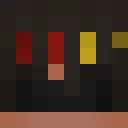
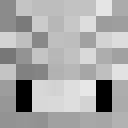
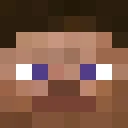
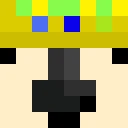
Mr_AbhinavG Minecraft Skin
✓ Approved
Skin for Mr_AbhinavG
1
Downloads
880
Views
0
Likes
Reactions
Log in to react.
Minecraft profile
715467e7-60f0-4d6f-86ca-778922f9b6f0Model
classic
Views / 30 days
540
Observed names
Dates show when minecraft.how first observed each name.
Mr_AbhinavG—
Skin history
History grows as minecraft.how observes profile changes.

Head command
/give @p minecraft:player_head[profile={name:"Mr_AbhinavG"}]Users with Same Texture (51 total)
51
Total Users
111.4K
Combined Views
51
Combined Downloads
 Markoo21123
64.2K views1 downloads
 Valius08
1.3K views1 downloads
 fan_makana666
1.3K views1 downloads
 justus__
1.2K views1 downloads
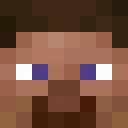 BadKarma32
1.2K views1 downloads
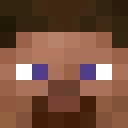 IAmBloo
1.1K views1 downloads
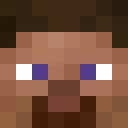 EzRocknRoll
1.1K views1 downloads
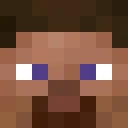 lonewolf1986620
1.1K views1 downloads
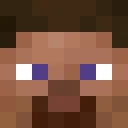 XEN9851
1.1K views1 downloads
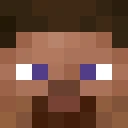 zogblox
1.1K views1 downloads
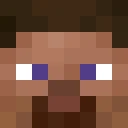 herobrine7294
1.1K views1 downloads
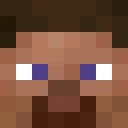 Cloyvz
1.0K views1 downloads
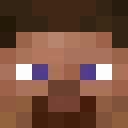 Alequisan
1.0K views1 downloads
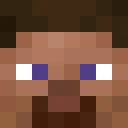 wilnato
1.0K views1 downloads
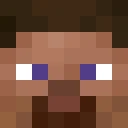 Slu1mpe
1.0K views1 downloads
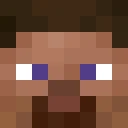 Mr_Deep1
1.0K views1 downloads
 ole271212
1.0K views1 downloads
 Ivanore
996 views1 downloads
 MoonWatcher07
983 views1 downloads
 ehands1
979 views1 downloads
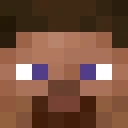 shadow_lord297
977 views1 downloads
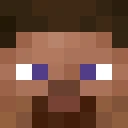 mo4zan
977 views1 downloads
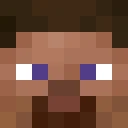 8fix
972 views1 downloads
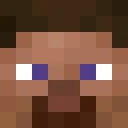 barnilson
950 views1 downloads
 zet_man_
945 views1 downloads
 riksuvonspagetti
939 views1 downloads
 simon38502
923 views1 downloads
 Kaktusnin
905 views1 downloads
 Cexf_d
903 views1 downloads
 domateslicorek
902 views1 downloads
 lapitzlazuli
899 views1 downloads
 mpspy
883 views1 downloads
 LonitorGamerz
879 views1 downloads
 Evander2011
878 views1 downloads
 RMMgrass_Gaming
878 views1 downloads
 Emmental_Suisse
875 views1 downloads
 airyddd
867 views1 downloads
 ElBaena
837 views1 downloads
 Mohrlezockt
826 views1 downloads
 ankelbrecher
814 views1 downloads
 Dubstep102102
813 views1 downloads
 EmanucaW07
797 views1 downloads
 Tielhaz
795 views1 downloads
 Itz_tenkaichi
789 views1 downloads
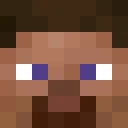 Joeydagamer
787 views1 downloads
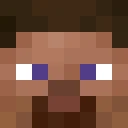 Parkereon
767 views1 downloads
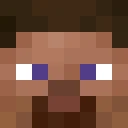 Sigh51
751 views1 downloads
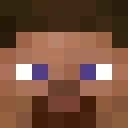 SpoopyPoguin
749 views1 downloads
 Kazhutan
748 views1 downloads
 unknown_tal
695 views1 downloads
PNG · 64×64
Share this skin
Scan with your phone to share this skin
Tags
MinecraftSkinsMr_AbhinavG
Frequently Asked Questions
To download the Mr_AbhinavG Minecraft skin:
- Click the "Download" button to get this free Mr_AbhinavG skin
- The skin file
.pngwill be saved to your device - Works with both Java Edition and Bedrock Edition
- See below for complete installation instructions
To apply the Mr_AbhinavG skin:
- Log in to your Mojang or Microsoft account on the official Minecraft website.
- Navigate to the "Skins" section in your profile.
- Upload the downloaded
.pngfile. - Launch Minecraft, and your character will now use the Mr_AbhinavG skin.
Note: The process may vary slightly between Minecraft Java Edition and Minecraft Bedrock Edition.
Yes, the Mr_AbhinavG skin is compatible with both Minecraft Java Edition and Minecraft Bedrock Edition. However, the method of applying the skin may differ slightly between the two versions. Follow the instructions provided on this page for your specific edition.
Absolutely! You can edit the Mr_AbhinavG skin using a Minecraft skin editor. Simply open the downloaded
.png file in the editor, make your changes, and save the file. Then, upload the edited skin to your Minecraft profile.If the Mr_AbhinavG skin isn't working, try the following:
- Ensure you downloaded the correct file format
.png. - Make sure you're using the correct version of Minecraft Java Edition or Bedrock Edition.
- Check that the skin file is not corrupted. Re-download the skin if necessary.
- Log out and back into your Mojang or Microsoft account to refresh your profile.
Create your own skin
Draw a pixel-perfect Minecraft skin in the browser with our free 3D skin editor.
→ Skin Creator