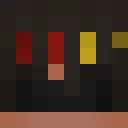
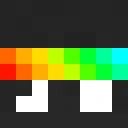
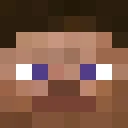
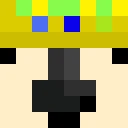
MamaSquirrel809 Minecraft Skin
✓ Approved
Skin for MamaSquirrel809
1
Downloads
923
Views
0
Likes
Reactions
Log in to react.
Minecraft profile
953ed9f0-1cfa-40b1-9e6d-e5bb92e2003cModel
classic
Views / 30 days
622
Observed names
Dates show when minecraft.how first observed each name.
MamaSquirrel809—
Skin history
History grows as minecraft.how observes profile changes.

Head command
/give @p minecraft:player_head[profile={name:"MamaSquirrel809"}]Users with Same Texture (51 total)
51
Total Users
61.5K
Combined Views
51
Combined Downloads
 toivoonsmegmaa
21.3K views1 downloads
 matsios100
1.3K views1 downloads
 Good_buddy_
1.3K views1 downloads
 babinos2012
1.1K views1 downloads
 AirSuperMarine
1.0K views1 downloads
 BUNNYLOVER9999
1.0K views1 downloads
 TechnoGun10
973 views1 downloads
 Julian_Reiter
914 views1 downloads
 Dod0abominator
907 views1 downloads
 RicketyDawn5876
883 views1 downloads
 Daboyz2001
876 views1 downloads
 SirAlxssio
870 views1 downloads
 Eliloermig
841 views1 downloads
 twilightthousand
838 views1 downloads
 Derhvy
838 views1 downloads
 CutePi817
836 views1 downloads
 knight_intro
828 views1 downloads
 blake0812lopit
827 views1 downloads
 markksh18
809 views1 downloads
 Dr_Queeny
806 views1 downloads
 DiskMiller
802 views1 downloads
 Francko245
781 views1 downloads
 Le_Asian
776 views1 downloads
 kaz010
772 views1 downloads
 SharkPirateZE
768 views1 downloads
 zimbabweezeAap
768 views1 downloads
 Volodyaaa_
767 views1 downloads
 skyyyy421
763 views1 downloads
 Purmelheimer
756 views1 downloads
 130gil
753 views1 downloads
 theblockiteer6
752 views1 downloads
 Yinetty
737 views1 downloads
 yolo1306
729 views1 downloads
 sokar311
714 views1 downloads
 TagMagWag
712 views1 downloads
 DasPoot5419
710 views1 downloads
 VLAN_010
708 views1 downloads
 nottheproe1
708 views1 downloads
 CentralxxC4
706 views1 downloads
 beeyagee7878
699 views1 downloads
 AustinDuzis
698 views1 downloads
 Feuerhertz05
691 views1 downloads
 KaboomREAL
688 views1 downloads
 lmp30p
688 views1 downloads
 Beifahrersitz
685 views1 downloads
 anctyenIy
683 views1 downloads
 sarthak0124
680 views1 downloads
 Brandabuilder316
670 views1 downloads
 TheCat91
636 views1 downloads
 SylasFreeToPlay
631 views1 downloads
PNG · 64×64
Share this skin
Scan with your phone to share this skin
Tags
MinecraftSkinsMamaSquirrel809
Frequently Asked Questions
To download the MamaSquirrel809 Minecraft skin:
- Click the "Download" button to get this free MamaSquirrel809 skin
- The skin file
.pngwill be saved to your device - Works with both Java Edition and Bedrock Edition
- See below for complete installation instructions
To apply the MamaSquirrel809 skin:
- Log in to your Mojang or Microsoft account on the official Minecraft website.
- Navigate to the "Skins" section in your profile.
- Upload the downloaded
.pngfile. - Launch Minecraft, and your character will now use the MamaSquirrel809 skin.
Note: The process may vary slightly between Minecraft Java Edition and Minecraft Bedrock Edition.
Yes, the MamaSquirrel809 skin is compatible with both Minecraft Java Edition and Minecraft Bedrock Edition. However, the method of applying the skin may differ slightly between the two versions. Follow the instructions provided on this page for your specific edition.
Absolutely! You can edit the MamaSquirrel809 skin using a Minecraft skin editor. Simply open the downloaded
.png file in the editor, make your changes, and save the file. Then, upload the edited skin to your Minecraft profile.If the MamaSquirrel809 skin isn't working, try the following:
- Ensure you downloaded the correct file format
.png. - Make sure you're using the correct version of Minecraft Java Edition or Bedrock Edition.
- Check that the skin file is not corrupted. Re-download the skin if necessary.
- Log out and back into your Mojang or Microsoft account to refresh your profile.
Create your own skin
Draw a pixel-perfect Minecraft skin in the browser with our free 3D skin editor.
→ Skin Creator