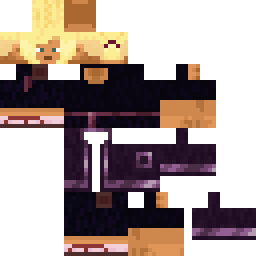
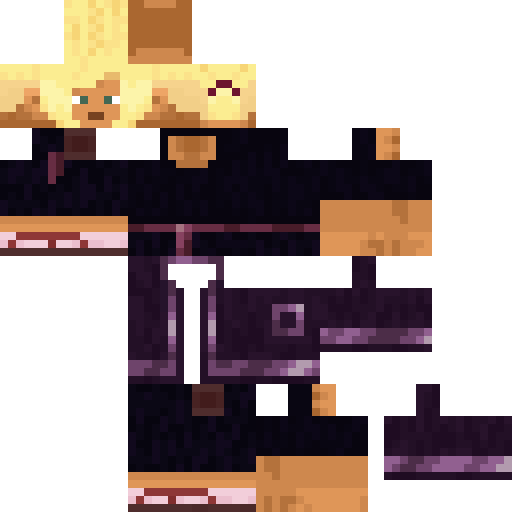
King1908 Minecraft Skin
✓ Approved
Skin for King1908
1
Downloads
258
Views
0
Likes
Reactions
Log in to react.
Minecraft profile
5d89dce7-d8ec-44e5-973a-9a54fb588829Model
classic
Views / 30 days
65
Observed names
Dates show when minecraft.how first observed each name.
King1908—
Skin history
History grows as minecraft.how observes profile changes.

Head command
/give @p minecraft:player_head[profile={name:"King1908"}]Users with Same Texture (51 total)
51
Total Users
23.7K
Combined Views
51
Combined Downloads
 Tbonz1
10.5K views1 downloads
 EliXD54
357 views1 downloads
 ToLuckyForRNG
334 views1 downloads
 17miruuu
317 views1 downloads
 Your___Name
315 views1 downloads
 sneakyted1
310 views1 downloads
 ProGamer2334455
308 views1 downloads
 kandrew1
307 views1 downloads
 Sk3tchyRobot
305 views1 downloads
 _macrocringe_
301 views1 downloads
 Wrong_Way_Gamer
288 views1 downloads
 GALXYT
285 views1 downloads
 Abhidaone
285 views1 downloads
 MrDoomTurtle
283 views1 downloads
 TAKACARA
278 views1 downloads
 BalloonPewoon
277 views1 downloads
 Prins_Pils_45
273 views1 downloads
 Gotani_D_Dio
271 views1 downloads
 notablesky89825
271 views1 downloads
 Vlad1mega
270 views1 downloads
 Akunpan
270 views1 downloads
 DaColoniza
264 views1 downloads
 Burgrik1
263 views1 downloads
 Mikemikkel41
262 views1 downloads
 Elephant73325
256 views1 downloads
 999BlockReach
255 views1 downloads
 Sefpth
254 views1 downloads
 l00iq
254 views1 downloads
 Eamwai
251 views1 downloads
 DirtToTerminator
249 views1 downloads
 ryrymiller
248 views1 downloads
 Heckate_
247 views1 downloads
 Cya79
247 views1 downloads
 Alek0418
246 views1 downloads
 Birdy2018
244 views1 downloads
 TischDerLegenden
244 views1 downloads
 AnticcY
243 views1 downloads
 snus02
242 views1 downloads
 squggler
241 views1 downloads
 DrakeMiller2006
240 views1 downloads
 fintly
240 views1 downloads
 fhgb
239 views1 downloads
 Sykkyn32
236 views1 downloads
 HERMENEGILDO888
236 views1 downloads
 Nickdiesel7
235 views1 downloads
 COVENANTG
229 views1 downloads
 Jakeyboy
228 views1 downloads
 PrivatePP67
227 views1 downloads
 vetima
223 views1 downloads
 P0GG3R5
220 views1 downloads
PNG · 64×64
Share this skin
Scan with your phone to share this skin
Tags
MinecraftSkinsKing1908
Frequently Asked Questions
To download the King1908 Minecraft skin:
- Click the "Download" button to get this free King1908 skin
- The skin file
.pngwill be saved to your device - Works with both Java Edition and Bedrock Edition
- See below for complete installation instructions
To apply the King1908 skin:
- Log in to your Mojang or Microsoft account on the official Minecraft website.
- Navigate to the "Skins" section in your profile.
- Upload the downloaded
.pngfile. - Launch Minecraft, and your character will now use the King1908 skin.
Note: The process may vary slightly between Minecraft Java Edition and Minecraft Bedrock Edition.
Yes, the King1908 skin is compatible with both Minecraft Java Edition and Minecraft Bedrock Edition. However, the method of applying the skin may differ slightly between the two versions. Follow the instructions provided on this page for your specific edition.
Absolutely! You can edit the King1908 skin using a Minecraft skin editor. Simply open the downloaded
.png file in the editor, make your changes, and save the file. Then, upload the edited skin to your Minecraft profile.If the King1908 skin isn't working, try the following:
- Ensure you downloaded the correct file format
.png. - Make sure you're using the correct version of Minecraft Java Edition or Bedrock Edition.
- Check that the skin file is not corrupted. Re-download the skin if necessary.
- Log out and back into your Mojang or Microsoft account to refresh your profile.
Create your own skin
Draw a pixel-perfect Minecraft skin in the browser with our free 3D skin editor.
→ Skin Creator