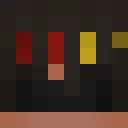
MasterMicah Minecraft Skin
✓ Approved
Skin for MasterMicah
1
Downloads
269
Views
0
Likes
Reactions
Log in to react.
Minecraft profile
d71ae51f-6ec9-4815-b11e-7925cea1b21bModel
classic
Views / 30 days
33
Observed names
Dates show when minecraft.how first observed each name.
MasterMicah—
Skin history
History grows as minecraft.how observes profile changes.

Head command
/give @p minecraft:player_head[profile={name:"MasterMicah"}]Users with Same Texture (51 total)
51
Total Users
32.3K
Combined Views
51
Combined Downloads
 ValoPro88
18.3K views1 downloads
 Aznardus
375 views1 downloads
 snooby123
357 views1 downloads
 BiggieSma11z
351 views1 downloads
 JanKillerSlatki
343 views1 downloads
 LuckSkywaker
340 views1 downloads
 Ceaseles
339 views1 downloads
 HenryNeedsHelp
319 views1 downloads
 TheDeadJQ
317 views1 downloads
 JonaStrout
316 views1 downloads
 pouton
315 views1 downloads
 CWCConbon
314 views1 downloads
 vishwa_gamerz
314 views1 downloads
 LiduenKvaedhi
308 views1 downloads
 __Stormrider__
305 views1 downloads
 Jeff_Bond
304 views1 downloads
 mZ0ckERc
301 views1 downloads
 Ezerial97
298 views1 downloads
 TheImmortalSpock
297 views1 downloads
 u0py
286 views1 downloads
 IkamoZ
285 views1 downloads
 monke453
282 views1 downloads
 CalSpeed1
278 views1 downloads
 _Taran
273 views1 downloads
 3CDude
268 views1 downloads
 DannyK19
267 views1 downloads
 Chesszoom
266 views1 downloads
 HundredLotus107
264 views1 downloads
 Palbud
264 views1 downloads
 LillyHammer09
261 views1 downloads
 ZombiesKilled35
261 views1 downloads
 verticalnova
259 views1 downloads
 LeinadVon
259 views1 downloads
 MatrixBear
258 views1 downloads
 stampycat9495
255 views1 downloads
 jasvindersingh
253 views1 downloads
 Blockexplor
251 views1 downloads
 MisterSpiderMan
251 views1 downloads
 AstroPies23
251 views1 downloads
 Who_Am_I_2
245 views1 downloads
 aaa121w
245 views1 downloads
 y_w_d
244 views1 downloads
 fuzeIII_le_BG
243 views1 downloads
 Arcturas_
243 views1 downloads
 tbennyh
241 views1 downloads
 YeetusMcFleetus
240 views1 downloads
 Vroxy33
237 views1 downloads
 coolcucumber69
235 views1 downloads
 Icecreamdudeguy
235 views1 downloads
 Benkkumiesbenkku
217 views1 downloads
PNG · 64×64
Share this skin
Scan with your phone to share this skin
Tags
MinecraftSkinsMasterMicah
Frequently Asked Questions
To download the MasterMicah Minecraft skin:
- Click the "Download" button to get this free MasterMicah skin
- The skin file
.pngwill be saved to your device - Works with both Java Edition and Bedrock Edition
- See below for complete installation instructions
To apply the MasterMicah skin:
- Log in to your Mojang or Microsoft account on the official Minecraft website.
- Navigate to the "Skins" section in your profile.
- Upload the downloaded
.pngfile. - Launch Minecraft, and your character will now use the MasterMicah skin.
Note: The process may vary slightly between Minecraft Java Edition and Minecraft Bedrock Edition.
Yes, the MasterMicah skin is compatible with both Minecraft Java Edition and Minecraft Bedrock Edition. However, the method of applying the skin may differ slightly between the two versions. Follow the instructions provided on this page for your specific edition.
Absolutely! You can edit the MasterMicah skin using a Minecraft skin editor. Simply open the downloaded
.png file in the editor, make your changes, and save the file. Then, upload the edited skin to your Minecraft profile.If the MasterMicah skin isn't working, try the following:
- Ensure you downloaded the correct file format
.png. - Make sure you're using the correct version of Minecraft Java Edition or Bedrock Edition.
- Check that the skin file is not corrupted. Re-download the skin if necessary.
- Log out and back into your Mojang or Microsoft account to refresh your profile.
Create your own skin
Draw a pixel-perfect Minecraft skin in the browser with our free 3D skin editor.
→ Skin Creator