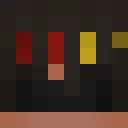
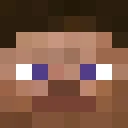
GracedElf Minecraft Skin
✓ Approved
Skin for GracedElf
1
Downloads
779
Views
0
Likes
Reactions
Log in to react.
Minecraft profile
b4e0ca1d-fc2a-4be8-ab1d-3a8a7d14db0aModel
classic
Views / 30 days
479
Observed names
Dates show when minecraft.how first observed each name.
GracedElf—
Skin history
History grows as minecraft.how observes profile changes.

Head command
/give @p minecraft:player_head[profile={name:"GracedElf"}]Users with Same Texture (51 total)
51
Total Users
54.5K
Combined Views
52
Combined Downloads
 ikasumi1025
14.6K views1 downloads
 RamiSyrjala
1.1K views1 downloads
 Maligo5
1.1K views1 downloads
 suminsbigtoe127
1.0K views1 downloads
 Xdwdanson
1.0K views1 downloads
 Parachute4443
1.0K views1 downloads
 BabaBooey1234
973 views1 downloads
 SteelEagle568
972 views2 downloads
 HarrisGR
967 views1 downloads
 scoopticles
930 views1 downloads
 SirQuintavious
914 views1 downloads
 KOPF12
907 views1 downloads
 ninjaboco
881 views1 downloads
 lazythepro
866 views1 downloads
 Alp4a
859 views1 downloads
 ragnarkiller111
859 views1 downloads
 frank93852
827 views1 downloads
 mintyminy26
822 views1 downloads
 StriverVT
812 views1 downloads
 AlteredBug9110
811 views1 downloads
 fires666
806 views1 downloads
 bodybagGODLIKE
797 views1 downloads
 Akshay3196
788 views1 downloads
 brHEEEE
786 views1 downloads
 faz3_m0n3y
781 views1 downloads
 DBomb222
762 views1 downloads
 Forrvator
757 views1 downloads
 _TheQuietKid
754 views1 downloads
 Antibrix
751 views1 downloads
 Maple__Donut
742 views1 downloads
 Jaca2116
741 views1 downloads
 CorreiaMO
738 views1 downloads
 HispanolaV2
736 views1 downloads
 MohammadSmith
729 views1 downloads
 hypixeldeaf
724 views1 downloads
 gabbak
722 views1 downloads
 SAHILSTAFFMASTER
719 views1 downloads
 CM_TheEnder
718 views1 downloads
 SrGohi
706 views1 downloads
 itsmejak78
704 views1 downloads
 Antu69_
701 views1 downloads
 Alelass
695 views1 downloads
 Wh1teKarma
680 views1 downloads
 M0neybagbr0
666 views1 downloads
 SeAlLoRd0312
664 views1 downloads
 AsR_Yes
662 views1 downloads
 Awesomefortyf
621 views1 downloads
 DumpyLin
617 views1 downloads
 TheTrueHen
613 views1 downloads
 ETNoblest
603 views1 downloads
PNG · 64×64
Share this skin
Scan with your phone to share this skin
Tags
MinecraftSkinsGracedElf
Frequently Asked Questions
To download the GracedElf Minecraft skin:
- Click the "Download" button to get this free GracedElf skin
- The skin file
.pngwill be saved to your device - Works with both Java Edition and Bedrock Edition
- See below for complete installation instructions
To apply the GracedElf skin:
- Log in to your Mojang or Microsoft account on the official Minecraft website.
- Navigate to the "Skins" section in your profile.
- Upload the downloaded
.pngfile. - Launch Minecraft, and your character will now use the GracedElf skin.
Note: The process may vary slightly between Minecraft Java Edition and Minecraft Bedrock Edition.
Yes, the GracedElf skin is compatible with both Minecraft Java Edition and Minecraft Bedrock Edition. However, the method of applying the skin may differ slightly between the two versions. Follow the instructions provided on this page for your specific edition.
Absolutely! You can edit the GracedElf skin using a Minecraft skin editor. Simply open the downloaded
.png file in the editor, make your changes, and save the file. Then, upload the edited skin to your Minecraft profile.If the GracedElf skin isn't working, try the following:
- Ensure you downloaded the correct file format
.png. - Make sure you're using the correct version of Minecraft Java Edition or Bedrock Edition.
- Check that the skin file is not corrupted. Re-download the skin if necessary.
- Log out and back into your Mojang or Microsoft account to refresh your profile.
Create your own skin
Draw a pixel-perfect Minecraft skin in the browser with our free 3D skin editor.
→ Skin Creator