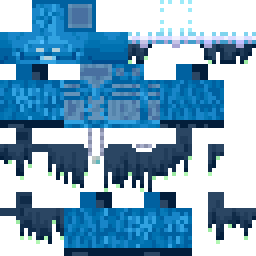
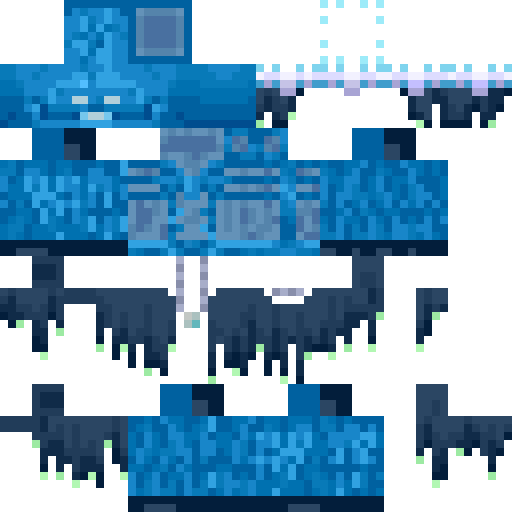
Pinhe6d Minecraft Skin
✓ Approved
Skin for Pinhe6d
1
Downloads
187
Views
0
Likes
Reactions
Log in to react.
Minecraft profile
bc3456ad-9e52-4f06-a783-1252f68a230dModel
classic
Views / 30 days
34
Observed names
Dates show when minecraft.how first observed each name.
Pinhe6d—
Skin history
History grows as minecraft.how observes profile changes.

Head command
/give @p minecraft:player_head[profile={name:"Pinhe6d"}]Users with Same Texture (51 total)
51
Total Users
10.9K
Combined Views
51
Combined Downloads
 ToxicRage321
1.1K views1 downloads
 Hypixel_Hex
218 views1 downloads
 xiaoosuu
212 views1 downloads
 KP444
210 views1 downloads
 SuperZloyChel
205 views1 downloads
 PrathamOG
204 views1 downloads
 godsnipe0409
203 views1 downloads
 Joo_cro
203 views1 downloads
 BaronOfSkies
201 views1 downloads
 parabolic11
200 views1 downloads
 georgeasimis2014
198 views1 downloads
 Aradirr
198 views1 downloads
 oxyuna
198 views1 downloads
 guywithfriends
197 views1 downloads
 SlayZoomer1
197 views1 downloads
 YaBoyDop
197 views1 downloads
 frisstaa
197 views1 downloads
 Qvint
196 views1 downloads
 legionerreturner
196 views1 downloads
 Pelters14
196 views1 downloads
 KennyH68
196 views1 downloads
 Nazark4
196 views1 downloads
 Monarka4731
195 views1 downloads
 JL_PVP
195 views1 downloads
 Erennn1267
195 views1 downloads
 GITAE_KOS
195 views1 downloads
 LeTique
194 views1 downloads
 Voijd
194 views1 downloads
 _Piccolo___
194 views1 downloads
 sub_conscious
194 views1 downloads
 Dusty20050
194 views1 downloads
 DrFast001
193 views1 downloads
 sourapples20
193 views1 downloads
 Frank1stone
193 views1 downloads
 PaperPlaneTheory
192 views1 downloads
 Tonkatot
192 views1 downloads
 Leviathan4889
191 views1 downloads
 MiningIce
191 views1 downloads
 wysh__
190 views1 downloads
 Guru092336
190 views1 downloads
 OpTic_Tornados
189 views1 downloads
 z4ns
188 views1 downloads
 oSkyblock
187 views1 downloads
 Sk1il_l
187 views1 downloads
 RAMY92i
187 views1 downloads
 _ASPROZ_
186 views1 downloads
 klisiowskiS
186 views1 downloads
 stanojevic_luka
185 views1 downloads
 RedForsberg
185 views1 downloads
 lookingforme123
176 views1 downloads
PNG · 64×64
Share this skin
Scan with your phone to share this skin
Tags
MinecraftSkinsPinhe6d
Frequently Asked Questions
To download the Pinhe6d Minecraft skin:
- Click the "Download" button to get this free Pinhe6d skin
- The skin file
.pngwill be saved to your device - Works with both Java Edition and Bedrock Edition
- See below for complete installation instructions
To apply the Pinhe6d skin:
- Log in to your Mojang or Microsoft account on the official Minecraft website.
- Navigate to the "Skins" section in your profile.
- Upload the downloaded
.pngfile. - Launch Minecraft, and your character will now use the Pinhe6d skin.
Note: The process may vary slightly between Minecraft Java Edition and Minecraft Bedrock Edition.
Yes, the Pinhe6d skin is compatible with both Minecraft Java Edition and Minecraft Bedrock Edition. However, the method of applying the skin may differ slightly between the two versions. Follow the instructions provided on this page for your specific edition.
Absolutely! You can edit the Pinhe6d skin using a Minecraft skin editor. Simply open the downloaded
.png file in the editor, make your changes, and save the file. Then, upload the edited skin to your Minecraft profile.If the Pinhe6d skin isn't working, try the following:
- Ensure you downloaded the correct file format
.png. - Make sure you're using the correct version of Minecraft Java Edition or Bedrock Edition.
- Check that the skin file is not corrupted. Re-download the skin if necessary.
- Log out and back into your Mojang or Microsoft account to refresh your profile.
Create your own skin
Draw a pixel-perfect Minecraft skin in the browser with our free 3D skin editor.
→ Skin Creator