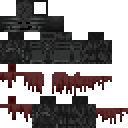
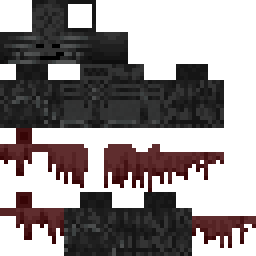
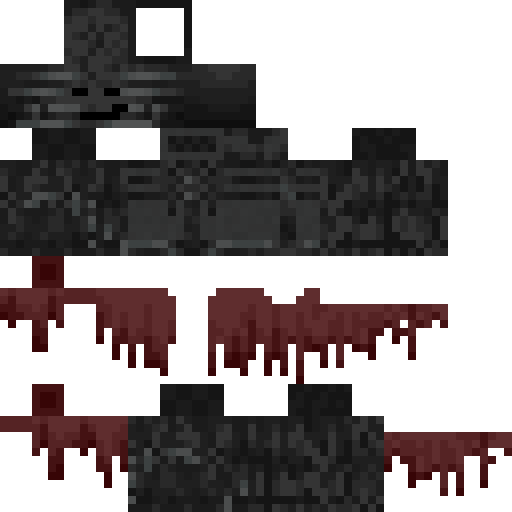
nv_slvvp Minecraft Skin
✓ Approved
Skin for nv_slvvp
1
Downloads
228
Views
0
Likes
Reactions
Log in to react.
Minecraft profile
8cce1906-d4e4-48a1-b84c-64a09951848fModel
classic
Views / 30 days
35
Observed names
Dates show when minecraft.how first observed each name.
nv_slvvp—
Skin history
History grows as minecraft.how observes profile changes.

Head command
/give @p minecraft:player_head[profile={name:"nv_slvvp"}]Users with Same Texture (51 total)
51
Total Users
10.8K
Combined Views
51
Combined Downloads
 gaminfact765
525 views1 downloads
 Gorillakill3
236 views1 downloads
 User_1986
233 views1 downloads
 Commitx2
228 views1 downloads
 McLongRod
226 views1 downloads
 AsuraSlay
225 views1 downloads
 Sebastianokt
224 views1 downloads
 Nawar_
221 views1 downloads
 XxD2525mxX
220 views1 downloads
 Rejitsuu
218 views1 downloads
 Manticorer11
218 views1 downloads
 IowrethTheRed
218 views1 downloads
 B_A137
214 views1 downloads
 Notshourya
213 views1 downloads
 phunkymcc
211 views1 downloads
 Trishan3154
211 views1 downloads
 Klouthout
210 views1 downloads
 _1dingus
208 views1 downloads
 Guenterjansen
208 views1 downloads
 klxnphxl
207 views1 downloads
 AnonimXD
207 views1 downloads
 Kiolike
207 views1 downloads
 KingDark05
206 views1 downloads
 rzbr
206 views1 downloads
 footstonks111
205 views1 downloads
 Shmeeb_my_shmoob
205 views1 downloads
 Galore24
205 views1 downloads
 Bobmancheese
203 views1 downloads
 Ikefuts3000
203 views1 downloads
 67ieatpeople67
203 views1 downloads
 Sykopompu
202 views1 downloads
 smallbartha
202 views1 downloads
 aianemmeir
200 views1 downloads
 ZlTrafiz
199 views1 downloads
 CosmosWrlds
197 views1 downloads
 LittleBig_Kai
196 views1 downloads
 ConvivialMan
194 views1 downloads
 voidsync44
194 views1 downloads
 Abe_Elite
194 views1 downloads
 _YEAGERIST_
193 views1 downloads
 Vvgamer2603
192 views1 downloads
 TheGoatMillo
190 views1 downloads
 SheLikesLovesh
188 views1 downloads
 Panter_YT
188 views1 downloads
 Blazegrinder420
187 views1 downloads
 R47CH1LD
187 views1 downloads
 i_amsomeonee
186 views1 downloads
 FartSmella73
185 views1 downloads
 Lordnightmare00
183 views1 downloads
 mat4power
170 views1 downloads
PNG · 64×64
Share this skin
Scan with your phone to share this skin
Tags
MinecraftSkinsnv_slvvp
Frequently Asked Questions
To download the nv_slvvp Minecraft skin:
- Click the "Download" button to get this free nv_slvvp skin
- The skin file
.pngwill be saved to your device - Works with both Java Edition and Bedrock Edition
- See below for complete installation instructions
To apply the nv_slvvp skin:
- Log in to your Mojang or Microsoft account on the official Minecraft website.
- Navigate to the "Skins" section in your profile.
- Upload the downloaded
.pngfile. - Launch Minecraft, and your character will now use the nv_slvvp skin.
Note: The process may vary slightly between Minecraft Java Edition and Minecraft Bedrock Edition.
Yes, the nv_slvvp skin is compatible with both Minecraft Java Edition and Minecraft Bedrock Edition. However, the method of applying the skin may differ slightly between the two versions. Follow the instructions provided on this page for your specific edition.
Absolutely! You can edit the nv_slvvp skin using a Minecraft skin editor. Simply open the downloaded
.png file in the editor, make your changes, and save the file. Then, upload the edited skin to your Minecraft profile.If the nv_slvvp skin isn't working, try the following:
- Ensure you downloaded the correct file format
.png. - Make sure you're using the correct version of Minecraft Java Edition or Bedrock Edition.
- Check that the skin file is not corrupted. Re-download the skin if necessary.
- Log out and back into your Mojang or Microsoft account to refresh your profile.
Create your own skin
Draw a pixel-perfect Minecraft skin in the browser with our free 3D skin editor.
→ Skin Creator