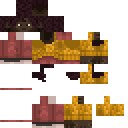
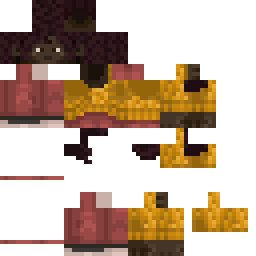
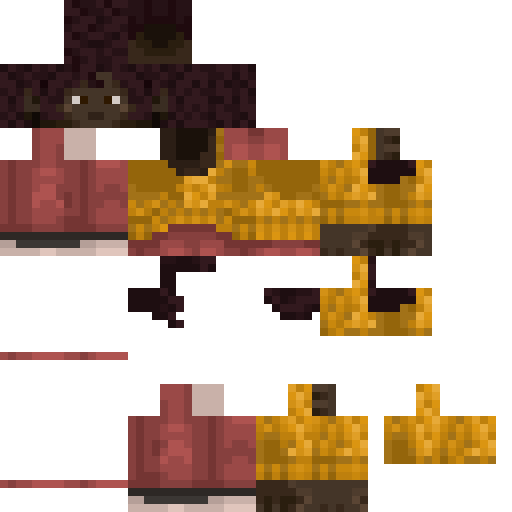
EpicPlayerMob Minecraft Skin
✓ Approved
Skin for EpicPlayerMob
0
Downloads
101
Views
0
Likes
Reactions
Log in to react.
Minecraft profile
113f5e62-da28-4caa-8618-7eb43a2e7b1aModel
classic
Views / 30 days
13
Observed names
Dates show when minecraft.how first observed each name.
EpicPlayerMob—
Skin history
History grows as minecraft.how observes profile changes.

Head command
/give @p minecraft:player_head[profile={name:"EpicPlayerMob"}]Users with Same Texture (51 total)
51
Total Users
25.5K
Combined Views
0
Combined Downloads
 _Fragmentos
8.8K views0 downloads
 TylerTheProdigy
415 views0 downloads
 Banjowtf
389 views0 downloads
 Niko145Niko146
387 views0 downloads
 Der_Babaron
379 views0 downloads
 DabbinTwinjas
371 views0 downloads
 applepieman2132
367 views0 downloads
 Valedictorian21
364 views0 downloads
 kityboyV4
363 views0 downloads
 Saeuji
356 views0 downloads
 Rickerd_P
356 views0 downloads
 hidududu
356 views0 downloads
 CoinBeggar
355 views0 downloads
 unicornfart08
355 views0 downloads
 I_LOVE_Children
350 views0 downloads
 aaaa2212
349 views0 downloads
 Prosto_llr
346 views0 downloads
 tibbywibbyy
345 views0 downloads
 j2g11
j2g11344 views0 downloads
 MothrBlocker
344 views0 downloads
 Laurin0103
344 views0 downloads
 D3SI31
342 views0 downloads
 MrWizard009
339 views0 downloads
 ChezMonke27123
338 views0 downloads
 Rexy9121
337 views0 downloads
 Mrlighting666
335 views0 downloads
 Eto231
334 views0 downloads
 Particleboy1234
334 views0 downloads
 Cake_Like
333 views0 downloads
 Christos642
332 views0 downloads
 _tsaafc_
331 views0 downloads
 GOLDROR
331 views0 downloads
 ironmansigma
330 views0 downloads
 matybobtv
330 views0 downloads
 FakeEyes
329 views0 downloads
 WistMist
328 views0 downloads
 plxzin
322 views0 downloads
 thepeacefultree3
320 views0 downloads
 SrSmile_
316 views0 downloads
 FamedLeopard721
315 views0 downloads
 Driezel4
315 views0 downloads
 Nova_The_God
314 views0 downloads
 N0rboo
311 views0 downloads
 razika20
310 views0 downloads
 Johnny00123
307 views0 downloads
 Gystible
306 views0 downloads
 DarkNightScratch
305 views0 downloads
 monkey_mail2
301 views0 downloads
 Cyrix11
297 views0 downloads
 TaksiBankomat
290 views0 downloads
PNG · 64×64
Share this skin
Scan with your phone to share this skin
Tags
MinecraftSkinsEpicPlayerMob
Frequently Asked Questions
To download the EpicPlayerMob Minecraft skin:
- Click the "Download" button to get this free EpicPlayerMob skin
- The skin file
.pngwill be saved to your device - Works with both Java Edition and Bedrock Edition
- See below for complete installation instructions
To apply the EpicPlayerMob skin:
- Log in to your Mojang or Microsoft account on the official Minecraft website.
- Navigate to the "Skins" section in your profile.
- Upload the downloaded
.pngfile. - Launch Minecraft, and your character will now use the EpicPlayerMob skin.
Note: The process may vary slightly between Minecraft Java Edition and Minecraft Bedrock Edition.
Yes, the EpicPlayerMob skin is compatible with both Minecraft Java Edition and Minecraft Bedrock Edition. However, the method of applying the skin may differ slightly between the two versions. Follow the instructions provided on this page for your specific edition.
Absolutely! You can edit the EpicPlayerMob skin using a Minecraft skin editor. Simply open the downloaded
.png file in the editor, make your changes, and save the file. Then, upload the edited skin to your Minecraft profile.If the EpicPlayerMob skin isn't working, try the following:
- Ensure you downloaded the correct file format
.png. - Make sure you're using the correct version of Minecraft Java Edition or Bedrock Edition.
- Check that the skin file is not corrupted. Re-download the skin if necessary.
- Log out and back into your Mojang or Microsoft account to refresh your profile.
Create your own skin
Draw a pixel-perfect Minecraft skin in the browser with our free 3D skin editor.
→ Skin Creator