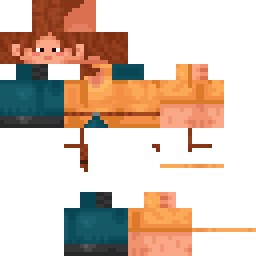
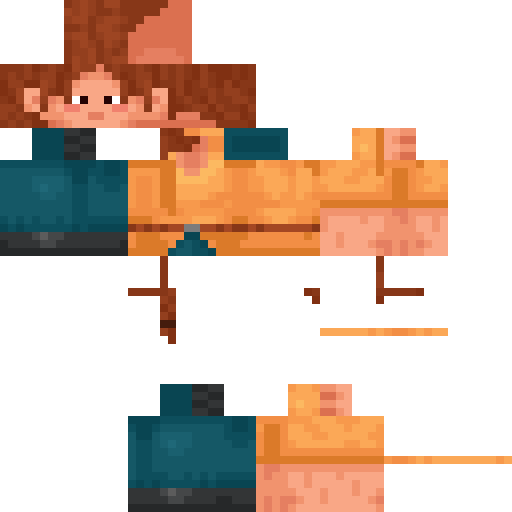
GhostMiner41 Minecraft Skin
✓ Approved
Skin for GhostMiner41
1
Downloads
127
Views
0
Likes
Reactions
Log in to react.
Minecraft profile
5a4a0b45-bec2-41e3-9e5b-0816cd32c23aModel
classic
Views / 30 days
17
Observed names
Dates show when minecraft.how first observed each name.
GhostMiner41—
Skin history
History grows as minecraft.how observes profile changes.

Head command
/give @p minecraft:player_head[profile={name:"GhostMiner41"}]Users with Same Texture (51 total)
51
Total Users
52.3K
Combined Views
51
Combined Downloads
 AlexeyLyalechka
10.9K views1 downloads
 PercyJackson787
1.2K views1 downloads
 thepotatoking999
1.2K views1 downloads
 xxdogoxx
1.1K views1 downloads
 footiejacob200
1.1K views1 downloads
 FARMTOTERM
1.1K views1 downloads
 WarriorPizza2
1.0K views1 downloads
 LuminousCape831
1.0K views1 downloads
 Bagar_Billa
1.0K views1 downloads
 grogudude
991 views1 downloads
 blazeshot123
989 views1 downloads
 Matteo_Teuber201
977 views1 downloads
 xd_thunder123
946 views1 downloads
 OgFarmers
912 views1 downloads
 Anavil1013
911 views1 downloads
 SuperCalee
905 views1 downloads
 FUMODD
902 views1 downloads
 Milly_on_air
899 views1 downloads
 Taboodragon
895 views1 downloads
 Szapi
890 views1 downloads
 DEKU041
885 views1 downloads
 SprinkleSprite
869 views1 downloads
 WraitX
866 views1 downloads
 Eliteboms
863 views1 downloads
 ImVeryAsian23
862 views1 downloads
 Zerogamess
851 views1 downloads
 sUSISCOOL2222
839 views1 downloads
 Thebruhhhhhhhh
838 views1 downloads
 fortbutt
835 views1 downloads
 0Jerdi
834 views1 downloads
 Striver2345
803 views1 downloads
 NationalOcean22
782 views1 downloads
 Bastida09
781 views1 downloads
 mike_art8
737 views1 downloads
 Dorhy
737 views1 downloads
 Igotballsurgery
731 views1 downloads
 JimmySticks8D
726 views1 downloads
 nota_line
724 views1 downloads
 Utensilfce
723 views1 downloads
 BunnyMcMaster
712 views1 downloads
 Ana047
712 views1 downloads
 jagatomo
706 views1 downloads
 LawKenpachi
694 views1 downloads
 Maszat12
689 views1 downloads
 tempalt_LOL
630 views1 downloads
 Minecraftgam
620 views1 downloads
 AnemiaI
598 views1 downloads
 DGom525
585 views1 downloads
 Migi_Jojo
568 views1 downloads
 HowieBoyz
500 views1 downloads
PNG · 64×64
Share this skin
Scan with your phone to share this skin
Tags
MinecraftSkinsGhostMiner41
Frequently Asked Questions
To download the GhostMiner41 Minecraft skin:
- Click the "Download" button to get this free GhostMiner41 skin
- The skin file
.pngwill be saved to your device - Works with both Java Edition and Bedrock Edition
- See below for complete installation instructions
To apply the GhostMiner41 skin:
- Log in to your Mojang or Microsoft account on the official Minecraft website.
- Navigate to the "Skins" section in your profile.
- Upload the downloaded
.pngfile. - Launch Minecraft, and your character will now use the GhostMiner41 skin.
Note: The process may vary slightly between Minecraft Java Edition and Minecraft Bedrock Edition.
Yes, the GhostMiner41 skin is compatible with both Minecraft Java Edition and Minecraft Bedrock Edition. However, the method of applying the skin may differ slightly between the two versions. Follow the instructions provided on this page for your specific edition.
Absolutely! You can edit the GhostMiner41 skin using a Minecraft skin editor. Simply open the downloaded
.png file in the editor, make your changes, and save the file. Then, upload the edited skin to your Minecraft profile.If the GhostMiner41 skin isn't working, try the following:
- Ensure you downloaded the correct file format
.png. - Make sure you're using the correct version of Minecraft Java Edition or Bedrock Edition.
- Check that the skin file is not corrupted. Re-download the skin if necessary.
- Log out and back into your Mojang or Microsoft account to refresh your profile.
Create your own skin
Draw a pixel-perfect Minecraft skin in the browser with our free 3D skin editor.
→ Skin Creator