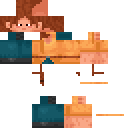
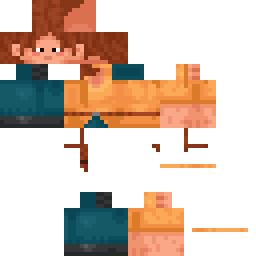
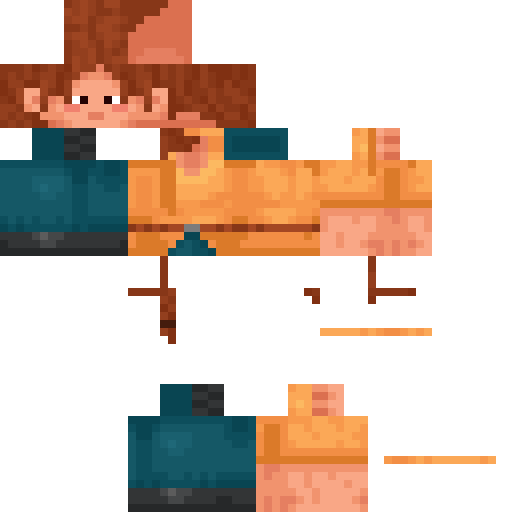
goofyyyf Minecraft Skin
✓ Approved
Skin for goofyyyf
1
Downloads
109
Views
0
Likes
Reactions
Log in to react.
Minecraft profile
4527655b-b169-4d31-ab8f-f4fa4785841bModel
classic
Views / 30 days
13
Observed names
Dates show when minecraft.how first observed each name.
goofyyyf—
Skin history
History grows as minecraft.how observes profile changes.

Head command
/give @p minecraft:player_head[profile={name:"goofyyyf"}]Users with Same Texture (51 total)
51
Total Users
48.2K
Combined Views
51
Combined Downloads
 YANIV1200
19.3K views1 downloads
 SkylaLuv
1.1K views1 downloads
 snot05
1.0K views1 downloads
 DevTheSuper
1.0K views1 downloads
 corakrip
918 views1 downloads
 COR_ABDULL
914 views1 downloads
 Mika_ww
896 views1 downloads
 SpAppollon
875 views1 downloads
 M7healmaxxing
843 views1 downloads
 Najboss7
839 views1 downloads
 ELMO_468
825 views1 downloads
 carvedcamp08435
790 views1 downloads
 hi_hi_hi_hi456
785 views1 downloads
 Term_archer
728 views1 downloads
 CheeseBurgerCa7
710 views1 downloads
 gkobidze07
698 views1 downloads
 Dracbox
696 views1 downloads
 SkeletonCliques
680 views1 downloads
 Moger82
671 views1 downloads
 zCxris
649 views1 downloads
 Meropide
606 views1 downloads
 Ariteks
564 views1 downloads
 Fish3482
551 views1 downloads
 tattsun07
532 views1 downloads
 LilianTLZ
527 views1 downloads
 Skezzik
517 views1 downloads
 medniekslv2
516 views1 downloads
 STAK1X
498 views1 downloads
 basfoxy
478 views1 downloads
 Kot_Blohas
470 views1 downloads
 crafter0337
465 views1 downloads
 igonigon
462 views1 downloads
 Bellastevens
459 views1 downloads
 Iliassss
452 views1 downloads
 Rhaegar6553
444 views1 downloads
 DeputyLeo
436 views1 downloads
 POSSULINEN
418 views1 downloads
 oychad
415 views1 downloads
 WeW1ndows
400 views1 downloads
 alicemarsten5
391 views1 downloads
 scteras
390 views1 downloads
 wackykhakis2
380 views1 downloads
 Dope1738s
364 views1 downloads
 VidarLid
364 views1 downloads
 HondaGuy23
361 views1 downloads
 enderlord7777
361 views1 downloads
 Im_ChiangKaishek
345 views1 downloads
 mj23daking
344 views1 downloads
 llwshuaibi
341 views1 downloads
 riwulet_
334 views1 downloads
PNG · 64×64
Share this skin
Scan with your phone to share this skin
Tags
MinecraftSkinsgoofyyyf
Frequently Asked Questions
To download the goofyyyf Minecraft skin:
- Click the "Download" button to get this free goofyyyf skin
- The skin file
.pngwill be saved to your device - Works with both Java Edition and Bedrock Edition
- See below for complete installation instructions
To apply the goofyyyf skin:
- Log in to your Mojang or Microsoft account on the official Minecraft website.
- Navigate to the "Skins" section in your profile.
- Upload the downloaded
.pngfile. - Launch Minecraft, and your character will now use the goofyyyf skin.
Note: The process may vary slightly between Minecraft Java Edition and Minecraft Bedrock Edition.
Yes, the goofyyyf skin is compatible with both Minecraft Java Edition and Minecraft Bedrock Edition. However, the method of applying the skin may differ slightly between the two versions. Follow the instructions provided on this page for your specific edition.
Absolutely! You can edit the goofyyyf skin using a Minecraft skin editor. Simply open the downloaded
.png file in the editor, make your changes, and save the file. Then, upload the edited skin to your Minecraft profile.If the goofyyyf skin isn't working, try the following:
- Ensure you downloaded the correct file format
.png. - Make sure you're using the correct version of Minecraft Java Edition or Bedrock Edition.
- Check that the skin file is not corrupted. Re-download the skin if necessary.
- Log out and back into your Mojang or Microsoft account to refresh your profile.
Create your own skin
Draw a pixel-perfect Minecraft skin in the browser with our free 3D skin editor.
→ Skin Creator